
Call us: 262-657-5500
GigaTrak
  • Solutions
    • Tool Tracking System
    • Asset Tracking System
    • Package Tracking System
    • Document Tracking System
    • Hardware
      • Scanners
      • Printers
      • Barcodes
  • Industries
    • Contractors
    • Manufacturing
    • Business
    • Healthcare
    • Government
    • Aerospace
    • Education
  • Resources
    • Client Center
    • Videos
    • Blog
  • About
  • Cloud Login
  • Contact Us
    • Sales
    • Training
    • Support
  • Book  a  Demo
  • Menu Menu
Call us: 262-657-5500

Equipment Tracking System Checklist: What to Look For
in Blog

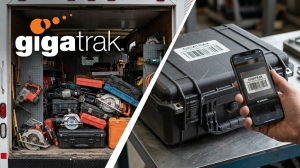
Stop losing equipment in your fleet vehicles. GigaTrak provides barcode tool tracking software to keep your service trucks accountable and your tools visible. Equipment Tracking System.

Equipment Tracking System Checklist: What to Look For

Managing equipment across multiple job sites, warehouses, and field operations is an ongoing operational challenge. Without a structured tracking process, organizations face compounding hidden costs: lost or stolen tools, unbilled equipment time, ghost assets sitting on balance sheets, unnecessary rental expenses, and unexpected project delays caused by broken gear. Implementing a dedicated equipment tracking system brings clarity, control, and accountability to your entire physical asset footprint.However, choosing the right software solution requires evaluating features against your team’s specific daily workflows. Selecting a platform that is overly complex risks low field adoption, while choosing a system that is too basic leads to data gaps and manual workarounds. Use this comprehensive buyer’s checklist to evaluate equipment tracking systems, ensure seamless operational fit, and maximize your return on investment.

The Core Equipment Tracking System Buyer’s Checklist

1. Flexible Asset Tagging & Identification Methods
  • Barcode Tagging (High-volume tools, consumables, cribs)
  • QR Codes (Quick smartphone/tablet field scanning)
  • RFID Tags (Passive/Active bulk scanning without line-of-sight)
  • GPS & Bluetooth BLE Beacons (Real-time tracking for high-value machinery)
2. Streamlined Check-In & Check-Out Workflows
  • Sub-5-Second Mobile Scanning
  • Digital Custody Signatures & Responsible Party Assignment
  • Expected Return Dates & Overdue Notifications
  • Kitting & Grouped Asset Bundling (e.g., generator + cords + fuel tank)
3. Field-Ready Mobile Accessibility
  • Native iOS & Android Apps
  • Offline Data Storage & Auto-Syncing Capabilities
  • In-App Photo Documentation for Condition Verification
4. Preventive Maintenance & Safety Calibration
  • Usage-Based Maintenance Alerts (Date, engine hours, mileage)
  • Digital Repair & Inspection History Logs
  • Automatic Maintenance Lockout (Prevents check-out of broken tools)
5. Comprehensive Reporting & Operational Analytics
  • Equipment Utilization Rates (Identify idle vs. overworked assets)
  • Loss & Damage Trends by Site, Project, or Employee
  • Complete Lifecycle Audit Trails (Procurement to retirement)
6. Enterprise Integration & System Scalability
  • ERP & Accounting Sync (QuickBooks, Sage, custom APIs)
  • Role-Based Access Controls & Custom Permissions
  • Hosting Flexibility (Cloud SaaS vs. On-Premise Deployment)

Detailed Evaluation: Critical Capabilities Explained

1. Flexible Asset Tagging & Identification

Every tracking system relies entirely on how assets are identified in the field. A robust system must integrate with multiple tagging technologies rather than forcing your business into a single proprietary hardware format.

  • Barcode Tagging: Highly cost-effective and ideal for tool cribs, consumable items, and high-volume hand tools. Durable metal or synthetic barcode labels withstand harsh weather, chemical exposure, and abrasion.
  • QR Codes: Convenient for quick mobile scanning using standard smartphones or tablet cameras. QR codes allow field technicians to quickly pull up spec sheets, user manuals, and safety documentation on site.
  • RFID (Radio Frequency Identification): Passive and active RFID tags enable rapid, bulk scanning without requiring a direct line of sight. This allows crib managers to check in an entire gang box or scan a truck bed full of tools in seconds.
  • GPS & Bluetooth (BLE) Beacons: Essential for heavy machinery, fleet vehicles, or high-value mobile equipment. GPS and BLE beacons provide real-time location mapping, geofencing capabilities, and movement history.

2. Streamlined Check-In / Check-Out Workflows

The primary defense against lost or misplaced equipment is establishing clear accountability every time an asset changes hands. If the check-in or check-out process takes longer than a few seconds, field personnel will bypass the system.

  • Speed & Simplicity: Scanning an item out to an employee or job site should take under five seconds per transaction.
  • Custody Chains: Capture digital signatures upon transfer, assign assets to specific project codes, and set mandatory return deadlines to ensure items are returned on schedule.
  • Kitting & Grouped Assets: Advanced tracking systems allow you to bundle items into standardized “kits” (e.g., a trenching kit containing a saw, safety gear, blades, and extra fuel). Checking out the parent kit automatically updates the status of all child assets simultaneously.

3. Field-Ready Mobile Accessibility

Your team works on job sites, in warehouses, and on the road—your tracking software must function smoothly wherever work happens.

  • Native Mobile Applications: Field technicians, project managers, and tool crib operators need native iOS and Android apps to perform site audits, verify equipment availability, and transfer custody without returning to a desktop computer.
  • Offline Functionality: Job sites frequently lack cellular service or reliable Wi-Fi. Look for an equipment tracking system that saves scanning transactions locally on the mobile device and automatically syncs data to the central database once connectivity is restored.
  • Photo Verification: Mobile apps should allow workers to attach photos to asset records during check-in or check-out to document pre-existing wear, physical damage, or missing components.

4. Preventive Maintenance & Calibration Scheduling

Equipment tracking involves more than monitoring locations; it is also critical for protecting asset longevity, maintaining manufacturer warranties, and ensuring workplace safety compliance.

  • Automated Service Alerts: Schedule maintenance triggers based on calendar dates, engine runtime hours, or mileage thresholds. Receive proactive alerts before equipment fails on a critical job site.
  • Inspection & Compliance Logs: Maintain complete, digital service histories for every piece of machinery. Digital record-keeping simplifies OSHA, ANSI, and ISO audit compliance by eliminating paper trail gaps.
  • Automated Safety Lockouts: When an asset is flagged for repair or overdue for safety calibration, the software should automatically lock the item out in the system, preventing operators from checking out unsafe or non-compliant equipment.

5. Advanced Reporting & Operational Analytics

Data collection provides value when it translates into actionable business intelligence that improves capital allocation and operational efficiency.

  • Equipment Utilization Rates: Distinguish between equipment actively earning revenue and assets sitting idle in a yard. Utilization reporting helps operations managers make informed decisions about expanding, consolidating, or reallocating equipment fleets.
  • Loss & Damage Tracking: Track loss rates across specific job sites, departments, or project teams. Identifying recurring patterns enables targeted training and holds sub-contractors or crews accountable for damaged gear.
  • Total Cost of Ownership (TCO): Track purchase price, maintenance expenditures, replacement parts, and residual value to calculate the true lifecycle cost of every equipment category.

Standard Software vs. Purpose-Built Equipment Tracking

Evaluating standard asset tracking tools against an industry-focused platform like GigaTrak highlights key differences in operational capabilities:

Feature Category Generic Asset Management Software Advanced Equipment Tracking System (GigaTrak)
Asset Identification Basic, single-format barcode scanning Multi-tag support: Barcodes, QR Codes, RFID, & GPS/BLE
Field Operations Desk-oriented web forms; limited mobile functions Offline-native mobile app for iOS & Android with local caching
Check-Out Speed Manual dropdown selection & typing Rapid multi-item barcode/RFID scanning with signature capture
Maintenance Workflows Static text notes or basic date reminders Usage-based alerts (hours/miles), lockout flags, & inspection logs
Asset Bundling Single item tracking only Dynamic kitting (parent-child asset relationships)
Deployment Options Cloud-only SaaS subscription Flexible Cloud SaaS or secure On-Premise software hosting
Hardware Support BYOD smartphone camera only Dedicated rugged handheld scanners, integrated printers, & mobile tags

Key Business Benefits of Implementing an Equipment Tracking System

IMPLEMENT AN EQUIPMENT TRACKING SYSTEM

Accountability

  • Custody logs
  • Digital signatures
  • Site audits

Cost Reduction

  • Zero duplicate purchases
  • Lower rental costs
  • Minimized loss

Productivity

  • Fast check-out
  • Maximum uptime
  • Automated logs

An enterprise equipment tracking system delivers measurable financial benefits across multiple departments:

  1. Elimination of Unnecessary Tool Purchases: When tools go missing, companies often buy duplicates. Real-time visibility across all yards and vehicles ensures existing assets are deployed before buying new ones.
  2. Reduced Jobsite Downtime: Missing or broken tools halt project progress. Proactive maintenance and accurate real-time inventory ensure crews always arrive on site equipped with fully operational gear.
  3. Accurate Job Costing & Equipment Billing: Track exactly how long specific equipment remains assigned to a project. This allows project managers to bill equipment time accurately to clients or internal cost centers.
  4. Enhanced Employee Accountability: Establishing digital custody records fosters a culture of responsibility among field technicians and crew supervisors, dramatically reducing tool shrinkage.

Why Leading Operations Trust GigaTrak

Selecting an equipment tracking system comes down to striking the right balance between simplicity for field personnel and comprehensive reporting for management.

For over two decades, GigaTrak has delivered specialized tool and asset tracking software tailored specifically for construction contractors, field service organizations, industrial manufacturing facilities, healthcare systems, and government agencies.

What Sets GigaTrak Apart:

  • Tailored Product Lineup: Choose specialized solutions like GigaTrak Tool Tracker (designed for fast-paced check-in/check-out and tool crib management) or GigaTrak Asset Tracker (focused on fixed asset lifecycles, locations, and depreciation).
  • Transparent Ownership & Flexible Hosting: GigaTrak provides flexible deployment options, offering both turnkey Cloud (SaaS) hosting and secure On-Premise software installations for organizations with strict data compliance requirements.
  • Turnkey Hardware Solutions: Eliminate compatibility guesswork. GigaTrak supplies fully integrated hardware packages, including rugged mobile handheld computers, industrial barcode printers, RFID readers, and heavy-duty asset tags engineered to survive harsh environments.
  • In-House Implementation & Support: Experience seamless software adoption with dedicated, U.S.-based technical support, guided data migration, and comprehensive team training.

Final Buyer’s Decision Roadmap

Before committing to an equipment tracking platform, run your top software candidates through this final four-step verification process:

  1. Verify Field Usability: Test the mobile app interface on an actual job site. Can a worker complete a check-out transaction while wearing work gloves?
  2. Validate Offline Reliability: Disconnect your mobile device from Wi-Fi and cellular data. Perform several asset scans and audits to confirm that data saves locally and syncs smoothly upon reconnection.
  3. Review Total Cost of Ownership: Look beyond initial software pricing. Account for hardware compatibility, ongoing support fees, user license tiers, and module add-ons.
  4. Schedule a Live Workflow Demo: Ask software vendors to demonstrate your specific business workflows during a live demo rather than running through generic slide presentations.

Take Control of Your Equipment Fleet Today

Unused, misplaced, or unmaintained equipment quietly erodes your company’s profitability every day. Implementing a dedicated equipment tracking system eliminates operational guesswork, enforces employee accountability, prolongs asset lifecycles, and protects your capital investments.

Schedule Your GigaTrak Demo

Asset Tracking for Construction: Contractor’s Guide

in Blog

With GigaTrak’s asset tracking for contractors, your valuable inventory stays secure and fully accounted for across every work truck. Construction Asset Management Software. GigaTrak

Asset Tracking for Construction: The Contractor’s Guide to Jobsite Tool Control

Managing tools and heavy equipment across multiple jobsites costs contractors thousands of dollars every year in lost gear and wasted labor. When high-value power tools go missing, project schedules stall and direct replacement expenses destroy profit margins.

For 30 years, GigaTrak has provided barcode tool tracking systems to organizations like FDNY, Lockheed Martin, and the US Army. Implementing a dedicated strategy for asset tracking for construction replaces daily guesswork with absolute tool accountability.

This complete guide covers how commercial contractors eliminate tool loss, improve asset utilization, speed up field inventory audits, and keep projects moving on schedule.

The True Cost of Unmanaged Jobsite Assets

Tool loss is rarely limited to the price tag of replacing a stolen generator or missing rotary hammer. Unmanaged physical assets drain financial resources across your entire business operations.

  • Wasted Labor Hours: Field crews waste up to 30 minutes every shift searching gang boxes, work trucks, and job trailers for misplaced gear.
  • Redundant Purchases: Project managers buy or rent duplicate tools because no central system confirms existing equipment availability.
  • Project Delays and Penalties: Work stops completely when specialized equipment is missing, leading to missed milestones and contract penalties.
  • Subcontractor Equipment Hoarding: Workers stash critical items in personal vehicles or remote gang boxes, hiding active inventory from other crews.
  • Unscheduled Machinery Breakdown: Without maintenance tracking, unserviced equipment breaks down unexpectedly on active jobs.

What Is Asset Tracking for Construction?

Asset tracking for construction is the continuous management process of tagging physical tools, monitoring inventory movement, and assigning item responsibility to specific workers or jobsites. It relies on durable barcode tags, handheld barcode scanners, mobile devices, and central tracking software. Contractors use these tool tracking systems to verify asset location, maintenance history, and transfer records in real time.

Categorizing Construction Inventory for Total Control

Not every item on a jobsite requires the same level of tracking detail. Organizing inventory into three distinct asset tiers ensures proper field oversight without unnecessary paperwork.

1. Heavy Equipment and Vehicle Fleets

Excavators, skid steers, work trucks, and large trailers represent high capital costs. These high-value assets are tracked individually using active GPS hardware alongside periodic physical scans during site transfers.

2. High-Value Power Tools and Equipment

Rotary hammers, crimpers, laser levels, generators, and pipe benders move frequently between trucks and workers. Each item receives a unique asset tag and serial number record to track individual responsibility during every check-out.

3. Bulk Consumables and Hand Tools

Safety gear, drill bits, extensions, and hand tools are managed by total quantity counts rather than unique serial numbers. Tool crib software monitors bulk minimum stock levels to trigger restock orders automatically.

4 Steps to Implement Construction Asset Tracking

Moving from paper tracking sheets or simple spreadsheets to a digital asset tracking solution requires a systematic setup.

Step 1: Standardize Identification with Durable Barcode Tags

Ditch manual text entry. Affix durable, jobsite-ready barcode labels to every piece of equipment. Industrial barcode tags withstand extreme weather, grease, mud, and heavy physical abuse. Scanners read these labels instantly in warehouse yards or active job trailers.

Step 2: Establish Tool Crib Management Rules

What is tool crib management? Tool crib management is the operational practice of controlling, issuing, and tracking equipment from a central tool room, warehouse, or jobsite trailer. Assigning a dedicated crib manager or using mobile check-in and check-out workflows ensures no tool leaves storage without a digital transfer record.

Step 3: Mandate Digital Sign-Out Accountability

Tools rarely disappear on their own. They get lost when no single individual is accountable. Requiring workers to verify tool check-outs using handheld barcode scanners creates an indisputable audit trail. Everyone knows exactly who took the item, when it left the yard, and where it is supposed to be.

Step 4: Deploy Dedicated Construction Tool Tracking Software

Generic spreadsheets fail as soon as equipment spreads across multiple active locations. Specialized software centralizes item records, tracks maintenance schedules, logs transfer histories, and monitors overall asset utilization rates.

Explore GigaTrak Tool Tracking Systems to see how barcode workflows eliminate inventory confusion across your fleet.

How Construction Asset Tracking Improves Your Bottom Line

Digital tool management impacts far more than loss prevention. Controlling your inventory directly improves operational efficiency across four key areas:

  • Accurate Job Costing: Assign tool usage expenses directly to specific job codes or project cost centers for precise client billing.
  • Preventative Maintenance Tracking: Schedule service alerts based on usage hours or calendar intervals to protect asset lifespan and avoid costly breakdowns.
  • Faster Inventory Audits: Conduct complete job site audits in minutes using handheld barcode terminals instead of spending days counting items by hand.
  • Higher Asset Utilization: Identify idle tools sitting in tool rooms and redeploy them to active sites instead of purchasing new equipment.

Selecting Deployment Options: Cloud vs. On-Premise

Every construction business operates under different IT requirements and security mandates. When selecting tracking software, evaluate which deployment model fits your operational setup:

  • Cloud-Based Software: Access real-time tool inventory data from any internet-connected device or smartphone. Best for field operations requiring instant updates across multiple job sites.
  • On-Premise Deployment: Install software directly on local company servers. Essential for contractors operating under strict data security regulations or high-security government facilities.

Core Features Every Construction Tracking System Needs

Select software designed specifically for tough jobsite conditions rather than standard corporate offices.

Feature Field Requirement Business Impact
Mobile Barcode Scanning Scans and transfers tools using rugged handheld terminals or mobile apps. Eliminates paperwork and speeds up check-in/check-out cycles.
Offline Data Syncing Stores barcode scan data locally when cellular signal drops on remote sites. Prevents work interruptions and syncs records once back online.
Maintenance Tracking Logs service intervals, engine hours, and safety inspection dates. Extends asset lifecycle and prevents unexpected equipment failures.
Audit & Loss Reporting Generates reports showing loss rates, tool usage, and missing assets by site. Identifies missing items immediately to hold teams accountable.

Frequently Asked Questions

What is the best way to track tools on a construction site?

The most reliable method is attaching durable barcode tags to every tool and scanning them through dedicated tracking software during check-in and check-out. This builds a permanent digital history of item location and worker responsibility.

Why use barcode tags instead of manual spreadsheets?

Manual spreadsheets rely on human memory and manual typing, which cause frequent errors. Barcode scanning logs transfers in seconds, eliminates data entry errors, and updates master inventory records automatically.

Can barcode tracking software work on jobsites without internet service?

Yes. Barcode tracking software built with offline scanning capabilities stores transaction data directly on mobile handheld devices. The system updates your central database as soon as the terminal connects to Wi-Fi or cellular service.

What is the difference between active GPS and barcode asset tracking?

Active GPS tracking relies on battery-powered transmitters to provide real-time location mapping for heavy machinery and vehicles. Barcode asset tracking uses durable physical tags and scanners to track smaller power tools, equipment, and hand tools at a fraction of the cost per item.

Stop Missing Tools from Eating Your Profits

Effective asset tracking for construction keeps projects moving on schedule, lowers tool replacement costs, and holds field crews accountable. GigaTrak delivers simple barcode tracking hardware and software backed by 100% US-based customer support.

Ready to eliminate lost tool expenses and secure your inventory? Request a Consultation with a GigaTrak specialist today.

Contacting GigaTrak:

  • 262-657-5500
  • sales@gigatrak.com
  • gigatrak.com

Request a Free Consultation and Demo.

Visit our Contact Page.

Pages

  • About TTS
  • About Us
  • About Us Old
  • Account Administration
  • Accounts adding or editing
  • Add New Tool Basic & Advanced
  • Add New Tool No Master
  • Add Photo & Doc
  • Aerospace
  • Asset and Inventory Tracking Software
  • Asset Button
  • Asset Control Systems
  • Asset Database Solutions
  • Asset Inventory Management
  • Asset Inventory System
  • Asset Management
  • Asset Management Barcode Software
  • Asset Management Companies
  • Asset Management Inventory Software
  • Asset Management Programs
  • Asset Management Software
  • Asset Management Software and Barcode
  • Asset Management Software with Barcode Scanner
  • Asset Management Systems
  • Asset Management Tracking
  • Asset Scanner Software
  • Asset Software for Schools
  • Asset Software Management
  • Asset Software Management for Schools
  • Asset Tagging Software
  • Asset Tagging System
  • Asset Tracker Software
  • Asset Tracking
  • Asset Tracking and Management Solution
  • Asset Tracking Barcode Solutions
  • Asset Tracking Contact Us LP 2026
  • Asset Tracking for Hospitals
  • Asset Tracking for Laptops
  • Asset Tracking for Universities
  • Asset Tracking Free Demo Of Software LP 2026
  • Asset Tracking Paid Ad LP 2026
  • Asset Tracking Software
  • Asset Tracking Software
  • Asset Tracking Software for Schools
  • Asset Tracking Software for Schools
  • Asset Tracking Software With Barcode
  • Asset Tracking System
  • Asset Tracking System
  • Asset Tracking System
  • Asset Tracking System
  • Asset Tracking System
  • Asset Tracking System Capterra LP
  • Asset Tracking System Contact Us LP
  • Asset Tracking System Contact Us LP 2024
  • Asset Tracking System Free Demo Of Software LP
  • Asset Tracking System Free Demo Of Software LP 2024
  • Asset Tracking System LP
  • Asset Tracking System LP 2023 Old
  • Asset Tracking System LP 2024
  • Asset Tracking System paid ad LP 2024
  • Asset Tracking System Test Drive It Now LP
  • Asset Tracking System Test Drive It Now LP 2024
  • Asset Tracking System Watch Our Product Video LP
  • Asset Tracking System Watch Our Product Video LP 2024
  • Asset Tracking Test Drive It Now LP 2026
  • Asset Tracking Watch Our Product Video LP 2026
  • ATS Access DB Back Up
  • ATS App Features and Batch Syncing
  • ATS Device Application Video
  • ATS Full Instructional Video
  • ATS HH Configurations
  • ATS Install and Batch Setup
  • ATS Live Quick Review
  • ATS Mobile Handheld Application Tutorial
  • ATS Mobile Handheld Batch Download
  • ATS Mobile Terminal Application Videos
  • ATS Promo
  • ATS Promo Labels
  • ATS Quick Help
  • ATS Recorded Training Video
  • ATS Setup Options
  • ATS Training Library
  • ATS Training Videos
  • Audit Bin Count
  • Automated Physical Asset Management
  • Available Packages
  • Back-Up Compact Database
  • BagCheck Software System
  • Barcode Check In Check Out
  • Barcode Inventory Tracking
  • Barcode Inventory Tracking
  • Barcode labels design
  • Barcode Management
  • Barcode Scanner For Tools
  • Barcode Software for Schools
  • Barcode Solutions for Document Tracking
  • Barcode Solutions for Tool Tracking
  • Barcode Solutions for Tool Tracking
  • Barcode Tools
  • Barcode Tools
  • Barcode Tracking Software
  • Barcodes
  • Barcoding Equipment Software
  • Basic Tool Management Software
  • Best Asset Management Software
  • Blog
  • Book Demo
  • Business
  • Business Asset Control Software
  • Business Asset Management Software
  • Cart
  • Change Password
  • Check in a tool employee location or container
  • Check In By
  • Check in tools using a computer
  • Check In/Check Out
  • Check In/Check Out Inventory Software
  • Check Out By
  • Check out tools on a computer
  • Checkout
  • Checkout to Checkout
  • CIO Review Construction Tool Tracking Provider
  • Class type setup user defined fields used to categorize tools
  • Client Center
  • Client Center
  • Cloud Based Software
  • Company Asset Management Software
  • Condition Administration
  • Construction Inventory Tool Control Program
  • Construction Tool Tracking
  • Contact Training
  • Contact Us Sales Request
  • Container
  • Container with Audit
  • Contractors
  • Customer Testimonials
  • Customers By Industry
  • Dap MT1010
  • Database compact
  • Datalogic Memor Cold Boot
  • Datalogic Memor Warm Boot
  • Datalogic QD2590
  • Datalogic Skorpio Cold Boot
  • Datalogic Skorpio Warm Boot
  • Document Tracking Software
  • Document Tracking System
  • Document Tracking System
  • Document Tracking System Free Demo Of Software LP
  • Document Tracking System LP
  • Document Tracking System Manage Files By Location LP
  • Document Tracking System Record When Folders Move LP
  • Document Tracking System Test Drive It Now LP
  • Draft Request Information
  • DTS App
  • DTS Custom Fields
  • DTS Demo Video
  • DTS Employee Import
  • DTS Filter Search
  • DTS Initial System Setup
  • DTS Items Icon
  • DTS Items Import
  • DTS Label Designer
  • DTS Location Import
  • DTS Overview and Setup
  • DTS Training Library
  • DTS Training Videos
  • DTS Transfer
  • Education
  • Education Asset Tracking System
  • Email Promo
  • Employee Access Levels
  • Employee Administration
  • Employee Administration – Add New Employee
  • Employee Delete
  • Employee list export or print
  • Employee view setting up buttons they see
  • Employees, Locations and Tools – importing
  • Equipment and Tools Management for Construction
  • Equipment Check In Check Out Software
  • Equipment Check Out Software
  • Equipment Check Out Systems
  • Equipment Inventory Asset Manager
  • Equipment Inventory Barcode Scanner
  • Equipment Inventory Management Software
  • Equipment Inventory Software
  • Equipment Rental Inventory Management
  • Equipment Rental Tracking Software
  • Equipment Rental Tracking System
  • Equipment Tracking Software
  • Export Tools
  • Facilities tools are stored in – Create or edit
  • Facility Administration
  • FAQ
  • File Tab
  • File Tab Menu
  • File Tab Overview
  • Find Tool (F1)
  • Find Tools
  • Fixed Asset Barcode Scanner
  • Fixed Asset Inventory
  • Fixed Asset Management
  • Fixed Asset Software
  • Fixed Asset System
  • Fixed Asset Tagging System
  • Frequently Asked Questions
  • Funding Source Administration
  • Furniture Asset Management Software
  • GigaTrak 1.5
  • GigaTrak Tool Tracking Mobile Application video
  • GigaTrak Virtual Brochure
  • Global User Admin – Change Password
  • Godex 4 Thermal Transfer Printer
  • Government
  • GTS Training Library
  • Guard Tour System
  • Handheld Configuration
  • Handheld Docking & Syncing
  • Handheld options
  • Handheld terminal – downloading transactions
  • Handheld terminal – synchronize data
  • Handheld Terminal Functions
  • Hardware
  • Hardware Comparison
  • Hardware Training Library
  • Healthcare
  • Help Tab
  • Help Tab Menu
  • Home
  • Home screen navigation
  • Home Screen Navigation
  • Home-2
  • Honeywell 60s
  • Honeywell 6100
  • Honeywell 6100 Cold Boot
  • Honeywell 6100 Warm Boot
  • Honeywell CT45
  • Honeywell Dolphin 70e
  • Honeywell Dolphin CT60 Handheld Computer
  • Honeywell Voyager 1452g Wireless Upgradeable Area-Imaging Scanner
  • Hospital Equipment Tracking Systems
  • Hotel Asset Management Tracker
  • How To Barcode Inventory
  • Identify
  • IMS Training Library
  • In and Out Software
  • Industrial Tool Barcoding
  • Industries
  • Information fields – Create or edit the by using the support tab
  • Institutional Asset Tracking
  • Intermec CK3
  • Intermec CN51
  • Intermec CN70
  • Intermec CS40
  • Intermec PB22
  • Intermec PF8
  • Intermec SG20
  • Introduction
  • Inventory Assets
  • Inventory Barcode Scanner System
  • Inventory Control
  • Inventory Control
  • Inventory Control Software
  • Inventory Control Tools
  • Inventory Management
  • Inventory Management Software
  • Inventory Management Software for Equipment
  • Inventory Management System
  • Inventory Management System
  • Inventory Management With Scanner
  • Inventory Software
  • Inventory Software Solutions
  • Inventory Solutions
  • Inventory System Software
  • Inventory Tools
  • Inventory Tracking
  • Inventory Tracking System
  • Join Us
  • Join Us
  • Keep Track of Assets
  • Keep Track of Building Equipment with Barcode
  • Keep Track of Inventory with Barcode
  • Keep Track of School Equipment with Barcode
  • Keep Track of Your Company’s Assets
  • Keeping your handheld mobile devices disinfected and ready for safe use
  • Label Printer and Designer
  • Label Tab Menu
  • Latest Technology
  • License and version information
  • Location Administration
  • Locations – Create and edit storage, transfer and check out
  • Log In
  • Log in over an existing user
  • Log in Temporarily
  • Login
  • Logon
  • Logon and Maintenance Alert
  • LXE MX8
  • Machine Shop Tool Crib Software
  • Main setup screen: Rename categories, set maintenance reminders, add your own company logo to reports, and setup the auto email function
  • Maintenance
  • Maintenance Due Alert
  • Maintenance Repair Provider Administration
  • Manage Assets
  • Manage Building Equipment with Barcode
  • Manage Business Assets with Asset Management Software
  • Manage Inventory
  • Manage Physical Assets
  • Manage Sales Orders
  • Managing Your Tools Through Barcoding
  • Manufacturer Administration
  • Manufacturing
  • Master Catalog
  • Master Catalog
  • Medical Equipment Tracking Software
  • Member Login
  • Member Tab Overview
  • Members
  • Members Import
  • Members Import
  • Members Setup In Gigatrak Contractor Edition
  • Memor 10
  • Memor 11
  • Memor X3
  • Mobile App Transition Guide
  • Mobile Device Application Data Safety
  • Mobile Terminals – Batch Download
  • Nautiz X2
  • Nautiz X4
  • Nautiz X9
  • New User
  • Newsletter 2019
  • Newsletter Own or rent On-Premise vs. Cloud solutions
  • Occupancy Monitoring Control System
  • Package Management System
  • Package Tracking System
  • Package Tracking System for School’s and Universities
  • Panasonic Toughpad FZ
  • Password – change the “global” password
  • Password Reset
  • Password Reset
  • Physical Asset Management
  • Physical Count
  • Physical Inventory Management
  • Physical Inventory Software
  • Preprinted Barcode Labels
  • Printer Assignment
  • Printer Setup
  • Printers
  • Privacy Policy
  • Privacy Statement
  • Process Tracking Software
  • Profile
  • Profile
  • Promo Contact Form
  • PTS Container
  • PTS Delivery
  • PTS Label Designer
  • PTS Mobile App
  • PTS Receive
  • PTS Training Library
  • PTS Training Videos
  • PTS Transfer
  • Purchase Process
  • Purge History
  • Quick Check In
  • Record Maintenance
  • Record Maintenance in Miles Hours
  • Register My Software
  • Register My Software
  • Registration
  • Registration
  • Registration
  • Remote Support Tool
  • Remote Warehouse Inventory Software
  • Rental Tracking Software
  • Reports
  • Reports Accessing
  • Request Information
  • Request Information
  • Request Information
  • Request Information
  • Request Information ATS Trial
  • Request Information Capterra
  • Request Information Labels
  • Request Information LP
  • Request Information LP Cloud
  • Request Information LP Premise
  • Request Information Mobile App
  • Request Information TTS Cloud
  • Request Information TTS Cloud Capterra
  • Request Information TTS Premise Capterra
  • Request Information TTS Trial
  • Request Quote
  • Reseller
  • Reservations
  • Reservations
  • Reservations
  • Reservations Overview
  • Returning Consumables
  • RFID
  • RFID Asset Management
  • RFID Tool Tracking System
  • Sales Request Quote
  • Scanners
  • Schedule Training
  • Search Solutions
  • Search Solutions 2
  • Search Solutions LP
  • Security Access User Setup
  • Self Hosted Mobile App Transition Guide
  • SEO golden page
  • Service Request Customer Login
  • Setup Options
  • Simple Inventory Software
  • Sitemap
  • Skorpio X3
  • Skorpio X4
  • Small Business Inventory Control Software
  • Small Tool Tracking
  • Software
  • Software for Asset Management
  • Software for Inventory Control
  • Software Inventory Tool
  • Software to Track Assets
  • Software to Track Tools
  • Software Updates
  • Specialty Software
  • Stores Tracking System
  • STS Checkout Button
  • STS Download Button
  • STS File Tab Menu
  • STS Full Instructional Video
  • STS Handheld App
  • STS Help Tab Menu
  • STS Initial Screen
  • STS Introduction and Startup
  • STS Inventory Tab Menu
  • STS Label Example
  • STS Label Tab Menu
  • STS Logon
  • STS Mobile Terminal Application
  • STS Parts Button
  • STS PO Button
  • STS Receipts Button
  • STS Requisition Button
  • STS Support Tab Menu
  • STS Training Library
  • STS Training Videos
  • STS Transfer Button
  • Supplier Administration
  • Support Request
  • Support Tab Menu
  • Symbol LS2208
  • Tax Information
  • Technical Support
  • Term and Conditions
  • Thank You
  • Thank You Booking
  • Thank You Search Solutions
  • Thank You Technical Support
  • Thank You Training Request
  • Tool – add, maintain, view
  • Tool – Tracking Maintenance
  • Tool – Transfer to another storage location
  • Tool – Transfer, Detailed Instructions
  • Tool – view history
  • Tool – view maintenance history
  • Tool and Equipment Management
  • Tool Check In Check Out Software
  • Tool Check Out System
  • Tool condition – define
  • Tool Control Software
  • Tool Crib Management
  • Tool Crib Management Software
  • Tool Crib Software
  • Tool Crib Software
  • Tool Crib Tracking
  • Tool Crib Tracking Software
  • Tool History (F3)
  • Tool Information (F2) – Add New Tool
  • Tool Inventory
  • Tool Inventory Control
  • Tool Inventory RFID
  • Tool Inventory Software
  • Tool Inventory System
  • Tool Maintenance Repair Providers – Adding
  • Tool Management System
  • Tool Manufacturer Administration
  • Tool Rental Software
  • Tool Reporting Systems
  • Tool reservation – create
  • Tool reservation – find a
  • Tool Room Inventory Software
  • Tool Room Management System
  • Tool Screen Color Selector
  • Tool Support Admin – Class – Type Setup
  • Tool Tracker Software for Contractors
  • Tool Tracking
  • Tool Tracking Contact Us LP 2026
  • Tool Tracking Free Demo Of Software LP 2026
  • Tool Tracking Inventory
  • Tool Tracking LP New
  • Tool Tracking Paid Ad LP 2026
  • Tool Tracking Software
  • Tool Tracking Software
  • Tool Tracking System
  • Tool Tracking System
  • Tool Tracking System
  • Tool Tracking System App
  • Tool Tracking System App
  • Tool Tracking System App Email
  • Tool Tracking System Capterra
  • Tool Tracking System Contact Us LP
  • Tool Tracking System Contact Us LP 2024
  • Tool Tracking System Free Demo Of Software LP
  • Tool Tracking System Free Demo Of Software LP 2024
  • Tool Tracking System LP
  • Tool Tracking System LP 2
  • Tool Tracking System LP 2023
  • Tool Tracking System LP 2024
  • Tool Tracking System new copy template
  • Tool Tracking System Test Drive It Now LP
  • Tool Tracking System Test Drive It Now LP 2024
  • Tool Tracking System Watch Our Product Video LP
  • Tool Tracking System Watch Our Product Video LP 2024
  • Tool Tracking Systems
  • Tool Tracking Test Drive It Now LP 2026
  • Tool Tracking Watch Our Product Video LP 2026
  • Toolroom Inventory Control
  • Toolroom Inventory Management System
  • Tools, – find, view history and maintenance
  • Toolwatch – importing information from
  • Track Anything with Barcode
  • Track Assets with Barcode
  • Track Cleaning Supplies
  • Track Construction Tools with Barcode
  • Track Contractor Tools with Barcode
  • Track Educational Assets
  • Track Fixed Assets with Barcode
  • Track Institutional Assets
  • Track Inventory
  • Track Inventory with Barcode
  • Track Janitorial Supplies
  • Track Office Furniture
  • Track Physical Assets
  • Track Physical Assets with Software
  • Track Physical Inventory with Barcode
  • Track Production Orders
  • Track Rental Tools with Barcode
  • Track Repair Parts with Barcode
  • Track School Assets with Barcode
  • Track Tools
  • Track Tools with Bar Code
  • Track Tools with Barcode
  • Track Work Orders
  • Tracking Software
  • Training Request
  • Transfer
  • TTS Batch Sync and Function
  • TTS Binned Consumables
  • TTS Binned Non Consumables
  • TTS Cloud Mobile App Setup
  • TTS Device Application Videos
  • TTS Full Application Training
  • TTS Full Instructional Video
  • TTS Handheld Application
  • TTS Handheld SD Synch Option
  • TTS Handheld Standard Synch
  • TTS Handheld Terminal Mobile Application Videos
  • TTS Handheld USB Synch Option
  • TTS Handheld Virtual Synch Option
  • TTS Kiosk
  • TTS Limited Batch
  • TTS Manual Batch
  • TTS Pro Icon Buttons
  • TTS Pro Menu Tabs
  • TTS Promo
  • TTS QR Code Generator
  • TTS Quick Start Video
  • TTS Recorded Training Videos
  • TTS Training Library
  • TTS Training Video
  • TTS Web Portal Overview
  • TTS Web Portal Training Video
  • TTS Web Portal Videos
  • TTS Wireless Batch
  • Unitech MS912
  • Update Tool Data Export Import
  • Use Barcode to Keep Track of Assets and Inventory
  • User Defined Fields
  • User manual – find
  • User Rights – Accessing
  • Videos
  • View Tab
  • Warehouse Barcode Scanning System for Tools
  • Warehouse Inventory Control
  • Warehouse Inventory Management System
  • Warehouse Management
  • Warehouse Management
  • Warehouse Management Software
  • What is Specialty Software
  • WIN-RPD
  • Zebra DS2278
  • Zebra ET40 10 tablet
  • Zebra GC420
  • Zebra LP 2844
  • Zebra TLP 2824 Plus
  • Zebra ZD220

Categories

  • Blog
  • Client Center
  • Export
  • Hardware
  • LP
  • Software

Archive

  • August 2026
  • July 2026
  • June 2026
  • December 2023
blank

Products

  • Tool Tracking System
  • Asset Tracking System
  • Package Tracking System
  • Document Tracking System

Hardware

  • Scanners
  • Printers
  • Labels

About Us

  • Blog
  • Videos
  • Testimonials
  • FAQ
  • Term and Conditions
  • Privacy Statement

Contact Us

  • Request Quote
  • Client Center
  • Technical Support
© Copyright 2026. GigaTrak. All Rights Reserved.
Scroll to top Scroll to top Scroll to top