
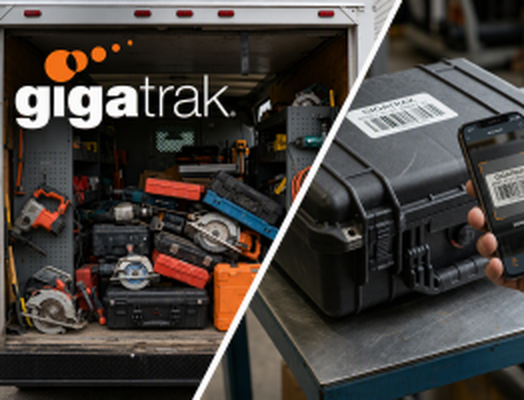
Equipment Tracking System Checklist: What to Look For

Managing equipment across multiple job sites, warehouses, and field operations is an ongoing operational challenge. Without a structured tracking process, organizations face compounding hidden costs: lost or stolen tools, unbilled equipment time, ghost assets sitting on balance sheets, unnecessary rental expenses, and unexpected project delays caused by broken gear. Implementing a dedicated equipment tracking system brings clarity, control, and accountability to your entire physical asset footprint. However, choosing the right software solution requires evaluating features against your team’s specific daily workflows. Selecting a platform that is overly complex risks low field adoption, while choosing a system that is too basic leads to data gaps and manual workarounds. Use this comprehensive buyer’s checklist to evaluate equipment tracking systems, ensure seamless operational fit, and maximize your return on investment.
The Core Equipment Tracking System Buyer’s Checklist
- Barcode Tagging (High-volume tools, consumables, cribs)
- QR Codes (Quick smartphone/tablet field scanning)
- Sub-5-Second Mobile Scanning
- Digital Custody Signatures & Responsible Party Assignment
- Expected Return Dates & Overdue Notifications
- Kitting & Grouped Asset Bundling (e.g., generator + cords + fuel tank)
- Native iOS & Android Apps
- Offline Data Storage & Auto-Syncing Capabilities
- In-App Photo Documentation for Condition Verification
- Usage-Based Maintenance Alerts (Date, engine hours, mileage)
- Digital Repair & Inspection History Logs
- Automatic Maintenance Lockout (Prevents check-out of broken tools)
- Equipment Utilization Rates (Identify idle vs. overworked assets)
- Loss & Damage Trends by Site, Project, or Employee
- Complete Lifecycle Audit Trails (Procurement to retirement)
- ERP & Accounting Sync (QuickBooks, Sage, custom APIs)
- Role-Based Access Controls & Custom Permissions
- Hosting Flexibility (Cloud SaaS vs. On-Premise Deployment)
Detailed Evaluation: Critical Capabilities Explained
1. Flexible Asset Tagging & Identification
Every tracking system relies entirely on how assets are identified in the field. A robust system must integrate with multiple tagging technologies rather than forcing your business into a single proprietary hardware format.
- Barcode Tagging: Highly cost-effective and ideal for tool cribs, consumable items, and high-volume hand tools. Durable metal or synthetic barcode labels withstand harsh weather, chemical exposure, and abrasion.
- QR Codes: Convenient for quick mobile scanning using standard smartphones or tablet cameras. QR codes allow field technicians to quickly pull up spec sheets, user manuals, and safety documentation on site.
2. Streamlined Check-In / Check-Out Workflows
The primary defense against lost or misplaced equipment is establishing clear accountability every time an asset changes hands. If the check-in or check-out process takes longer than a few seconds, field personnel will bypass the system.
- Speed & Simplicity: Scanning an item out to an employee or job site should take under five seconds per transaction.
- Custody Chains: Capture digital signatures upon transfer, assign assets to specific project codes, and set mandatory return deadlines to ensure items are returned on schedule.
- Kitting & Grouped Assets: Advanced tracking systems allow you to bundle items into standardized “kits” (e.g., a trenching kit containing a saw, safety gear, blades, and extra fuel). Checking out the parent kit automatically updates the status of all child assets simultaneously.
3. Field-Ready Mobile Accessibility
Your team works on job sites, in warehouses, and on the road—your tracking software must function smoothly wherever work happens.
- Native Mobile Applications: Field technicians, project managers, and tool crib operators need native iOS and Android apps to perform site audits, verify equipment availability, and transfer custody without returning to a desktop computer.
- Offline Functionality: Job sites frequently lack cellular service or reliable Wi-Fi. Look for an equipment tracking system that saves scanning transactions locally on the mobile device and automatically syncs data to the central database once connectivity is restored.
- Photo Verification: Mobile apps should allow workers to attach photos to asset records during check-in or check-out to document pre-existing wear, physical damage, or missing components.
4. Preventive Maintenance & Calibration Scheduling
Equipment tracking involves more than monitoring locations; it is also critical for protecting asset longevity, maintaining manufacturer warranties, and ensuring workplace safety compliance.
- Automated Service Alerts: Schedule maintenance triggers based on calendar dates, engine runtime hours, or mileage thresholds. Receive proactive alerts before equipment fails on a critical job site.
- Inspection & Compliance Logs: Maintain complete, digital service histories for every piece of machinery. Digital record-keeping simplifies OSHA, ANSI, and ISO audit compliance by eliminating paper trail gaps.
- Automated Safety Lockouts: When an asset is flagged for repair or overdue for safety calibration, the software should automatically lock the item out in the system, preventing operators from checking out unsafe or non-compliant equipment.
5. Advanced Reporting & Operational Analytics
Data collection provides value when it translates into actionable business intelligence that improves capital allocation and operational efficiency.
- Equipment Utilization Rates: Distinguish between equipment actively earning revenue and assets sitting idle in a yard. Utilization reporting helps operations managers make informed decisions about expanding, consolidating, or reallocating equipment fleets.
- Loss & Damage Tracking: Track loss rates across specific job sites, departments, or project teams. Identifying recurring patterns enables targeted training and holds sub-contractors or crews accountable for damaged gear.
- Total Cost of Ownership (TCO): Track purchase price, maintenance expenditures, replacement parts, and residual value to calculate the true lifecycle cost of every equipment category.
Standard Software vs. Purpose-Built Equipment Tracking
Evaluating standard asset tracking tools against an industry-focused platform like GigaTrak highlights key differences in operational capabilities:
| Feature Category | Generic Asset Management Software | Advanced Equipment Tracking System (GigaTrak) |
|---|---|---|
| Asset Identification | Basic, single-format barcode scanning | Multi-tag support: Barcodes & QR Codes |
| Field Operations | Desk-oriented web forms; limited mobile functions | Offline-native mobile app for iOS & Android with local caching |
| Check-Out Speed | Manual dropdown selection & typing | Rapid multi-item barcode scanning with signature capture |
| Maintenance Workflows | Static text notes or basic date reminders | Usage-based alerts (hours/miles), lockout flags, & inspection logs |
| Asset Bundling | Single item tracking only | Dynamic kitting (parent-child asset relationships) |
| Deployment Options | Cloud-only SaaS subscription | Flexible Cloud SaaS or secure On-Premise software hosting |
| Hardware Support | BYOD smartphone camera only | Dedicated rugged handheld scanners, integrated printers, & mobile tags |
Key Business Benefits of Implementing an Equipment Tracking System
Accountability
- Custody logs
- Digital signatures
- Site audits
Cost Reduction
- Zero duplicate purchases
- Lower rental costs
- Minimized loss
Productivity
- Fast check-out
- Maximum uptime
- Automated logs
An enterprise equipment tracking system delivers measurable financial benefits across multiple departments:
- Elimination of Unnecessary Tool Purchases: When tools go missing, companies often buy duplicates. Real-time visibility across all yards and vehicles ensures existing assets are deployed before buying new ones.
- Reduced Jobsite Downtime: Missing or broken tools halt project progress. Proactive maintenance and accurate real-time inventory ensure crews always arrive on site equipped with fully operational gear.
- Accurate Job Costing & Equipment Billing: Track exactly how long specific equipment remains assigned to a project. This allows project managers to bill equipment time accurately to clients or internal cost centers.
- Enhanced Employee Accountability: Establishing digital custody records fosters a culture of responsibility among field technicians and crew supervisors, dramatically reducing tool shrinkage.
Why Leading Operations Trust GigaTrak
Selecting your system comes down to striking the right balance between simplicity for field personnel and comprehensive reporting for management.
For over two decades, GigaTrak has delivered specialized tool and asset tracking software tailored specifically for construction contractors, field service organizations, industrial manufacturing facilities, healthcare systems, and government agencies.
What Sets GigaTrak Apart:
- Tailored Product Lineup: Choose specialized solutions like GigaTrak Tool Tracker (designed for fast-paced check-in/check-out and tool crib management) or GigaTrak Asset Tracker (focused on fixed asset lifecycles, locations, and depreciation).
- Transparent Ownership & Flexible Hosting: GigaTrak provides flexible deployment options, offering both turnkey Cloud (SaaS) hosting and secure On-Premise software installations for organizations with strict data compliance requirements.
- Turnkey Hardware Solutions: Eliminate compatibility guesswork. GigaTrak supplies fully integrated hardware packages, including rugged mobile handheld computers, industrial barcode printers, scanners, and heavy-duty asset tags engineered to survive harsh environments.
- In-House Implementation & Support: Experience seamless software adoption with dedicated, U.S.-based technical support, guided data migration, and comprehensive team training.
Final Buyer’s Decision Roadmap
Before committing to an equipment tracking platform, run your top software candidates through this final four-step verification process:
- Verify Field Usability: Test the mobile app interface on an actual job site. Can a worker complete a check-out transaction while wearing work gloves?
- Validate Offline Reliability: Disconnect your mobile device from Wi-Fi and cellular data. Perform several asset scans and audits to confirm that data saves locally and syncs smoothly upon reconnection.
- Review Total Cost of Ownership: Look beyond initial software pricing. Account for hardware compatibility, ongoing support fees, user license tiers, and module add-ons.
- Schedule a Live Workflow Demo: Ask software vendors to demonstrate your specific business workflows during a live demo rather than running through generic slide presentations.
Take Control of Your Equipment Fleet Today
Unused, misplaced, or unmaintained equipment quietly erodes your company’s profitability every day. Implementing a dedicated equipment tracking system eliminates operational guesswork, enforces employee accountability, prolongs asset lifecycles, and protects your capital investments.