
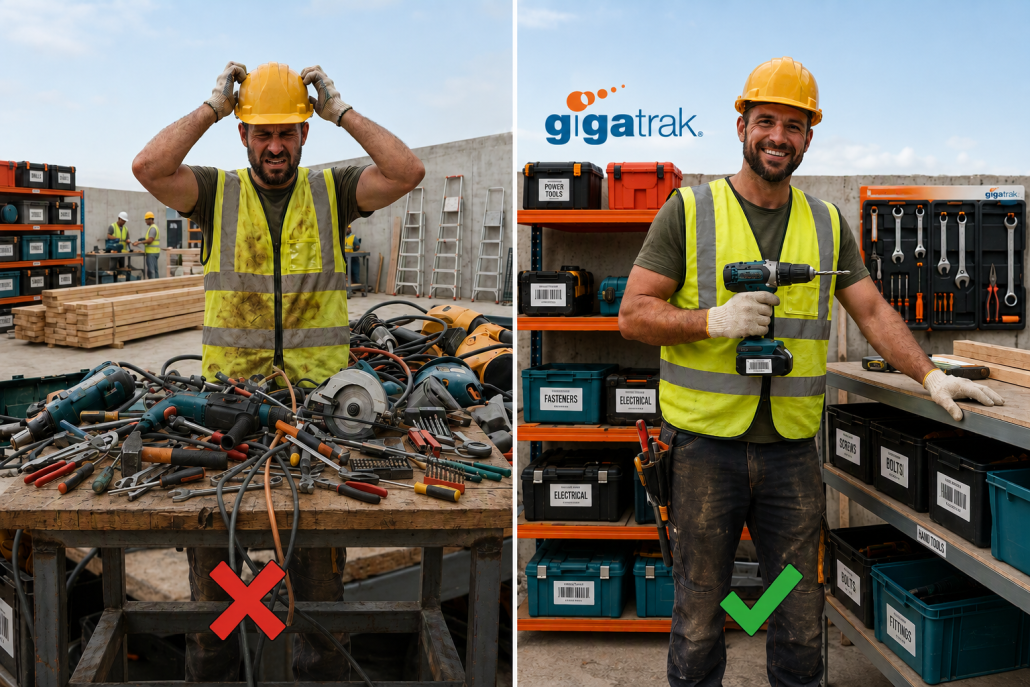
Asset Tracking for Construction: Contractor’s Guide

Asset Tracking for Construction: The Contractor’s Guide to Jobsite Tool Control
Managing tools and heavy equipment across multiple jobsites costs contractors thousands of dollars every year in lost gear and wasted labor. When high-value power tools go missing, project schedules stall and direct replacement expenses destroy profit margins.
For 30 years, GigaTrak has provided barcode tool tracking systems to organizations like FDNY, Lockheed Martin, and the US Army. Implementing a dedicated strategy for asset tracking for construction replaces daily guesswork with absolute tool accountability.
This complete guide covers how commercial contractors eliminate tool loss, improve asset utilization, speed up field inventory audits, and keep projects moving on schedule.
The True Cost of Unmanaged Jobsite Assets
Tool loss is rarely limited to the price tag of replacing a stolen generator or missing rotary hammer. Unmanaged physical assets drain financial resources across your entire business operations.
- Wasted Labor Hours: Field crews waste up to 30 minutes every shift searching gang boxes, work trucks, and job trailers for misplaced gear.
- Redundant Purchases: Project managers buy or rent duplicate tools because no central system confirms existing equipment availability.
- Project Delays and Penalties: Work stops completely when specialized equipment is missing, leading to missed milestones and contract penalties.
- Subcontractor Equipment Hoarding: Workers stash critical items in personal vehicles or remote gang boxes, hiding active inventory from other crews.
- Unscheduled Machinery Breakdown: Without maintenance tracking, unserviced equipment breaks down unexpectedly on active jobs.
What Is Asset Tracking for Construction?
Asset tracking for construction is the continuous management process of tagging physical tools, monitoring inventory movement, and assigning item responsibility to specific workers or jobsites. It relies on durable barcode tags, handheld barcode scanners, mobile devices, and central tracking software. Contractors use these tool tracking systems to verify asset location, maintenance history, and transfer records in real time.
Categorizing Construction Inventory for Total Control
Not every item on a jobsite requires the same level of tracking detail. Organizing inventory into three distinct asset tiers ensures proper field oversight without unnecessary paperwork.
1. Heavy Equipment and Vehicle Fleets
Excavators, skid steers, work trucks, and large trailers represent high capital costs. These high-value assets are tracked individually using active GPS hardware alongside periodic physical scans during site transfers.
2. High-Value Power Tools and Equipment
Rotary hammers, crimpers, laser levels, generators, and pipe benders move frequently between trucks and workers. Each item receives a unique asset tag and serial number record to track individual responsibility during every check-out.
3. Bulk Consumables and Hand Tools
Safety gear, drill bits, extensions, and hand tools are managed by total quantity counts rather than unique serial numbers. Tool crib software monitors bulk minimum stock levels to trigger restock orders automatically.
4 Steps to Implement Construction Asset Tracking
Moving from paper tracking sheets or simple spreadsheets to a digital asset tracking solution requires a systematic setup.
Step 1: Standardize Identification with Durable Barcode Tags
Ditch manual text entry. Affix durable, jobsite-ready barcode labels to every piece of equipment. Industrial barcode tags withstand extreme weather, grease, mud, and heavy physical abuse. Scanners read these labels instantly in warehouse yards or active job trailers.
Step 2: Establish Tool Crib Management Rules
What is tool crib management? Tool crib management is the operational practice of controlling, issuing, and tracking equipment from a central tool room, warehouse, or jobsite trailer. Assigning a dedicated crib manager or using mobile check-in and check-out workflows ensures no tool leaves storage without a digital transfer record.
Step 3: Mandate Digital Sign-Out Accountability
Tools rarely disappear on their own. They get lost when no single individual is accountable. Requiring workers to verify tool check-outs using handheld barcode scanners creates an indisputable audit trail. Everyone knows exactly who took the item, when it left the yard, and where it is supposed to be.
Step 4: Deploy Dedicated Construction Tool Tracking Software
Generic spreadsheets fail as soon as equipment spreads across multiple active locations. Specialized software centralizes item records, tracks maintenance schedules, logs transfer histories, and monitors overall asset utilization rates.
Explore GigaTrak Tool Tracking Systems to see how barcode workflows eliminate inventory confusion across your fleet.
How Construction Asset Tracking Improves Your Bottom Line
Digital tool management impacts far more than loss prevention. Controlling your inventory directly improves operational efficiency across four key areas:
- Accurate Job Costing: Assign tool usage expenses directly to specific job codes or project cost centers for precise client billing.
- Preventative Maintenance Tracking: Schedule service alerts based on usage hours or calendar intervals to protect asset lifespan and avoid costly breakdowns.
- Faster Inventory Audits: Conduct complete job site audits in minutes using handheld barcode terminals instead of spending days counting items by hand.
- Higher Asset Utilization: Identify idle tools sitting in tool rooms and redeploy them to active sites instead of purchasing new equipment.
Selecting Deployment Options: Cloud vs. On-Premise
Every construction business operates under different IT requirements and security mandates. When selecting tracking software, evaluate which deployment model fits your operational setup:
- Cloud-Based Software: Access real-time tool inventory data from any internet-connected device or smartphone. Best for field operations requiring instant updates across multiple job sites.
- On-Premise Deployment: Install software directly on local company servers. Essential for contractors operating under strict data security regulations or high-security government facilities.
Core Features Every Construction Tracking System Needs
Select software designed specifically for tough jobsite conditions rather than standard corporate offices.
| Feature | Field Requirement | Business Impact |
|---|---|---|
| Mobile Barcode Scanning | Scans and transfers tools using rugged handheld terminals or mobile apps. | Eliminates paperwork and speeds up check-in/check-out cycles. |
| Offline Data Syncing | Stores barcode scan data locally when cellular signal drops on remote sites. | Prevents work interruptions and syncs records once back online. |
| Maintenance Tracking | Logs service intervals, engine hours, and safety inspection dates. | Extends asset lifecycle and prevents unexpected equipment failures. |
| Audit & Loss Reporting | Generates reports showing loss rates, tool usage, and missing assets by site. | Identifies missing items immediately to hold teams accountable. |
Frequently Asked Questions
What is the best way to track tools on a construction site?
The most reliable method is attaching durable barcode tags to every tool and scanning them through dedicated tracking software during check-in and check-out. This builds a permanent digital history of item location and worker responsibility.
Why use barcode tags instead of manual spreadsheets?
Manual spreadsheets rely on human memory and manual typing, which cause frequent errors. Barcode scanning logs transfers in seconds, eliminates data entry errors, and updates master inventory records automatically.
Can barcode tracking software work on jobsites without internet service?
Yes. Barcode tracking software built with offline scanning capabilities stores transaction data directly on mobile handheld devices. The system updates your central database as soon as the terminal connects to Wi-Fi or cellular service.
What is the difference between active GPS and barcode asset tracking?
Active GPS tracking relies on battery-powered transmitters to provide real-time location mapping for heavy machinery and vehicles. Barcode asset tracking uses durable physical tags and scanners to track smaller power tools, equipment, and hand tools at a fraction of the cost per item.
Stop Missing Tools from Eating Your Profits
Effective asset tracking for construction keeps projects moving on schedule, lowers tool replacement costs, and holds field crews accountable. GigaTrak delivers simple barcode tracking hardware and software backed by 100% US-based customer support.
Ready to eliminate lost tool expenses and secure your inventory? Request a Consultation with a GigaTrak specialist today.
Contacting GigaTrak:
- 262-657-5500
- sales@gigatrak.com
- gigatrak.com
Request a Free Consultation and Demo.
Visit our Contact Page.