
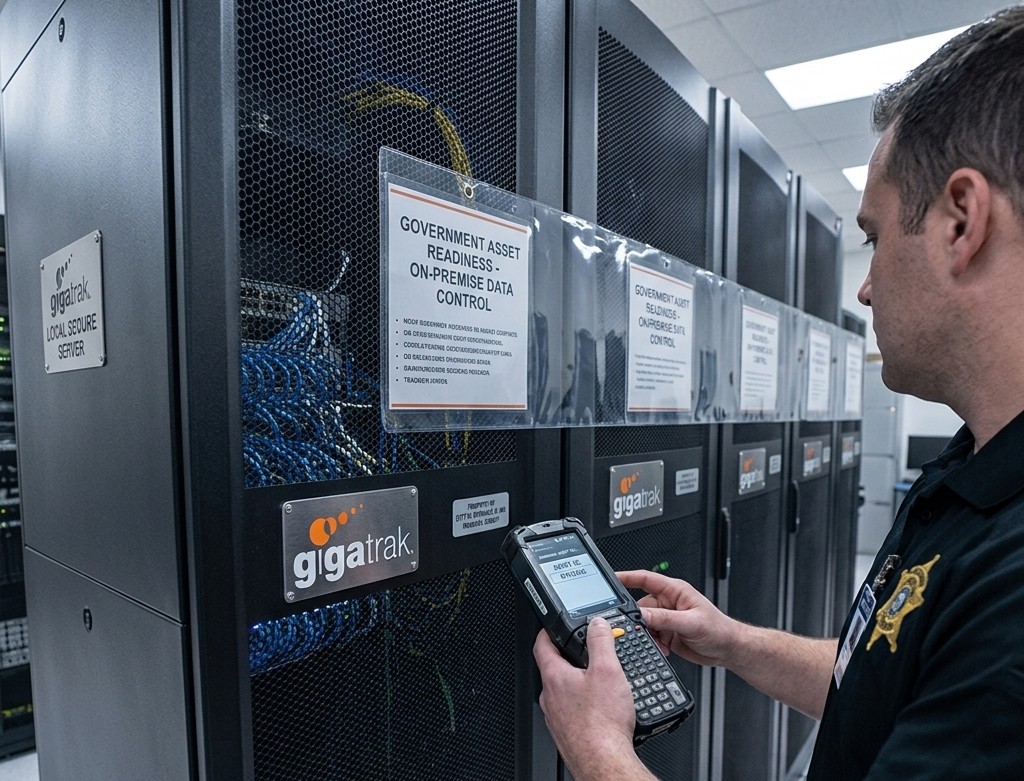
Government Asset Tracking Software: Maintaining Control

Government Asset Tracking Software: How Public Agencies Maintain Audit Readiness and Total Data Control
Government asset tracking software is a barcode system that public agencies, military branches, and first responders use to log equipment, manage fixed assets, and track inventory movement. When a municipal public works department loses track of a $15,000 generator, or a county sheriff’s office cannot produce a clear equipment log during an annual audit, the result is a failure in public accountability.
GigaTrak has provided barcode tracking systems to government agencies, public safety organizations, and municipal authorities since 1995. Clients like the Fire Department of the City of New York (FDNY), Lockheed Martin, the US Army, and Virginia Public Schools rely on GigaTrak to manage critical gear across distributed locations. Every system includes US-based technical support, with choices for both cloud hosting and local, on-premise deployment.
Public sector entities face a dual challenge. They must maintain clear inventory records across multiple sites while meeting strict data privacy and network security rules. While many software vendors require monthly cloud subscriptions, on-premise deployment with barcode scanning remains the standard for security-minded IT departments.
1. Local Database Security and On-Premise Data Control
For local municipalities, water utility boards, and law enforcement agencies, cloud-only software creates security risks and ongoing network dependence. Placing an asset database on a public cloud server exposes internal equipment records to external connections.
Installing an on-premise system keeps your operational data behind your internal network firewalls.
Zero External Exposure
Equipment logs, officer assignments, and facility infrastructure data stay on local servers. This removes third-party cloud vendor risks.
Mandate Compliance
Local databases meet municipal, state, and federal data hosting requirements without special network waivers.
Clear Budgeting
Purchasing a perpetual software license avoids monthly subscription hikes. This model fits standard government procurement processes and capital expenditure budgets.
GigaTrak allows IT teams to install the database directly on local Windows servers. Your team retains full ownership of all data.
2. Accurate Equipment Tracking for Public Safety and Emergency Services
Police departments, fire stations, and municipal field teams must know who possesses specific equipment at all times. Managing tactical radios, turnout gear, or mobile IT hardware on paper sign-out sheets creates gaps in your records.
Using a simple barcode scanner to check items in and out creates a complete digital record.
- Scan Personnel Cards: The quartermaster scans the barcode on an officer or employee badge.
- Scan Asset Tags: The quartermaster scans the durable barcode label on the gear.
- Record Movement: The database logs the exact time, person, and site location in under two seconds.
When equipment goes missing or is not returned at the end of a shift, administrators can review the asset history immediately. They can identify the last verified user without searching through physical paperwork or calling multiple stations.
3. Offline Batch Scanning for Remote and Field Operations
Public works crews, emergency management personnel, and utility teams frequently work in areas without reliable cellular or Wi-Fi coverage. Emergency response teams often operate in underground facilities or disaster recovery zones where network connections drop completely.
Software that requires a continuous cloud connection stops working when network service drops. GigaTrak supports offline batch scanning to keep field operations moving.
- Field technicians scan tools, vehicles, and gear using rugged handheld terminals while off-grid.
- The device saves all scans, timestamps, and location updates directly to local handheld memory.
- When the technician returns to a station or connects to the local network, the device uploads all records to the central database in one batch.
This offline process ensures field workers never lose time waiting for a network connection to log critical gear.
Need to secure your agency’s equipment records?
Talk with a US-based tracking specialist to discuss your deployment options, request pricing, or set up a system walk-through.
4. Eliminating Ghost Assets Before Annual Financial Audits
Unverified inventory leads directly to audit failures and wasted public funds. Ghost assets are missing, broken, or scrapped items that remain on financial accounting ledgers. These unverified records skew annual budget reports and trigger compliance findings from state overseers.
Using specialized software for government asset tracking fixes inventory discrepancies before auditors arrive.
Fast Physical Counts
Staff can walk through a warehouse, station, or municipal office scanning asset tags. Barcode scanning cuts physical inventory audit times from several weeks down to a few hours.
Complete Lifecycle Logs
The database records purchase dates, serial numbers, maintenance history, and depreciation values from acquisition to final disposal.
Instant Audit Reports
Administrators can export audit summary reports for city councils, county boards, or grant overseers with a few clicks.
Replacing manual inventory counts with barcode verification reduces reporting errors and proves where every taxpayer dollar was spent.
5. Cloud Hosting vs. On-Premise Deployment for Public Agencies
Choosing between cloud and on-premise software depends on your agency’s IT policies, security rules, and network setup. GigaTrak offers both deployment options so public sector clients can pick the installation model that fits their operations.
| Feature | On-Premise Deployment | Cloud Hosting |
| Data Storage | Local agency server behind internal firewalls | Secure US-based cloud server |
| Network Access | Local Area Network (LAN) or offline batch sync | Any active web browser or mobile connection |
| License Model | One-time software purchase with optional maintenance | Annual software subscription |
| IT Management | Internal IT team manages updates and local server backups | GigaTrak handles system updates, maintenance, and backups |
| Ideal For | High-security facilities, police, military, and remote sites | Distributed municipal offices with reliable internet access |
Agencies managing high-security facilities, evidence rooms, or remote field sites often choose on-premise installation to maintain complete data ownership. Municipal departments with multiple office locations may prefer cloud hosting to remove local server management.
Frequently Asked Questions
What is government asset tracking software?
Government asset tracking software is a database application that uses barcode labels and mobile scanners to track the location, assignment, and status of public assets, tools, and fixed inventory.
Can government asset tracking software run without an internet connection?
Yes. GigaTrak provides on-premise software and handheld batch scanners that store asset scans locally. Handheld scanners record equipment check-ins and check-outs in the field and sync data to the main server when reconnected to the local network.
How does barcode tracking help public agencies pass annual audits?
Barcode tracking replaces manual paper logs with timestamped digital records. Staff can scan physical asset tags across facilities to verify inventory locations, clear ghost assets from ledgers, and generate accurate audit reports quickly.
Does GigaTrak offer US-based technical support?
Yes. GigaTrak provides direct technical support from our main team in Wisconsin. Clients speak with US-based support specialists who understand local government purchasing and IT requirements.
What is the difference between tool tracking and fixed asset tracking?
Tool tracking focuses on fast check-in and check-out workflows for shared gear, power tools, and mobile equipment moved between workers and jobsites. Fixed asset tracking logs stationary capital assets like office furniture, computer servers, and heavy machinery for accounting, depreciation, and audit verification.
Secure Your Public Assets with Proven Barcode Systems
Public agencies do not need complicated software platforms that create network headaches and increase operating costs. You need a reliable barcode system that keeps equipment organized, staff accountable, and asset records accurate.
GigaTrak has served government agencies, municipal departments, and first responders for over 30 years. Whether you need an on-premise installation behind your firewall or a hosted cloud system, our team provides the tools and US-based support required to maintain full audit readiness.
Request a Consultation today to speak with a GigaTrak specialist about your agency’s tracking requirements.