
Package Tracking Software for Internal Mailrooms | GigaTrak

Internal Package Tracking Software: Solving Last-Mile Mailroom Bottlenecks
Receiving a parcel at a corporate loading dock or reception desk is only the first step in internal logistics. For facility directors, mailroom managers, and corporate administrative leads managing multi-building campuses, the hardest part of delivery happens between the front desk and the final employee’s hands.
Internal package tracking software is a local or cloud-based system that logs incoming parcels at a facility receiving area and tracks their chain of custody to the final recipient.
When inbound shipments sit untracked after courier drop-off, high-value deliveries get lost. Administrative staff waste hours answering delivery status inquiries, and accountability drops to zero. Transitioning from manual paper logs or basic spreadsheets to dedicated package tracking software eliminates lost items and creates a verifiable chain of custody.
The Operational Costs of Mailroom Blind Spots
Major couriers like FedEx, UPS, and DHL track parcels until they reach your receiving area. Once the delivery driver marks the item as received, external tracking stops completely. This creates a dangerous blind spot for operations teams managing large physical footprints.
In organizations lacking dedicated internal parcel tracking, three major operational problems occur:
- Lost high-value assets. Unmonitored holding areas lead to lost IT equipment, legal files, medical samples, and specialized jobsite tools.
- Wasted administrative hours. Front-desk staff lose up to two hours daily hunting for missing boxes and answering email inquiries from anxious employees.
- Zero chain of custody. When a critical package disappears, facilities teams have no records to determine who received, moved, or misplaced the parcel.
Organizations can cut package processing times by 50% and reduce internal delivery disputes to zero by implementing systematic barcode scanning at the point of arrival.
How Inbound Package Tracking Software Operates
Since 1995, GigaTrak has developed barcode-based tracking systems designed for real-world facility operations. Designed around rapid transaction logging, internal package tracking software replaces slow manual check-in methods with a direct, four-step digital workflow.
1. Inbound Parcel Logging
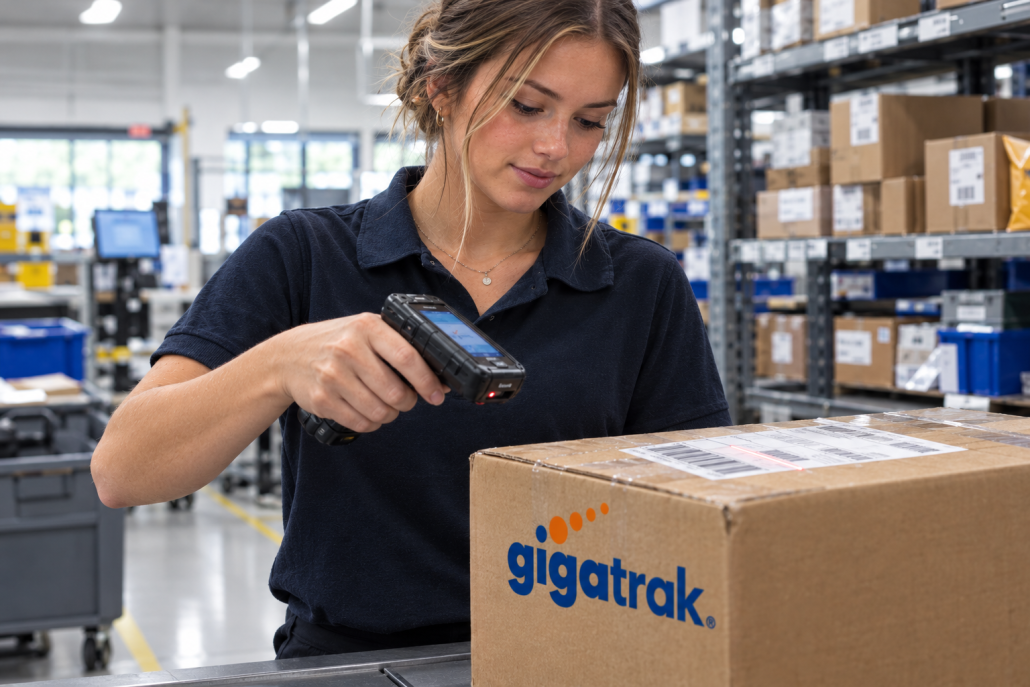
When shipment carriers arrive, receiving staff scan the existing tracking barcode printed on the shipping label. The software reads standard 1D and 2D barcode formats using handheld scanners or rugged mobile terminals. Receiving personnel can quickly attach recipient names, department codes, package types, and storage locker locations to the record.
2. Automated Recipient Notifications
Once the parcel is logged into the system, the software automatically triggers an email or SMS notification to the intended recipient. The alert informs the recipient that their parcel has arrived, lists its exact pickup location or holding locker, and provides a unique pickup code if required.
3. Internal Routing and Hand-Off
If the mailroom staff delivers packages directly to individual desks or department drop zones, the software tracks the route on a mobile scanner. The system logs every transit point, keeping a clear record of who moved the parcel and where it was placed.
4. Proof of Delivery and Digital Signature Capture
When the recipient collects the parcel or accepts it at their desk, they sign digitally on a mobile handheld screen. The transaction logs instantly in the database with a precise timestamp, user ID, and digital signature. This step completes the chain of custody and closes out the delivery record.
Industry-Specific Applications for Internal Parcel Tracking
Different industries face distinct logistical challenges when handling inbound freight and mail. Customizing the software workflow to your operational environment ensures complete inventory control.
University Campuses and Higher Education
Universities manage thousands of inbound packages every week for students, faculty, and academic departments. During peak periods like fall move-in, central mailrooms become overwhelmed. GigaTrak helps institutions like Virginia Public Schools and major university sites organize central distribution centers, preventing lost student deliveries and streamlining mail drop points across multiple campus buildings.
Government and Public Sector Facilities
Municipal offices, public works yards, and military installations operate under strict compliance rules. High-security environments require absolute transparency regarding who receives and transports incoming physical items. Internal tracking software establishes permanent audit trails, ensuring government facilities maintain strict regulatory compliance without slowing down daily operations.
Corporate Headquarters and Multi-Tenant Offices
In large corporate facilities, administrative teams often handle deliveries for dozens of departments and hundreds of personnel. Automated alerts stop employees from walking down to the mailroom to check on incoming shipments, reducing unnecessary foot traffic and keeping administrative teams focused on core work.
Defense Contractors and High-Security Sites
Organizations handling sensitive equipment, such as Lockheed Martin or defense procurement facilities, cannot afford misplaced parcels. Deploying self-hosted, on-premise package tracking software ensures all internal tracking data remains secured behind local firewalls without exposing sensitive delivery manifests to external cloud servers.
Flexible Deployment: Cloud vs. Self-Hosted On-Premise
Every organization maintains different IT infrastructure standards and data security requirements. GigaTrak provides flexible software deployment options to meet your operational needs:
- Cloud-Hosted Deployment: Web-based tracking allows multi-site facilities to manage internal deliveries without maintaining local servers. Mailroom staff can access the system from any web browser or mobile handheld terminal.
- On-Premise Deployment: Installing the system locally on your company’s servers keeps all parcel records, recipient directories, and transaction histories air-gapped within your internal network. This setup is ideal for government agencies, emergency service departments like FDNY, and security-conscious contractors.
Both deployment models include full access to US-based technical support, ensuring your team receives immediate assistance from experienced system specialists whenever needed.
Frequently Asked Questions
Can we use our existing barcode scanners with package tracking software?
Yes. GigaTrak package tracking software integrates with standard USB barcode scanners, Bluetooth handheld units, and rugged mobile terminals running Android OS. The software reads carrier barcodes directly from UPS, FedEx, DHL, and USPS labels without requiring custom labels for every incoming box.
How does the software handle packages without visible recipient names?
When an inbound package lacks a clear recipient name, mailroom staff can log the item into an “Unclaimed / Needs Review” status. The system flags the item, logs its package carrier number, and records the physical shelf or bin location until the proper owner is identified.
Can recipients sign for multiple packages at once?
Yes. Receiving staff can group multiple parcels assigned to a single recipient into a single batch transaction. The recipient provides one digital signature on the mobile terminal to sign for all assigned items simultaneously.
Does tracking software require custom hardware?
No. While industrial mobile terminals with built-in barcode scanners offer the fastest processing speeds, staff can also use tablet computers, desktop computers with tethered USB scanners, or smartphones to run the software.
Smoothen Operations
Unclear internal logistics, lost deliveries, and unverified package hand-offs waste time and drain operational budgets. For over 30 years, GigaTrak has helped government organizations, commercial enterprises, and educational institutions gain total control over their physical inventory and internal parcel tracking.
Contact our US-based software team today to review your mailroom workflow, evaluate deployment options, and see how our hardware and software solutions fit your facility.