
Call us: 262-657-5500
GigaTrak
  • Solutions
    • Tool Tracking System
    • Asset Tracking System
    • Package Tracking System
    • Document Tracking System
    • Hardware
      • Scanners
      • Printers
      • Barcodes
  • Industries
    • Contractors
    • Manufacturing
    • Business
    • Healthcare
    • Government
    • Aerospace
    • Education
  • Resources
    • Blog
    • Videos
    • Cloud Login
    • Support
    • Training
    • Sales
  • About
  • Login
    • Cloud Login
    • Client Center
  • Book A Demo
  • Menu Menu
Call us: 262-657-5500

Mastering the Art of Asset Management: 5 Best Practices for Efficiently Tracking School Resources

in Blog

The Top 5 Tips for Efficient Asset Tracking in Schools: A blog post discussing best practices and tips for effectively managing and tracking assets in educational institutions

Welcome back to our blog, where we dive into the world of asset management and today specifically, how educational institutions can efficiently track their valuable resources. Whether you are a small rural school or a large urban school district, keeping tabs on assets is no easy feat. But fear not – we’ve got your back with our top 5 tips for efficient asset tracking in schools.

asset management best practices for tracking school resources

  1. Embrace Innovative Technology: Bid farewell to manual spreadsheets! Efficient asset tracking starts with utilizing advanced technology such as barcode scanning systems or RFID labels, making it easier than ever to keep an accurate inventory.
  2. Establish Clear Policies and Procedures: Create comprehensive guidelines that outline how assets should be tracked throughout their lifecycle – from procurement to disposal. Educate staff members about these protocols and ensure they are followed thoroughly.
  3. Conduct Regular Audits: Asset audits act as crucial checkpoints for accountability within your institution. By regularly reviewing your inventory against documented records, you can identify any discrepancies promptly while promoting responsible resource usage.
  4. Implement preventive maintenance: Assets in schools often go through heavy usage; hence it’s vital to implement preventive maintenance strategies. Schedule regular servicing and inspections to prolong their lifespan while reducing unexpected breakdowns.
  5. Foster Collaboration Among Departments: Communication is key! Establish cross-departmental relationships between IT teams, administration staff, and teachers to facilitate effective collaboration when tracking assets across various departments and locations.

Efficiently managing and tracking assets within educational institutions requires careful planning, implementation of modern technologies, and a standard set of policies.

By incorporating these 5 tips into your asset tracking strategy, you’ll not only save precious time but also create a new and more effective way to stay on top of your school’s valuable equipment.
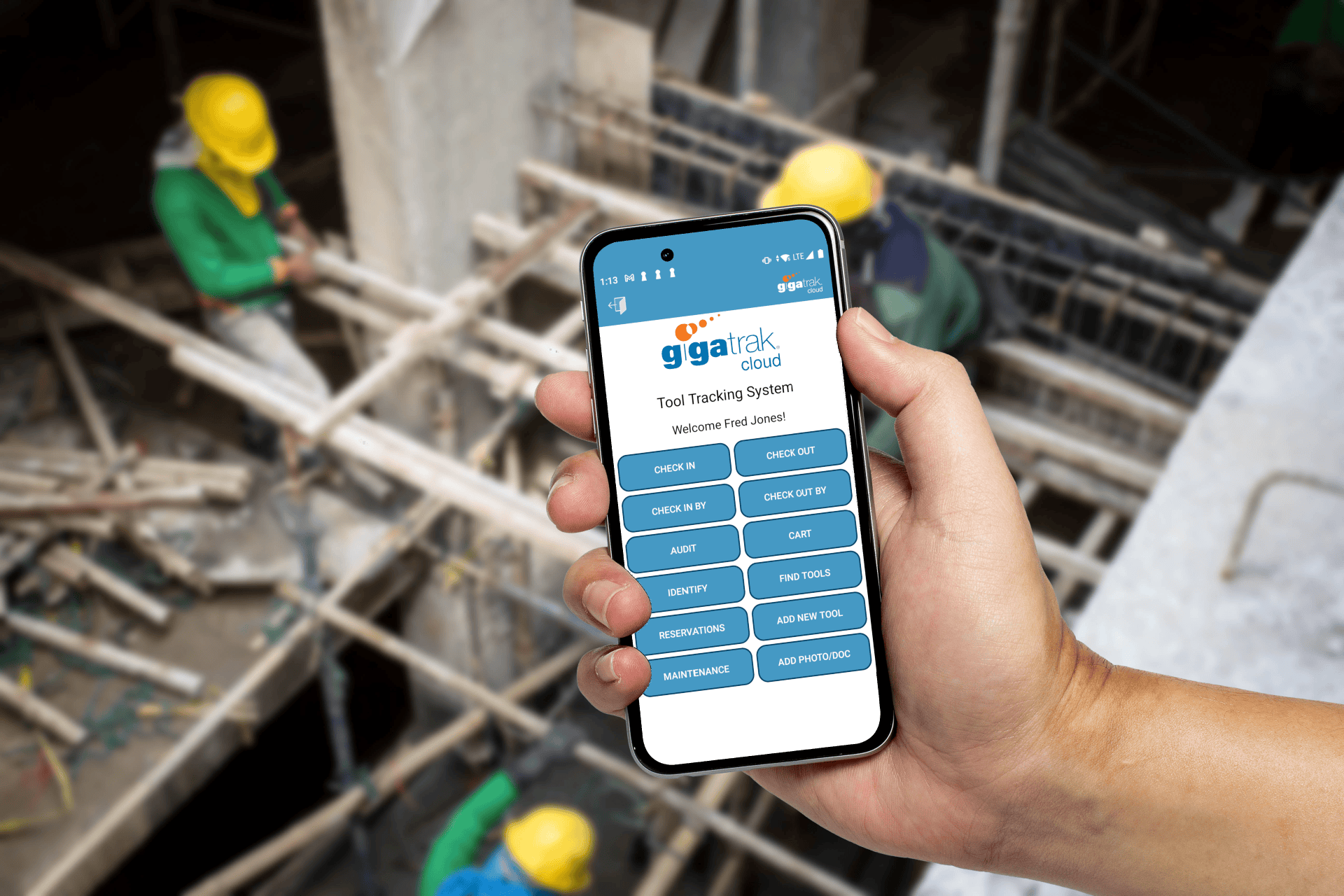
Boost Efficiency and Cut Costs: The Power of a Tool Tracking System for Your Construction Business

in Blog

How a Tool Tracking System Can Save Your Construction Business Time and Money: A blog post on the benefits of implementing a tool tracking system for contractors and how it can improve efficiency and save costs.

Whether you’re a small contracting firm or a large construction company, keeping track of your tools and equipment is vital for success. In an industry that relies heavily on efficient operations and tight deadlines, the last thing you need is wasted time searching for misplaced tools or having to replace lost equipment.

tool tracking system for construction business

That’s where a tool-tracking system comes into play. Implementing such a system can revolutionize the way your business operates and ultimately save you precious time and money.

Gone are the days of frantically rummaging through crowded storage rooms or sending multiple crew members on wild goose chases in search of missing tools. With a tool tracking system in place, you’ll have visibility over all your assets, allowing you to locate them faster and more efficiently.

Beyond the obvious time-saving benefits, a tool tracking system can also save your business significant money. Since you’ll always know where each item is located, there will be no need for unnecessary purchases due to misplaced tools. Additionally, this innovative solution enables preventive maintenance and notifying you when equipment requires servicing – potentially avoiding costly repairs or replacements.

Furthermore, investing in a reliable tool-tracking system eliminates the need for constant replacement purchases due to lost or stolen equipment. Inventory management becomes effortless as each item is tagged and accounted for within the software database, preventing costly inventory discrepancies from eating away at your profits.

Don’t let disorganization hinder the growth of your construction business any longer – take advantage of the power offered by implementing a comprehensive tool-tracking system. Stay one step ahead of the competition!

Top 3 ways Barcodes can simplify inventory management

in Blog

Learn how a barcode asset tracking system can help you simplify inventory management

Barcodes are an essential part of inventory management for many businesses. They provide a quick and easy way to keep track of assets, supplies, and equipment. Barcodes can be used to track items throughout the asset lifecycle, from purchase orders and shipments to receiving and stocking. By tracking inventory with barcodes, businesses can streamline their operations and reduce the risk of errors.

barcodes can simplify inventory management

Barcodes can be used to automatically update inventory records when items are received or shipped. This eliminates the need for manual data entry, which can save time and reduce errors. Barcodes can also be used to track items as they move through the warehouse or distribution center, even out in the field. This information can be used to optimize stock levels and ensure that products are available when needed.

Utilizing barcodes can also help businesses keep track of their equipment. By tagging and cataloging equipment inventory, businesses can quickly and easily see which pieces of equipment are in use and which are available. This information can be used to prevent lost or stolen equipment, as well as to schedule maintenance and repairs.

In conclusion, barcodes simply inventory management by:

  • Quickly receiving stock of inventory items with a barcode scan for stock optimization.
  • Track assets, tools, and equipment with a barcode scan to know the current location of all assets in use and those in storage.
  • Data Entry of new assets and inventory eliminating spreadsheets and reducing human error.

Why wait? Start tracking your assets today with GigaTrak’s asset and inventory management software and see the difference it can make for your business! Contact our team at sales@gigatrak.com or 833-942-2183.

Why should your business invest in Barcode Asset Tracking?

in Blog

Benefits of a Barcode Asset Tracking System

An asset tracking system using barcodes can provide numerous benefits for businesses of all sizes. One major advantage is the ability to accurately track and monitor assets in real-time, reducing the risk of lost or stolen items. This system also helps optimize inventory management by allowing businesses to see which assets are being used most frequently and which ones may be sitting idle.

business invest in barcode asset tracking

In addition, an asset management system can save time and increase efficiency by automating data entry processes after the initial setup. Instead of manually entering asset information into the database, employees can simply enter in the equipment’s template number than scan a barcode to update records instantly.

This technology enables streamlined communication between departments and teams by providing easy access to asset information across multiple locations or devices. By having an accurate view of their assets at all times, businesses are better equipped to make informed decisions about budgeting and resource allocation.

Overall, investing in a barcode asset tracking system can lead to significant cost savings over time while improving operational efficiencies for your business.

So why wait? Start tracking your assets today with GigaTrak’s asset and inventory management software and see the difference it can make for your business! Contact our team at sales@gigatrak.com or 833-942-2183.

The Role of Mobile Barcode Scanners in Asset and Tool Tracking

in Blog

Industrial Handheld Barcode Scanners and Mobile App using your own smartphone or tablet

Industrial handheld barcode scanners and mobile apps have revolutionized the way businesses keep track of their assets and tools. With the ability to use your own smartphone or tablet as a scanner, companies no longer need to invest in expensive equipment.

The convenience of having a portable device that can scan barcodes on-the-go has increased efficiency and productivity in various industries such as manufacturing, logistics, healthcare, construction, and government. It allows workers to quickly locate items, view inventory levels on-the-go, and identify trends to spot potential issues before they occur.

mobile barcode scanners in asset and tool tracking

Using mobile apps for asset tracking provides additional benefits such as easily being able to complete maintenance activities or compliance audits. It also enables employees who are not physically at the location of the assets/tools to still retrieve important information about them through cloud-based systems. The accompanying mobile app features a built-in barcode scanner so users can use their own device’s camera to scan barcodes and perform transactions.

On the other hand, Android barcode scanners are available for those not wanting to use a personal device. These mobile barcode scanners are designed for use in rugged industrial environments where durability and reliability are crucial. They offer high-performance scanning capabilities that allow users to capture data quickly and accurately. Additionally, they come equipped with features such as Bluetooth connectivity that enables seamless integration with other systems.

As technology continues to advance rapidly, industrial handheld barcode scanners combined with mobile app capabilities will only continue to streamline business processes while improving accuracy and reducing costs.

Now that you know the basics of each option, contact our sales team to learn more about each option in more detail. Call us at 833-942-2183 or email us sales@gigatrak.com.

RFID vs Barcode Tracking for Asset Management

in Blog

The Pros and Cons of RFID vs Barcode

Understanding the differences between RFID and barcodes in asset management is important for companies with any size inventory. Our article breaks down both options, and helps you determine which tracking system is best for your business. Barcodes have been the go-to technology for tracking inventory for decades, but RFID is increasingly being adopted as a more sophisticated option.

When it comes to tracking assets, there are two main options: RFID and traditional barcodes. Barcode solutions require a reader which can be a cell phone and the barcodes themselves. RFID requires tags in place of the barcodes a more expensive RFID reader or sled in place of the barcode reader. Both have their advantages, so it’s important to understand the difference between them before deciding what option would fit the best.  So, what are the advantages of each?

rfid vs barcode tracking for asset management

ADVANTAGE RFID

  • Can discover and audit multiple items at once
  • Line of sight is not required
  • RFID tags are resistant to damage and wear and tear
  • Ideal for checking in multiple items at one time
  • Geiger counter mode allows you to find assets that are hidden

ADVANTAGE BARCODES

  • Barcodes and Scanners are relatively inexpensive compared to RFID options.
  • Barcodes are much a much easier to technology to implement.
  • You can start with just the camera in a cellphone.
  • More tag choices and you can often print barcode labels yourself
  • Barcodes have a higher degree of read accuracy

Both technologies have their niche in helping companies increase inventory accuracy and driving cost out of the process, but the decision isn’t always easy. Contact our sales team to learn which is the best option for your company. Call us at 262-657-5500 or email us sales@gigatrak.com.

Blog

Read more

Pages

  • About TTS
  • About Us
  • About Us Old
  • Account Administration
  • Accounts adding or editing
  • Add New Tool Basic & Advanced
  • Add New Tool No Master
  • Add Photo & Doc
  • Aerospace
  • Asset and Inventory Tracking Software
  • Asset Button
  • Asset Control Systems
  • Asset Database Solutions
  • Asset Inventory Management
  • Asset Inventory System
  • Asset Management
  • Asset Management Barcode Software
  • Asset Management Companies
  • Asset Management Inventory Software
  • Asset Management Programs
  • Asset Management Software
  • Asset Management Software and Barcode
  • Asset Management Software with Barcode Scanner
  • Asset Management Systems
  • Asset Management Tracking
  • Asset Scanner Software
  • Asset Software for Schools
  • Asset Software Management
  • Asset Software Management for Schools
  • Asset Tagging Software
  • Asset Tagging System
  • Asset Tracker Software
  • Asset Tracking
  • Asset Tracking and Management Solution
  • Asset Tracking Barcode Solutions
  • Asset Tracking Contact Us LP 2026
  • Asset Tracking for Hospitals
  • Asset Tracking for Laptops
  • Asset Tracking for Universities
  • Asset Tracking Free Demo Of Software LP 2026
  • Asset Tracking Paid Ad LP 2026
  • Asset Tracking Software
  • Asset Tracking Software
  • Asset Tracking Software for Schools
  • Asset Tracking Software for Schools
  • Asset Tracking Software With Barcode
  • Asset Tracking System
  • Asset Tracking System
  • Asset Tracking System
  • Asset Tracking System
  • Asset Tracking System
  • Asset Tracking System Capterra LP
  • Asset Tracking System Contact Us LP
  • Asset Tracking System Contact Us LP 2024
  • Asset Tracking System Free Demo Of Software LP
  • Asset Tracking System Free Demo Of Software LP 2024
  • Asset Tracking System LP
  • Asset Tracking System LP 2023 Old
  • Asset Tracking System LP 2024
  • Asset Tracking System paid ad LP 2024
  • Asset Tracking System Test Drive It Now LP
  • Asset Tracking System Test Drive It Now LP 2024
  • Asset Tracking System Watch Our Product Video LP
  • Asset Tracking System Watch Our Product Video LP 2024
  • Asset Tracking Test Drive It Now LP 2026
  • Asset Tracking Watch Our Product Video LP 2026
  • ATS Access DB Back Up
  • ATS App Features and Batch Syncing
  • ATS Device Application Video
  • ATS Full Instructional Video
  • ATS HH Configurations
  • ATS Install and Batch Setup
  • ATS Live Quick Review
  • ATS Mobile Handheld Application Tutorial
  • ATS Mobile Handheld Batch Download
  • ATS Mobile Terminal Application Videos
  • ATS Promo
  • ATS Promo Labels
  • ATS Quick Help
  • ATS Recorded Training Video
  • ATS Setup Options
  • ATS Training Library
  • ATS Training Videos
  • Audit Bin Count
  • Automated Physical Asset Management
  • Available Packages
  • Back-Up Compact Database
  • BagCheck Software System
  • Barcode Check In Check Out
  • Barcode Inventory Tracking
  • Barcode Inventory Tracking
  • Barcode labels design
  • Barcode Management
  • Barcode Scanner For Tools
  • Barcode Software for Schools
  • Barcode Solutions for Document Tracking
  • Barcode Solutions for Tool Tracking
  • Barcode Solutions for Tool Tracking
  • Barcode Tools
  • Barcode Tools
  • Barcode Tracking Software
  • Barcodes
  • Barcoding Equipment Software
  • Basic Tool Management Software
  • Best Asset Management Software
  • Blog
  • Book Demo
  • Business
  • Business Asset Control Software
  • Business Asset Management Software
  • Cart
  • Change Password
  • Check in a tool employee location or container
  • Check In By
  • Check in tools using a computer
  • Check In/Check Out
  • Check In/Check Out Inventory Software
  • Check Out By
  • Check out tools on a computer
  • Checkout
  • Checkout to Checkout
  • CIO Review Construction Tool Tracking Provider
  • Class type setup user defined fields used to categorize tools
  • Client Center
  • Client Center
  • Cloud Based Software
  • Company Asset Management Software
  • Condition Administration
  • Construction Inventory Tool Control Program
  • Construction Tool Tracking
  • Contact Training
  • Contact Us Sales Request
  • Container
  • Container with Audit
  • Contractors
  • Customer Testimonials
  • Customers By Industry
  • Dap MT1010
  • Database compact
  • Datalogic Memor Cold Boot
  • Datalogic Memor Warm Boot
  • Datalogic QD2590
  • Datalogic Skorpio Cold Boot
  • Datalogic Skorpio Warm Boot
  • Document Tracking Software
  • Document Tracking System
  • Document Tracking System
  • Document Tracking System Free Demo Of Software LP
  • Document Tracking System LP
  • Document Tracking System Manage Files By Location LP
  • Document Tracking System Record When Folders Move LP
  • Document Tracking System Test Drive It Now LP
  • Draft Request Information
  • DTS App
  • DTS Custom Fields
  • DTS Demo Video
  • DTS Employee Import
  • DTS Filter Search
  • DTS Initial System Setup
  • DTS Items Icon
  • DTS Items Import
  • DTS Label Designer
  • DTS Location Import
  • DTS Overview and Setup
  • DTS Training Library
  • DTS Training Videos
  • DTS Transfer
  • Education
  • Education Asset Tracking System
  • Email Promo
  • Employee Access Levels
  • Employee Administration
  • Employee Administration – Add New Employee
  • Employee Delete
  • Employee list export or print
  • Employee view setting up buttons they see
  • Employees, Locations and Tools – importing
  • Equipment and Tools Management for Construction
  • Equipment Check In Check Out Software
  • Equipment Check Out Software
  • Equipment Check Out Systems
  • Equipment Inventory Asset Manager
  • Equipment Inventory Barcode Scanner
  • Equipment Inventory Management Software
  • Equipment Inventory Software
  • Equipment Rental Inventory Management
  • Equipment Rental Tracking Software
  • Equipment Rental Tracking System
  • Equipment Tracking Software
  • Export Tools
  • Facilities tools are stored in – Create or edit
  • Facility Administration
  • FAQ
  • File Tab
  • File Tab Menu
  • File Tab Overview
  • Find Tool (F1)
  • Find Tools
  • Fixed Asset Barcode Scanner
  • Fixed Asset Inventory
  • Fixed Asset Management
  • Fixed Asset Software
  • Fixed Asset System
  • Fixed Asset Tagging System
  • Frequently Asked Questions
  • Funding Source Administration
  • Furniture Asset Management Software
  • GigaTrak Tool Tracking Mobile Application video
  • GigaTrak Virtual Brochure
  • Global User Admin – Change Password
  • Godex 4 Thermal Transfer Printer
  • Government
  • GTS Training Library
  • Guard Tour System
  • Handheld Configuration
  • Handheld Docking & Syncing
  • Handheld options
  • Handheld terminal – downloading transactions
  • Handheld terminal – synchronize data
  • Handheld Terminal Functions
  • Hardware
  • Hardware Comparison
  • Hardware Training Library
  • Healthcare
  • Help Tab
  • Help Tab Menu
  • Home
  • Home screen navigation
  • Home Screen Navigation
  • Home-2
  • Honeywell 60s
  • Honeywell 6100
  • Honeywell 6100 Cold Boot
  • Honeywell 6100 Warm Boot
  • Honeywell CT45
  • Honeywell Dolphin 70e
  • Honeywell Dolphin CT60 Handheld Computer
  • Honeywell Voyager 1452g Wireless Upgradeable Area-Imaging Scanner
  • Hospital Equipment Tracking Systems
  • Hotel Asset Management Tracker
  • How To Barcode Inventory
  • Identify
  • IMS Training Library
  • In and Out Software
  • Industrial Tool Barcoding
  • Industries
  • Information fields – Create or edit the by using the support tab
  • Institutional Asset Tracking
  • Intermec CK3
  • Intermec CN51
  • Intermec CN70
  • Intermec CS40
  • Intermec PB22
  • Intermec PF8
  • Intermec SG20
  • Introduction
  • Inventory Assets
  • Inventory Barcode Scanner System
  • Inventory Control
  • Inventory Control
  • Inventory Control Software
  • Inventory Control Tools
  • Inventory Management
  • Inventory Management Software
  • Inventory Management Software for Equipment
  • Inventory Management System
  • Inventory Management System
  • Inventory Management With Scanner
  • Inventory Software
  • Inventory Software Solutions
  • Inventory Solutions
  • Inventory System Software
  • Inventory Tools
  • Inventory Tracking
  • Inventory Tracking System
  • Join Us
  • Join Us
  • Keep Track of Assets
  • Keep Track of Building Equipment with Barcode
  • Keep Track of Inventory with Barcode
  • Keep Track of School Equipment with Barcode
  • Keep Track of Your Company’s Assets
  • Keeping your handheld mobile devices disinfected and ready for safe use
  • Label Printer and Designer
  • Label Tab Menu
  • Latest Technology
  • License and version information
  • Location Administration
  • Locations – Create and edit storage, transfer and check out
  • Log In
  • Log in over an existing user
  • Log in Temporarily
  • Login
  • Logon
  • Logon and Maintenance Alert
  • LXE MX8
  • Machine Shop Tool Crib Software
  • Main setup screen: Rename categories, set maintenance reminders, add your own company logo to reports, and setup the auto email function
  • Maintenance
  • Maintenance Due Alert
  • Maintenance Repair Provider Administration
  • Manage Assets
  • Manage Building Equipment with Barcode
  • Manage Business Assets with Asset Management Software
  • Manage Inventory
  • Manage Physical Assets
  • Manage Sales Orders
  • Managing Your Tools Through Barcoding
  • Manufacturer Administration
  • Manufacturing
  • Master Catalog
  • Master Catalog
  • Medical Equipment Tracking Software
  • Member Login
  • Member Tab Overview
  • Members
  • Members Import
  • Members Import
  • Members Setup In Gigatrak Contractor Edition
  • Memor 10
  • Memor 11
  • Memor X3
  • Mobile Device Application Data Safety
  • Mobile Terminals – Batch Download
  • Nautiz X2
  • Nautiz X4
  • Nautiz X9
  • New User
  • Newsletter 2019
  • Newsletter Own or rent On-Premise vs. Cloud solutions
  • Occupancy Monitoring Control System
  • Package Management System
  • Package Tracking System
  • Package Tracking System for School’s and Universities
  • Panasonic Toughpad FZ
  • Password – change the “global” password
  • Password Reset
  • Password Reset
  • Physical Asset Management
  • Physical Count
  • Physical Inventory Management
  • Physical Inventory Software
  • Preprinted Barcode Labels
  • Printer Assignment
  • Printer Setup
  • Printers
  • Privacy Policy
  • Privacy Statement
  • Process Tracking Software
  • Profile
  • Profile
  • Promo Contact Form
  • PTS Container
  • PTS Delivery
  • PTS Label Designer
  • PTS Mobile App
  • PTS Receive
  • PTS Training Library
  • PTS Training Videos
  • PTS Transfer
  • Purchase Process
  • Purge History
  • Quick Check In
  • Record Maintenance
  • Record Maintenance in Miles Hours
  • Register My Software
  • Register My Software
  • Registration
  • Registration
  • Registration
  • Remote Support Tool
  • Remote Warehouse Inventory Software
  • Rental Tracking Software
  • Reports
  • Reports Accessing
  • Request Information
  • Request Information
  • Request Information
  • Request Information
  • Request Information ATS Trial
  • Request Information Capterra
  • Request Information Labels
  • Request Information LP
  • Request Information LP Cloud
  • Request Information LP Premise
  • Request Information TTS Cloud
  • Request Information TTS Cloud Capterra
  • Request Information TTS Premise Capterra
  • Request Information TTS Trial
  • Request Quote
  • Reseller
  • Reservations
  • Reservations
  • Reservations
  • Reservations Overview
  • Returning Consumables
  • RFID
  • RFID Asset Management
  • RFID Tool Tracking System
  • Sales Request Quote
  • Scanners
  • Schedule Training
  • Search Solutions
  • Search Solutions 2
  • Search Solutions LP
  • Security Access User Setup
  • SEO golden page
  • Service Request Customer Login
  • Setup Options
  • Simple Inventory Software
  • Sitemap
  • Skorpio X3
  • Skorpio X4
  • Small Business Inventory Control Software
  • Small Tool Tracking
  • Software
  • Software for Asset Management
  • Software for Inventory Control
  • Software Inventory Tool
  • Software to Track Assets
  • Software to Track Tools
  • Software Updates
  • Specialty Software
  • Stores Tracking System
  • STS Checkout Button
  • STS Download Button
  • STS File Tab Menu
  • STS Full Instructional Video
  • STS Handheld App
  • STS Help Tab Menu
  • STS Initial Screen
  • STS Introduction and Startup
  • STS Inventory Tab Menu
  • STS Label Example
  • STS Label Tab Menu
  • STS Logon
  • STS Mobile Terminal Application
  • STS Parts Button
  • STS PO Button
  • STS Receipts Button
  • STS Requisition Button
  • STS Support Tab Menu
  • STS Training Library
  • STS Training Videos
  • STS Transfer Button
  • Supplier Administration
  • Support Request
  • Support Tab Menu
  • Symbol LS2208
  • Tax Information
  • Technical Support
  • Term and Conditions
  • Thank You
  • Thank You Booking
  • Thank You Search Solutions
  • Thank You Technical Support
  • Thank You Training Request
  • Tool – add, maintain, view
  • Tool – Tracking Maintenance
  • Tool – Transfer to another storage location
  • Tool – Transfer, Detailed Instructions
  • Tool – view history
  • Tool – view maintenance history
  • Tool and Equipment Management
  • Tool Check In Check Out Software
  • Tool Check Out System
  • Tool condition – define
  • Tool Control Software
  • Tool Crib Management
  • Tool Crib Management Software
  • Tool Crib Software
  • Tool Crib Software
  • Tool Crib Tracking
  • Tool Crib Tracking Software
  • Tool History (F3)
  • Tool Information (F2) – Add New Tool
  • Tool Inventory
  • Tool Inventory Control
  • Tool Inventory RFID
  • Tool Inventory Software
  • Tool Inventory System
  • Tool Maintenance Repair Providers – Adding
  • Tool Management System
  • Tool Manufacturer Administration
  • Tool Rental Software
  • Tool Reporting Systems
  • Tool reservation – create
  • Tool reservation – find a
  • Tool Room Inventory Software
  • Tool Room Management System
  • Tool Screen Color Selector
  • Tool Support Admin – Class – Type Setup
  • Tool Tracker Software for Contractors
  • Tool Tracking
  • Tool Tracking Contact Us LP 2026
  • Tool Tracking Free Demo Of Software LP 2026
  • Tool Tracking Inventory
  • Tool Tracking LP New
  • Tool Tracking Paid Ad LP 2026
  • Tool Tracking Software
  • Tool Tracking Software
  • Tool Tracking System
  • Tool Tracking System
  • Tool Tracking System
  • Tool Tracking System App
  • Tool Tracking System App
  • Tool Tracking System App Email
  • Tool Tracking System Capterra
  • Tool Tracking System Contact Us LP
  • Tool Tracking System Contact Us LP 2024
  • Tool Tracking System Free Demo Of Software LP
  • Tool Tracking System Free Demo Of Software LP 2024
  • Tool Tracking System LP
  • Tool Tracking System LP 2
  • Tool Tracking System LP 2023
  • Tool Tracking System LP 2024
  • Tool Tracking System Test Drive It Now LP
  • Tool Tracking System Test Drive It Now LP 2024
  • Tool Tracking System Watch Our Product Video LP
  • Tool Tracking System Watch Our Product Video LP 2024
  • Tool Tracking Systems
  • Tool Tracking Test Drive It Now LP 2026
  • Tool Tracking Watch Our Product Video LP 2026
  • Toolroom Inventory Control
  • Toolroom Inventory Management System
  • Tools, – find, view history and maintenance
  • Toolwatch – importing information from
  • Track Anything with Barcode
  • Track Assets with Barcode
  • Track Cleaning Supplies
  • Track Construction Tools with Barcode
  • Track Contractor Tools with Barcode
  • Track Educational Assets
  • Track Fixed Assets with Barcode
  • Track Institutional Assets
  • Track Inventory
  • Track Inventory with Barcode
  • Track Janitorial Supplies
  • Track Office Furniture
  • Track Physical Assets
  • Track Physical Assets with Software
  • Track Physical Inventory with Barcode
  • Track Production Orders
  • Track Rental Tools with Barcode
  • Track Repair Parts with Barcode
  • Track School Assets with Barcode
  • Track Tools
  • Track Tools with Bar Code
  • Track Tools with Barcode
  • Track Work Orders
  • Tracking Software
  • Training Request
  • Transfer
  • TTS Batch Sync and Function
  • TTS Binned Consumables
  • TTS Binned Non Consumables
  • TTS Cloud Mobile App Setup
  • TTS Device Application Videos
  • TTS Full Application Training
  • TTS Full Instructional Video
  • TTS Handheld Application
  • TTS Handheld SD Synch Option
  • TTS Handheld Standard Synch
  • TTS Handheld Terminal Mobile Application Videos
  • TTS Handheld USB Synch Option
  • TTS Handheld Virtual Synch Option
  • TTS Kiosk
  • TTS Limited Batch
  • TTS Manual Batch
  • TTS Pro Icon Buttons
  • TTS Pro Menu Tabs
  • TTS Promo
  • TTS QR Code Generator
  • TTS Quick Start Video
  • TTS Recorded Training Videos
  • TTS Training Library
  • TTS Training Video
  • TTS Web Portal Overview
  • TTS Web Portal Training Video
  • TTS Web Portal Videos
  • TTS Wireless Batch
  • Unitech MS912
  • Update Tool Data Export Import
  • Use Barcode to Keep Track of Assets and Inventory
  • User Defined Fields
  • User manual – find
  • User Rights – Accessing
  • Videos
  • View Tab
  • Warehouse Barcode Scanning System for Tools
  • Warehouse Inventory Control
  • Warehouse Inventory Management System
  • Warehouse Management
  • Warehouse Management
  • Warehouse Management Software
  • What is Specialty Software
  • WIN-RPD
  • Zebra DS2278
  • Zebra ET40 10 tablet
  • Zebra GC420
  • Zebra LP 2844
  • Zebra TLP 2824 Plus
  • Zebra ZD220

Categories

  • Blog
  • Client Center
  • Export
  • Hardware
  • LP
  • Software

Archive

  • December 2023
  • November 2023
blank

Products

  • Tool Tracking System
  • Asset Tracking System
  • Package Tracking System
  • Document Tracking System

Hardware

  • Scanners
  • Printers
  • Labels

About Us

  • Blog
  • Videos
  • Testimonials
  • FAQ
  • Term and Conditions
  • Privacy Statement

Contact Us

  • Request Quote
  • Client Center
  • Technical Support
© Copyright 2026. GigaTrak. All Rights Reserved.
Scroll to top Scroll to top Scroll to top