Tag Archive for: Tool Tracking

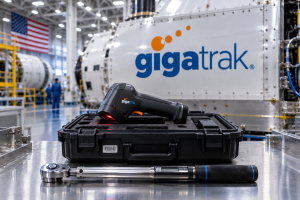
Government Asset Management Software: How FDNY Tracks Equipment

An FDNY firefighter holding a handheld mobile scanner to inspect GigaTrak barcode-tagged emergency equipment inside a fire truck compartment. GigaTrak's reliable Government Asset Tracking Software gives the firefighter and all other users full visibility of their tools and assets. In doing so, you save money by not having to replace lost equipment. GigaTrak's Government Asset Management Software in full display and use.

How FDNY Tracks Critical Gear with GigaTrak’s Government Asset Management Software

In emergency response, every second matters, and every piece of gear must perform without failure. For the Fire Department of the City of New York (FDNY)—the largest municipal fire department in the United States—managing thousands of life-saving assets across hundreds of firehouses, emergency medical stations, and specialized units is an immense logistical operational challenge.

When an emergency crew responds to a five-alarm structure fire or a complex rescue operation, firefighters cannot afford to discover that a thermal imaging camera is missing, an SCBA (Self-Contained Breathing Apparatus) air tank is past its inspection date, or a hydraulic rescue tool is sitting in a repair shop three boroughs away.

To maintain peak operational readiness, enforce accountability, and pass rigorous municipal audits, high-stakes public safety agencies like the FDNY, the U.S. Army, and municipal public works departments rely on government asset tracking software from GigaTrak.

Here is how modern government asset management software solves complex equipment challenges for first responders—and why GigaTrak remains the trusted standard for public sector asset accountability.

The High-Stakes Reality of First Responder Asset Management

Public safety agencies operate under conditions drastically different from private corporations:

  • Extreme Environment Wear & Tear: Firefighting gear, defibrillators, radios, and specialized saws are subjected to heat, water, and heavy impact daily.

  • Decentralized Operations: Equipment moves rapidly between apparatus (engines, ladders, rescue trucks), firehouses, maintenance depots, and active scene perimeters.

  • Strict Regulatory Compliance: Life-safety equipment requires mandatory inspection schedules, routine calibration, and detailed chain-of-custody documentation.

  • 24/7 Shift Rotations: High-value gear passes through dozens of hands every week as crews rotate shifts.

When emergency services rely on outdated tracking methods—such as manual spreadsheets, paper logbooks, or whiteboards—gaps inevitably appear. Tools go missing, maintenance dates pass unnoticed, and ghost assets inflate replacement budgets.

How GigaTrak Transforms Municipal Equipment Tracking

GigaTrak provides specialized government asset tracking software engineered specifically to eliminate administrative friction and establish total asset visibility. By replacing manual data entry with durable barcode scanning technology, GigaTrak streamlines how agencies log, check out, inspect, and audit critical gear.

The GigaTrak Asset Journey

  1. Procurement & Barcoding: Assign a unique ID tag or heavy-duty barcode to every piece of equipment upon arrival.

  2. Check-Out & Field Assignment: Instantly scan gear to specific firefighters, emergency crews, or apparatus rigs.

  3. Scheduled Maintenance: Automated alerts trigger regular inspections, safety tests, and calibrations before gear fails.

  4. Audits & Retirement: Maintain a complete digital audit trail from initial deployment to final asset decommission.

1. Rapid Check-In and Check-Out

With thousands of tools in circulation across dozens of stations, logging items manually creates bottlenecks. GigaTrak simplifies custody transfers down to a simple “point, shoot, and click” workflow.

First responders scan item barcodes alongside employee badges or vehicle IDs using rugged handheld terminals or mobile smartphones. The software instantly registers:

  • Who checked out the item.

  • Which rig, station, or team received it.

  • When it was checked out and when it is due back.

A process that previously took minutes per item is completed in seconds, ensuring rigs leave the station fully equipped and on time.

2. Proactive Maintenance & Compliance Tracking

In emergency services, tool failure isn’t an inconvenience—it’s a critical safety hazard. Gear like gas detectors, hydraulic rescue cutters, saws, and medical kits require regular servicing, testing, and battery replacements.

GigaTrak’s government asset management software features built-in maintenance scheduling. Fleet and quartermaster managers set automated maintenance alerts based on time intervals or usage cycles. If a piece of equipment requires calibration or safety testing, the software flags the item before deployment, preventing unserviced gear from being assigned to active duty.

3. Digital Chain of Custody

High-value assets—such as tactical radios, specialized thermal cameras, hazardous materials sensors, and narcotics boxes in EMS vehicles—require strict accountability.

When gear changes hands, GigaTrak creates an unchangeable digital paper trail. Personnel sign for equipment directly on mobile touchscreen scanners, linking each item to a specific officer or firefighter. If an item is misplaced, quartermasters can view its complete historical movement to pinpoint exactly where and when it was last scanned.

Comparison: Spreadsheets vs. Dedicated Government Software

Feature Excel / Paper Logbooks GigaTrak Government Asset Software
Data Entry Speed Slow, manual typing (high error rate) Instant barcode scanning
Accountability Unverified names on paper Digital signatures & badge-scan signatures
Maintenance Manual calendar reminders (easily missed) Automated safety & calibration alerts
Audit Preparation Weeks of physical search & record reconciliation Rapid mobile audits completed in hours
Off-line Function Unsynced local copies create data conflicts Guaranteed function during network outages

Security and Deployment Options for Municipal Agencies

Government agencies operate under strict IT security mandates and data sovereignty requirements. GigaTrak offers versatile deployment architectures designed to fit specific municipal security protocols.

Complete Data Sovereignty via On-Premise Deployment

For high-security operations, defense agencies, and public safety organizations that prefer or mandate local data control, GigaTrak offers complete on-premise installation.

  • Network Isolation: Runs entirely behind your agency’s firewall or within air-gapped internal networks.

  • Zero External Exposure: Asset databases remain strictly on internal agency servers, protecting sensitive facility layouts and high-value gear lists from third-party cloud vulnerabilities.

  • Guaranteed Reliability: Operations continue uninterrupted during internet outages or emergency power scenarios.

Flexible Cloud Hosting

For agencies seeking lower internal IT overhead, GigaTrak also provides cloud-hosted solutions. Cloud deployments offer secure, web-based accessibility across multiple facilities, enabling real-time asset synchronization across distant stations and mobile field units without local server maintenance.

Ensuring Fiscal Accountability and Audit Readiness

Public safety organizations manage public funds, state grants, and federal funding (such as FEMA or Urban Areas Security Initiative grants). Receiving public funding requires strict compliance with capitalization thresholds, annual financial reporting, and equipment audits.

Traditional Audits vs. GigaTrak Barcode Audits

Audit Metric Traditional Manual Audits GigaTrak Barcode Audits
Methodology Physical clipboard counts & manual entry Rapid scanning of room & asset barcodes
Completion Time Days to weeks of searching Completed in hours across entire stations
Accuracy & Reconciliation High rate of “ghost assets” & data errors Instant reconciliation against database records
Compliance Risk Increased risk of audit flags or grant issues Complete, verified digital audit trails
  1. Eliminating Ghost Assets: Missing or stolen gear left on financial registers (“ghost assets”) leads to inaccurate budget planning and failed audits. Regular barcode-based audits reconcile physical inventory against ledger data in real time.

  2. Accelerated Inventory Audits: Using portable handheld scanners, quartermasters can audit an entire tool room, armory, or supply station in a fraction of the time required by paper counts. Staff simply scan room location tags and sweep items, automatically identifying missing or out-of-place equipment.

  3. Depreciation and Lifecycle Reporting: GigaTrak tracks purchase dates, vendor details, warranty terms, and depreciation schedules, helping finance managers forecast capital equipment replacement cycles accurately before tools reach end-of-life.

Why Major Public Sector Organizations Choose GigaTrak

GigaTrak has provided barcode-based tracking software since 1995. From municipal fire departments and police agencies to the U.S. Army, Lockheed Martin, and public school districts nationwide, organizations choose GigaTrak for three primary reasons:

  1. Purpose-Built Simplicity: The platform eliminates clutter, prioritizing fast navigation, clear button layouts, and straightforward scanning workflows that require minimal training for active-duty personnel.

  2. Comprehensive Hardware & Tag Bundles: GigaTrak acts as a complete solution provider, offering pre-configured handheld scanners, mobile barcode apps, rugged pre-printed metal asset tags, labels, and barcode printers.

  3. Dedicated U.S.-Based Support: GigaTrak’s engineering and customer support teams are based entirely in the United States, offering direct access to knowledgeable technical support whenever assistance is needed.

Protect Your Agency’s Equipment with GigaTrak

Whether managing equipment for a metropolitan fire department like the FDNY, overseeing public works fleets, or securing municipal IT assets, effective inventory control requires software built for reliability, security, and speed.

GigaTrak’s government asset management software gives your organization full operational visibility, protects taxpayer investments, and ensures your critical gear is ready whenever an emergency strikes.

Ready to modernize your public agency’s asset management?

Contact GigaTrak today at 262-657-5500 or visit GigaTrak.com to request a live demo and discover how simple government asset tracking can be.


Contacting GigaTrak:

  • 262-657-5500
  • sales@gigatrak.com

Request Information

Tool Tracking Software vs. Spreadsheets: Hidden Costs Revealed

Spreadsheets are now ineffective. This image shows how GigaTrak's tool tracking software is replacing spreadsheets and reducing labor and costs of equipment replacements.

Tool Tracking Software vs. Spreadsheets: What’s Really Costing You?

A crew arrives at a jobsite at 7:00 AM. They open the truck bed to start work, but the pipe threader is missing. The foreman calls the main shop, checks three other drivers, and searches through last week’s paper logs. Two hours later, four technicians are still sitting idle while someone drives to buy a duplicate tool.

If you manage operations, fleets, or jobsites, this scenario happens weekly. Most companies try to track physical gear using Excel or Google Sheets. What seems like a free solution quickly becomes a major operating expense.

Tool tracking software is a barcode-based system that monitors physical equipment across jobsites, warehouses, and service vehicles in real time.

Switching from static spreadsheets to dedicated software plugs silent financial leaks. You will know where every tool is before your crew leaves the yard.

The Hidden Financial Costs of Spreadsheet Tool Tracking

Spreadsheets work well for static accounting data. They fail when managing physical equipment moving between crews, trucks, and job sites.

Wasted Labor and Paid Downtime

Field technicians spend an average of 30 minutes every day searching for lost gear or calling other crews to locate assets.

Across a team of 10 field technicians, that equals 1,300 hours lost per year in pure downtime. You pay high-cost labor hours for employees to dig through truck beds and drive back and forth across town.

Human Error and Ghost Inventory

Research shows 88% of manually updated spreadsheets contain human errors. A missed row or a simple typo creates ghost inventory. These are tools that exist on your balance sheet but are nowhere to be found when a project kicks off.

Your team ends up panic-buying expensive duplicate tools or renting last-minute equipment just to stay on schedule.

Zero Real-Time Visibility

Spreadsheets rely on manual updates at the end of the day or week. By the time a manager opens the file on Tuesday morning, the data is useless.

Without instant updates, you lose control the moment an asset leaves your central crib or warehouse.

Equipment Loss and Shrinkage Metrics

Missing equipment directly erodes profit margins. Construction and field service operations lose 5% to 10% of their portable tool inventory every year to theft and misplacement.

Financial Impact Category Spreadsheet Tracking Performance
Annual Equipment Loss 5% to 10% total inventory loss per year
Tool Recovery Rates Under 7% without systematic barcode checkouts
Duplicate Tool Buys $3,000+ per 50 workers spent on unnecessary replacements

Without an automated system linking equipment directly to individual workers, recovery rates remain low. Most businesses absorb these replacement costs out of pocket.

4 Crucial Features Missing from Spreadsheets

Why do spreadsheets fail to stop equipment loss? They lack four built-in capabilities that dedicated tracking systems provide.

1. Fast Barcode and QR Code Scanning

Instead of typing serial numbers into a tiny cell, staff use durable barcode scanners or mobile devices to scan tags. A check-out process that used to take three minutes now takes two seconds.

2. Digital Chain of Custody

When high-value gear changes hands, the software records an exact digital paper trail. Employees sign for tools directly on screen, establishing immediate personal accountability.

3. Automated Maintenance Alerts

Tools require periodic calibration, safety checks, and routine servicing. Spreadsheets do not alert you when a saw needs maintenance. Tracking software sends automatic alerts to fleet managers before faulty gear causes a jobsite injury.

4. Location Tagging and GPS Mapping

When an asset is scanned, the system records the location coordinates. Managers get a clear view of where tools were last checked out, making it easy to identify which truck or crew has the item.

Tool Tracking Software vs. Spreadsheets: Side-by-Side Comparison

Feature Excel / Google Sheets Dedicated Tool Tracking Software
Data Entry Manual typing with high typo risk Instant barcode and QR code scanning
Real-Time Sync Requires manual saves and updates Instant cloud or local server sync
Accountability Relies on memory and paper logs Digital signatures and audit histories
Maintenance Forgotten dates and missed service Automated alerts for inspections
Deployment Basic file hosting only Cloud hosting or secure on-premise install

Built for High-Security and Complex Operations

Generic office software cannot handle complex security requirements. GigaTrak has provided barcode tool tracking solutions for over 30 years.

Clients like FDNY, Lockheed Martin, the US Army, and Virginia Public Schools rely on GigaTrak to keep their physical assets organized.

Unlike vendors that force you into a one-size-fits-all cloud system, GigaTrak offers both cloud and secure on-premise deployments. If your facility operates without an internet connection or requires self-hosted security, on-premise software keeps your data within your internal network. All support is based directly in the United States.

Calculating Your ROI

Upgrading to dedicated software pays for itself quickly. Calculate your potential savings using three operational numbers:

  • Labor Hours Lost: Multiply your average technician pay rate by 0.5 hours per day. Multiply that number by your total crew size and working days per year.

  • Annual Tool Loss: Sum up what you spent over the last 12 months replacing lost, stolen, or unreturned gear.

  • Preventable Rentals: Add up the expense of last-minute tool rentals ordered because nobody knew where company-owned items were located.

Most mid-sized operations recoup their investment within 3 to 6 months by eliminating duplicate buys and recovering lost labor hours.

How to Transition Off Spreadsheets

Moving off manual spreadsheets does not need to disrupt daily work:

  1. Audit High-Value Inventory: Start with power tools, testing gear, and specialized equipment. Do not worry about tagging small hand tools on day one.

  2. Apply Durable Barcode Tags: Attach heavy-duty, weather-resistant barcode or QR tags to your assets.

  3. Establish a Checkout Rule: Make scanning mandatory before gear leaves the crib. Because scanning takes seconds, field adoption happens quickly.

Frequently Asked Questions

What is tool tracking software?

Tool tracking software is a specialized application that uses barcodes, QR tags, or RFID to record who has an asset, where it is located, and when it is due back. It replaces manual logs and spreadsheets.

Can tool tracking software run on-premise without an internet connection?

Yes. GigaTrak provides on-premise installations that run entirely on your local network. This setup is ideal for government agencies, military bases, and high-security contractors.

How does barcode scanning improve inventory accuracy?

Barcode scanning eliminates manual typing errors. Scanning a barcode instantly updates the database, changes asset ownership, and logs precise timestamps in under two seconds.

Is US-based technical support available?

Yes. GigaTrak provides dedicated, US-based support to help set up hardware, configure databases, and train your staff.

Stop Letting Spreadsheets Drain Your Profits

Spreadsheets are fine for accounting. They are the wrong tool for managing moving physical equipment across jobsites and service vans.

Take control of your inventory, improve accountability, and keep your crews working.

Request a Consultation with GigaTrak today to speak with our US-based team and find the right cloud or on-premise setup for your operation.

Contacting GigaTrak:

  • 262-657-5500
  • sales@gigatrak.com

Request a Free Demo.

Contact Page.

Stop Wasting Labor Hours: Asset Tracking for Contractors

GigaTrak tool tracking software gives you visibility of all your tools. GigaTrak has unlimited tracking no matter the plan. GigaTrak is the leader in tracking with barcode technology.

Stop Wasting Labor Hours: Asset Tracking for Contractors

Process & Technology Solutions at GigaTrak • Reading Time: 12 mins

A contractor’s crew sits idle on a jobsite because a critical rotary hammer is missing. The foreman calls the warehouse, but nobody knows who had it last. Meanwhile, your billable hours slip away.

For many electrical, plumbing, and mechanical contractors, this scenario happens daily. The average construction worker loses over 30 minutes per day simply searching for tools and equipment. When scaled across a crew of twenty, that is over 2,500 lost labor hours every year.

You can stop this drain on your payroll. The answer lies in establishing a structured workflow using modern asset tracking for contractors.

The True Cost of Manual Inventory Management

Many construction firms still rely on whiteboards, spreadsheets, or paper logs. These manual methods fail because they depend on busy people remembering to write down what they took. Without dedicated asset tracking for contractors, your valuable physical inventory easily disappears into the back of employee work vans and trucks.

When equipment goes missing, three major issues destroy your labor efficiency:

  • Idle Labor: Workers stand around, waiting for a replacement item to arrive at the job site.

  • Double Purchasing: Purchasing managers buy duplicate tools because they cannot locate the original, wasting valuable capital.

  • Administrative Chasing: Warehouse managers spend hours calling foremen, trying to locate missing items.

Since 1995, GigaTrak has helped businesses replace chaotic manual systems with simple, barcode-based tool tracking for contractors. Our clients include the FDNY, Lockheed Martin, the US Army, and Virginia Public Schools. We build professional tracking platforms that keep crews working and hold employees accountable. Implementing a proven asset tracking for contractors strategy is the fastest way to protect your equipment investments.

Why Alternative Solutions Fall Short on the Jobsite

To solve the headache of missing assets, many construction companies try generic Bluetooth tags, manufacturer-specific apps, or simple peer-to-peer sharing tools. These systems often fail because they do not match the harsh realities of field construction.

The Limits of Bluetooth and Manufacturer-Locked Systems

Some firms adopt manufacturer-specific applications using built-in Bluetooth chips or external tags. They work fine if your entire physical inventory comes from a single brand. However, most trade contractors manage a mixed fleet.

Buying external Bluetooth tags for other brands is expensive, requires constant battery replacements, and tags can easily knock off during rough use on a busy jobsite.

Furthermore, Bluetooth tracking suffers from major technical drawbacks:

  • Limited Range: Bluetooth signals only broadcast between 100 and 400 feet.

  • Network Dependence: Location data only updates if a phone with that specific manufacturer’s app is nearby.

  • No Security Value: If gear is stolen, the system will not help you find it unless the thief walks near someone running that exact app.

The Failures of Peer-to-Peer Mobile Sharing Apps

Other mobile solutions focus on peer-to-peer tool sharing in the field, letting workers transfer items directly using mobile phones. While convenient, this removes central authority from your inventory pipeline.

If a worker forgets to scan a transfer, the chain of custody breaks immediately, and the office loses all visibility. Effective tool tracking for contractors requires centralized control—not self-reporting from busy crews on a jobsite.

The Complexity of Office Asset Managers

Some companies try using corporate IT software built to track office furniture, corporate laptops, and software licenses. While highly customizable, these platforms present field workers with dozens of confusing data fields.

Your crew wants to get their gear and get to work—they will not fill out complex digital forms on a jobsite. These platforms also require a constant internet connection, which fails in basements, concrete structures, and rural jobsites.

Why GigaTrak’s Barcode Solution Works

GigaTrak bypasses short-range Bluetooth or worker self-reporting by using a centralized, barcode-based check-out/check-in architecture. This enforces immediate accountability and physical discipline, making it the most reliable system for asset tracking for contractors.

 Warehouse Manager Scans ID Badge  ➔  Scans Equipment Barcode  ➔  3-Second Audit-Proof Assignment 

Direct Accountability at the Point of Exit

With GigaTrak, an item cannot leave your warehouse without being assigned to a specific person or jobsite. The warehouse manager scans the item barcode, then scans the employee’s barcoded ID badge. The transfer records in under three seconds. Because employees know the system holds them personally responsible, equipment is treated with care and returned on time.

Built for Mixed-Brand Inventories

A barcode label does not care who manufactured the equipment. You can apply our durable, weather-resistant barcode tags to any brand of drill, saw, generator, or safety harness. You can even place barcodes on bins of consumable items, keeping your entire physical inventory under a single, unified system.

Flexible Security & Deployment Options

Unlike cloud-only competitors, GigaTrak supports both cloud-hosted databases and local, on-premise installations. This flexibility is vital for contractors working on secure military facilities, utility plants, or government projects where IT protocols forbid storing operational data on public cloud servers.

Offline Reliability for Remote Crews

Our mobile applications do not require a constant cellular signal. Field crews can scan barcodes and complete transfers while working deep underground or in remote areas. The application stores transactional data locally and automatically syncs back to your main database once reconnected to Wi-Fi or cellular service.

The mobile app operates offline, allowing crews to track tools anywhere. Source: GigaTrak

4 Steps to Eliminate Lost Labor Hours

  1. Catalog Your Physical Inventory: Gather all hand tools, power tools, and heavy equipment. Enter their serial numbers, purchase dates, and values into your master catalog.

  2. Apply Durable Barcode Labels: Affix rugged, weather-resistant barcode tags to each item. For small tools or bulk items, barcode the container holding them.

  3. Establish a Scan-Out Workflow: Scan the employee’s ID badge, then scan the tool’s barcode before it leaves the warehouse. This takes seconds and establishes an indisputable chain of custody.

  4. Perform Periodic Warehouse Audits: Use a mobile scanner to scan everything in your tool crib. The software will instantly flag any items that are missing, overdue, or due for safety inspections.

Key Capabilities Tailored for Harsh Environments

Feature Generic Spreadsheets GigaTrak Asset Tracking
Data Verification Manual entry (error-prone) Instant barcode scan
Offline Functionality Requires active connection Built-in offline syncing
Hardware Requirements Computer required iOS / Android smartphones & rugged scanners
Chain of Custody Unverified / Missing Time-stamped & badge-linked
  • Works With Your Existing Hardware: Your crew can use their existing iOS or Android smartphones to scan barcodes in the field, keeping implementation costs low.

  • Dedicated US-Based Support: GigaTrak provides direct, expert support from our US-based team to assist with database setup, label selection, and staff onboarding.

Frequently Asked Questions

What is asset tracking for contractors?

Asset tracking for contractors is an inventory system that uses barcodes, handheld scanners, and dedicated software to monitor the location, usage history, maintenance schedules, and custody of jobsite tools and heavy equipment.

What are the main benefits of tool tracking for contractors?

Implementing a structured system reduces tool replacement costs by up to 40%. It eliminates idle labor hours, improves employee accountability, prevents double purchasing, and automates safety calibration schedules.

Can field crews track equipment without an active internet connection?

Yes. GigaTrak’s mobile app allows users to check assets in and out while completely offline. The application stores transactional data locally and syncs with the main database once the device reconnects to Wi-Fi or cellular service.

How long does it take to deploy this system?

Most contractors install GigaTrak and begin tracking their first batch of equipment on the very same day.

Does GigaTrak offer on-premise installation?

Yes. We offer both cloud-hosted database subscriptions and local, on-premise database licenses so you can match your company’s IT and security requirements.

Take Control of Your Inventory Today

Every day you wait to organize your equipment is another day of wasted payroll and missing gear. Stop chasing down tools and let your team focus on profitable work.

Are you ready to build a more accountable, profitable business with reliable asset tracking for contractors?

Get Full Visibility Over Your Equipment

Contact GigaTrak’s US-based team (with over 30 years of industry experience) to schedule your tailored walk-through.

  • Phone: 262-657-5500

  • Email: sales@gigatrak.com

  • Website: gigatrak.com

Request a Free Demo Today

Why Barcode Hardware is The Backbone of Tool Tracking

Picture shows GigaTrak's barcode hardware and tool tracking software being used to track the assets of a school. Barcode hardware is essential for reliable tracking. GigaTrak’s integrated software is the most reliable way to protect your physical assets.

Why Barcode Hardware is The Backbone of Tool Tracking

Reading Time: 15 Minutes

Every morning at 6:45 AM, contracting and field service companies across the country lose money to a single, frustrating question:

“Who has the rotary hammer?”

While employees search through truck beds, call coworkers who are still asleep, or make unplanned trips to local supply stores to buy duplicates, jobsites sit idle. If you run an operation in construction, mechanical contracting, utilities, or warehousing, tracking physical inventory is an ongoing struggle. You fight against human error, chaotic field environments, and rapid equipment turnover every day.

In response, many organizations look for digital solutions. They search online for terms like barcode hardware and tool tracking software. They immediately meet slick software platforms promising that a simple mobile app and basic QR code stickers can eliminate tool loss entirely.

However, in industrial environments, software-only tracking systems fail.

A software-based tracking application is only as reliable as the physical data entered into it. In the real world, the true point of failure is not the cloud database. It is the physical interaction between the worker, the tool, and the reading device.

GigaTrak has spent over 30 years helping organizations solve this exact problem. Since 1995, high-profile clients like the FDNY, Lockheed Martin, the US Army, and Virginia Public Schools have trusted us to secure their physical assets. This guide explains why physical barcode hardware is essential for reliable tracking, evaluates how major competitors stack up, and details why GigaTrak’s integrated software, high-durability labels, and professional barcode scanning hardware provide the most reliable tracking system for your business.

The Critical Link: Why Rugged Barcode Hardware is the True Backbone of Asset Management

To understand why tool tracking programs fail, we must look at where data capture actually happens. Field personnel work in demanding environments. They handle tools in dust, mud, rain, and snow. They wear heavy gloves, rush to meet deadlines, and focus on physical labor rather than digital data entry.

When a tracking system relies entirely on consumer-grade smartphones, several physical limitations emerge.

Camera and Lens Vulnerability

Smartphone camera lenses scratch easily. In environments with fine drywall dust, concrete particulate, or metal filings, micro-scratches quickly cover the camera lens. This prevents the camera from focusing on a barcode or QR code, which renders mobile scanning useless.

Environmental Obstacles

Standard smartphone capacitive touchscreens do not function properly in heavy rain or sub-zero temperatures. In cold weather, lithium-ion phone batteries drain rapidly. This often leaves workers without a functional device mid-shift.

High-Friction Workflows

Using a personal phone requires a worker to pull out their device, unlock it, open an app, wait for the camera to focus on the code, and manually click a button to confirm. If a worker must check out 15 separate items every morning, this multi-step process creates friction. When processes are slow, field compliance drops, data becomes inaccurate, and tool tracking fails.

To overcome these challenges, a reliable asset system requires dedicated, industrial-grade barcode hardware designed for abuse. Dedicated barcode scanners and rugged mobile terminals feature integrated scan engines that utilize high-speed imagers or lasers. These devices read barcodes in milliseconds, even through layers of grease, dirt, plastic wrap, or physical damage.

By turning data capture into a single physical button click, dedicated hardware eliminates workflow friction. This ensures high employee compliance and clean data.

The Paper Label Trap: Why App-Only Competitors Fail in the Field

A popular segment of the tracking market includes software-only apps like Sortly and ShareMyToolbox. These platforms provide clean user interfaces, subscription-based pricing, and the ability to print basic QR codes from any office printer.

While these platforms work well in stationary, climate-controlled spaces like offices or retail storage, they struggle in active field operations.

The Problem of the Personal Work Van Black Hole

In construction and field service, the vast majority of tool loss does not happen inside a secure warehouse or central tool crib. Instead, items disappear from personal work vans and trucks. Tools move from one service truck to another on-site, get left in cabs, or end up buried beneath heavy materials in truck beds.

Under a software-only system, tracking these field transfers relies entirely on manual compliance. If a supervisor wants to audit 50 tools rolling around in a work van, they must climb into the van, pull out every tool, and use a smartphone camera to scan each individual QR sticker one by one. Because this process is tedious and time-consuming, audits get skipped. Work vans become digital black holes, and accountability disappears.

The Rapid Degradation of Print-Your-Own Labels

Software-only competitors often instruct users to print QR codes on standard desktop printers or purchase cheap adhesive stickers.

Within days of being dragged across concrete, exposed to motor oil, or tossed into metal gang boxes, these standard paper or light plastic labels smudge, tear, or peel off. Once a barcode is unreadable, the digital tracking chain breaks. Workers will not manually type a 12-digit serial number in the field. Instead, they bypass the system entirely, leading to untracked inventory and lost assets.

Over-Engineered or Over-Priced: The Flaws of Alternative Hardware Competitors

Recognizing the limits of software-only applications, some providers offer hardware compatibility. However, these solutions feature significant drawbacks. These include proprietary hardware lock-in, restrictive subscription pricing, or overly complex enterprise software.

1. Proprietary, Brand-Locked Tool Ecosystems

Many major tool manufacturers offer proprietary Bluetooth and smart tracking hardware built directly into their high-end tools, such as Milwaukee ONE-KEY or Hilti ON! Track.

  • The Issue of Brand Lock-In: While these tools work well within their own brand, they limit your purchasing options. A business rarely utilizes a single brand.

  • Asset Disconnect: If your fleet includes Milwaukee drills, Bosch rotary hammers, DeWalt saws, and Honda generators, tracking them on a brand-locked platform is difficult. You must buy expensive specialty adapters or manage multiple disjointed tracking systems, which defeats the purpose of unified inventory management.

2. High Subscription Costs and Scale Penalties

Several asset tracking companies, like GoCodes or Asset Panda, provide physical tracking materials such as metal tags with pre-printed QR codes. However, their software business models penalize organizational growth.

  • Tiered Asset Limits: These platforms utilize tiered pricing plans capped at a specific number of tracked assets, such as up to 500 or 1,000 items.

  • The Scale Penalty: As soon as you begin tracking smaller accessories, safety equipment, consumables, or extension cords, you quickly exceed your limit. You must upgrade to more expensive tiers, resulting in higher annual software costs simply because you are tracking your gear more thoroughly.

3. Legacy Enterprise Systems

On the other end of the spectrum are legacy enterprise platforms like ToolWatch or ToolHound. These systems are capable but carry significant operational burdens.

  • Complex Implementations: These programs target massive, multinational corporations. They require expensive upfront consulting, weeks of specialized staff training, and complex configurations that are difficult for average users to navigate.

  • High Cost of Entry: Between setup fees, mandatory support contracts, and proprietary hardware replacement costs, legacy systems are financially out of reach for small to mid-sized businesses.

The GigaTrak Advantage: Complete Software Control and Physical Durability

GigaTrak takes a practical, highly rugged approach. Instead of choosing between a fragile mobile app and an expensive legacy system, businesses get a professional software platform paired with battle-tested barcode scanning and printing hardware. We support our clients with a dedicated, US-based support team.

Flexible Hosting Options: Cloud vs. Self-Hosted

Unlike platforms that force you into a perpetual subscription model, GigaTrak offers two distinct structures.

  1. The Cloud Option: A secure, annual subscription hosted on GigaTrak’s cloud infrastructure. This option allows your office, warehouse, and field teams to access real-time tool data from any internet-connected device or mobile application.

  2. The Self-Hosted Option: A one-time software purchase that you host locally on your company’s own server or network. This model eliminates recurring monthly or annual software fees, allowing you to own your tracking system outright.

Track Unlimited Assets Without Extra Fees

GigaTrak does not charge a penalty fee for scaling your business. Regardless of the version you choose, GigaTrak allows you to track an unlimited number of assets, tools, consumables, and materials without raising your base software cost. You can track high-value machinery and cheap consumables side-by-side in the same database.

Professional-Grade Industrial Labels and Tags

To ensure your barcodes survive under real-world conditions, GigaTrak provides high-durability labeling options that perform better than standard print-at-home stickers.

  • Polypropylene Labels: Flexible, water-resistant synthetic labels designed for indoor storage and light-duty field assets.

  • Premium Polyester Labels: High-strength, chemical-resistant labels that withstand heavy abrasion, UV exposure, and extreme jobsite temperatures.

  • Aluminum Foil Tags: Heavy-duty metallic tags that mold directly to irregular surfaces. These tags utilize high-tack adhesives that chemically cure to metal or plastic tools, making them virtually impossible to tear or peel off.

Picture shows GigaTrak's barcode hardware and tool tracking software being used to track equipment, tools, and assets. Barcode hardware is essential for reliable tracking. GigaTrak’s integrated software is the most reliable way to protect your physical assets.

Battle-Tested Barcode Hardware: Supported GigaTrak Scanner and Printer Models

GigaTrak does not rely on third-party hardware workarounds. We source, test, and support industrial scanners, mobile terminals, and thermal printers designed to work with our software platforms.

Our clients choose from several specialized hardware models tailored to their operating environments.

Handheld Mobile Computers for Field and Warehouse Audits

These rugged handhelds combine the processing power of an Android device with a physical, dedicated laser scan engine. They allow users to check tools in and out, perform cycle counts, and audit inventory in the field without relying on personal smartphones.

  • Datalogic Memor 11: A versatile, rugged mobile computer built with an Android operating system and a high-performance 2D scan engine. It features strong wireless connectivity, making it ideal for real-time data entry in large warehouses or active job sites.

  • Honeywell CT45: An ultra-rugged mobile computer designed for extreme environments. Built on a durable architecture, it features superior drop resistance, long battery life, and an advanced scan engine capable of reading damaged or dirty barcodes from varying distances.

  • Zebra ET40: A rugged enterprise tablet perfect for field supervisors who need a larger display screen for viewing complex inventory lists, blueprints, or asset histories, while retaining industrial-grade durability and scanning capabilities.

Desktop and USB Barcode Scanners

For central tool cribs, office check-out stations, or warehouse intake desks, wired and wireless USB scanners provide rapid, reliable scanning.

  • Datalogic QD2590: A highly durable, corded 2D area imager. It is built to handle constant, high-volume scanning at warehouse desks. It reads barcodes instantly regardless of orientation.

  • Zebra DS2278: A cordless, Bluetooth-enabled 2D scanner. It is never tethered by a cable, which gives warehouse workers the freedom to move around their workstations to scan bulky, heavy equipment.

  • Unitech MS912: An ultra-compact, pocket-sized wireless scanner. This device easily pairs with mobile phones or tablets via Bluetooth, giving field workers a lightweight scanning option that is much faster and more accurate than a smartphone camera.

Industrial Barcode Label Printers

Instead of relying on standard desktop office printers, GigaTrak supports specialized thermal transfer printers designed to output high-resolution, long-lasting asset labels.

  • GoDEX GE300: A compact, cost-effective desktop thermal transfer printer. It is perfect for light- to medium-volume printing of polypropylene and polyester asset labels.

  • Zebra ZD220: A reliable, industry-standard desktop thermal printer. It features a simple design and durable construction, and it is built to deliver sharp, smear-proof barcodes day after day.

Calculating the True ROI of Barcode Tool Tracking

To understand the financial benefits of deploying a unified tracking system, let us look at a practical ROI model based on a mid-sized electrical or mechanical contractor.

The Standard Scenario: 15 Field Service Vans (Before GigaTrak)

Consider a contractor running 15 active service vans with a total inventory of 600 tracked assets, such as press tools, rotary hammers, pipe benders, and expensive test kits.

  • Average Annual Tool Loss: Without a secure check-out or audit system, each van averages a loss of 5 tools per year. These are left on job sites, misplaced, or stolen.

  • Average Cost per Asset: Let us assume an average replacement cost of $350 per tool.

  • Direct Replacement Cost:

15 vans  X  5 tools lost/year  X  $350 average cost = $26,250 lost annually
  • Indirect Labor Waste: When a tool is missing, work stops. Crew members spend an average of 45 minutes searching for the tool, calling coworkers, or driving to a local distributor to purchase a replacement. At a burdened labor rate of $50/hour across multiple delayed workers, this downtime costs an additional $15,000 per year in lost productivity.
  • Total Annual Loss: Over $41,250 in unnecessary overhead waste.

The Impact of GigaTrak Barcode Hardware Implementation

By equipping your tool crib with a GigaTrak system, including GigaTrak Contractor Edition software, a Zebra ZD220 printer, durable polyester labels, and rugged Honeywell CT45 handhelds, you establish control.

  • Absolute Accountability: You assign every tool directly to an employee or a specific service truck before it leaves the warehouse.

  • Rapid, High-Frequency Audits: Truck audits that previously took 45 minutes of manual sorting are reduced to a rapid-fire scan with a rugged, dedicated mobile computer.

  • 90% Loss Reduction: Establishing immediate, clear accountability and regular field audits typically reduces tool loss by 90% or more.

The Financial Recovery

Direct Tool Replacement Savings: $26,250  X  90% = $23,625

Productivity & Downtime Savings: $15,000  X  80% = $12,000 saved

Total Annual Savings: $35,625

Because GigaTrak offers a Self-Hosted option alongside highly competitive hardware pricing, the entire system typically pays for itself within the first 3 to 6 months. Following that initial payback period, those operational savings go directly back to your company’s bottom-line profitability.

Frequently Asked Questions About Tool Tracking Hardware

What is the difference between a smartphone scanner and dedicated barcode hardware?

Smartphone cameras use software to process images, which is slow and fails in low light or dusty conditions. Dedicated barcode hardware uses physical laser or imaging engines to read codes instantly, even if the label is dirty, greased, or damaged.

Can I use my existing tools with GigaTrak barcode hardware?

Yes. Unlike brand-locked systems that require you to buy specific smart tools, GigaTrak works with any brand. You simply apply our high-durability labels to your existing fleet of tools, from drills to generators, and scan them into the system.

Do I need an active internet connection to scan tools in the field?

No. GigaTrak offers self-hosted and offline-compatible options. Rugged mobile terminals can store scan data locally in the field and sync the records back to the database once the device connects to Wi-Fi or a cellular network.

Secure Your Operations with GigaTrak

A tool and asset tracking system is only as reliable as the physical hardware used to capture the data. Software-only applications are built on manual input, fragile mobile phone cameras, and low-durability labels that degrade quickly on actual job sites.

GigaTrak solves this operational gap by pairing database software with rugged, physical barcode scanning and printing hardware designed to handle industrial work environments. With a cost-effective barcode labeling setup and a mobile computer network, GigaTrak provides the visibility, durability, and hosting flexibility your business needs to protect its investments.

Stop wasting valuable labor hours searching for lost equipment and paying to replace tools you have already purchased multiple times. Take control of your inventory, secure your physical assets, and keep your field crews working efficiently.

Ready to protect your inventory?

Contact the GigaTrak team at 262-657-5500 today to speak with an experienced specialist, or sign up for a 15-day risk-free trial of our complete Tool Tracking Solution!

Purchasing barcode hardware: https://www.gigatrak.com/hardware/

How To Set Up a Tool Tracking Software System | GigaTrak

GigaTrak tool tracking software in both Cloud-hosted or on-premise.

Quick Takeaways

  • What is Tool Tracking Software? It is a barcode-based system that monitors the location, assignment, and condition of your physical assets.
  • Why Move Away from Spreadsheets? Manual tracking leads to data entry errors, lost gear, and hours wasted searching for equipment.
  • The Five-Step Setup: Establish your system by auditing tools, choosing durable barcode tags, setting up a database, defining workflows, and training your staff.
  • The GigaTrak Advantage: GigaTrak has provided tool tracking software since 1995. We offer flexible hosting, perpetual licensing, and US-based support. Request a Consultation to secure your inventory today.

The Hidden Cost of “Where Is It?”

Every business relying on physical gear eventually faces the same costly question: “Where did that tool go?”

Missing equipment is a direct hit to your bottom line. When a $500 rotary hammer or a $2,000 diagnostic analyzer disappears, you face compounding losses:

  • Wasted Labor Hours: Technicians search job sites, dig through service vans, or drive to a supplier to buy a duplicate tool.
  • Project Delays: Crew productivity stops when critical machinery is missing. This leads to missed deadlines and damaged client relationships.
  • Frequent Replacements: Businesses repurchase items they already own because finding the lost tool takes too long.

Dedicated tool tracking software solves these issues. By replacing manual tracking with an organized, scan-based system, you protect your investment and hold employees accountable.

GigaTrak has delivered practical, barcode-based tracking solutions since 1995. Trusted by organizations like the FDNY, Lockheed Martin, the US Army, and Virginia Public Schools, we help companies eliminate tool loss.

What is Tool Tracking Software?

Tool tracking software is a specialized platform that monitors the assignment, location, usage history, and maintenance of your physical assets.

Inventory systems track consumable goods that get used up, like nuts and bolts. Tool tracking software tracks rotational assets. These are items that leave the tool crib, go to a job site, and return to your warehouse.

How Tool Tracking Software Protects Your Inventory

This software acts as the single source of truth for your physical operations. It uses barcode scanning and mobile apps to deliver clear operational benefits:

  • Establish Absolute Accountability: You know exactly who checked out a tool, which job site it is on, and when it must return.
  • Monitor Tool Health and Calibration: You can schedule preventative maintenance and track calibration cycles to keep tools safe.
  • Track Costs: You can assign tool usage costs to specific job codes, which helps you calculate precise project margins.
  • Accelerate Warehouse Operations: Tool crib managers can scan and assign dozens of tools to field workers in seconds.

Step-by-Step: How to Set Up a Tool Tracking System

Transitioning to a barcode-driven system is straightforward. Breaking the project into clear phases ensures a smooth rollout with no operational downtime.

Step 1: Audit and Classify Your Assets

You must understand exactly what you are tracking before you buy software or print labels. Conduct a physical audit of all equipment to build your database.

Categorize Your Assets

Group your inventory into three categories to keep your system organized:

  • High-Value Assets (Tier 1): Large, expensive equipment like generators and calibration rigs. These require unique serial number tracking and strict maintenance schedules.
  • Standard Fleet Tools (Tier 2): Everyday drills, saws, and ladders shared across crews. You track these individually by barcode to maintain a daily chain of custody.
  • Consumables (Tier 3): Low-cost items like drill bits and safety glasses that do not return to the warehouse. Keeping a basic record ensures you never run out of supplies.

Define Key Data Fields

Decide what information to store for each tool. Standard databases include the tool name, manufacturer, serial number, unique tool ID, purchase date, and current location.

Step 2: Choose the Right Barcode Tags and Hardware

A software system is only as reliable as the physical barcode labels you use. You must choose hardware that survives tough field conditions.

Selecting Barcode Labels

Paper stickers will not survive a construction site or a damp warehouse. You need durable, industrial-grade labels:

  • Anodized Aluminum Metal Tags: These are best for heavy equipment. They resist extreme temperatures, UV exposure, and physical abuse.
  • Polyester and Vinyl Labels: These work well for hand tools. They use strong adhesives that stick to plastic and metal tool bodies.
  • Pre-Printed vs. On-Demand Labels: Pre-printed tags offer extreme durability and verified barcode sequences. On-demand printers are useful for tagging new tools immediately as they arrive.

Choosing Scanning Hardware

Determine how your team will scan tools daily:

  • Rugged Mobile Terminals: Hand-held scanners built for dusty warehouses. They read damaged labels from several feet away.
  • Smartphones and Tablets: Ideal for field employees. Mobile apps use device cameras to scan barcodes and transfer tool possession on-site.
  • USB and Bluetooth Scanners: Simple scanners connected to a desktop computer in your main tool crib for quick check-out.

Step 3: Establish Your Centralized Database

Configure the logic of your software to match your business infrastructure.

Choose Your Hosting: Cloud vs. On-Premise

Decide where your data will live:

  • Cloud-Based Hosting: Your data is stored on secure, remote servers. This syncs information across multiple offices and mobile field crews.
  • On-Premise Deployment: Your software is installed locally on your own servers. This is ideal for government contractors and companies in remote locations who require absolute data control without recurring fees.

Import Your Data

Do not type hundreds of tools manually. Use standardized CSV or Excel templates to upload your entire tool fleet in a single click.

Step 4: Define Clear Check-In and Check-Out Workflows

A tracking system only works if your team uses it consistently. Create simple, fast workflows:

  1. Scan Out Assets: The warehouse manager scans the employee ID badge, then scans the barcodes on the tools.
  2. Assign to Job: The software pairs the assets to that employee and logs the active job code. This creates an unalterable audit trail.
  3. Perform Field Operations: The employee remains responsible for the tools. Field workers can transfer possession using a mobile app.
  4. Return and Inspect: Tools return to the warehouse. The manager inspects each item and scans it back into the system as available.

Step 5: Train Your Team and Roll Out the System

The technical setup is only half the battle. Human adoption makes the project successful.

  • Explain the Benefits: Explain that tracking software makes their jobs easier. It ensures they have working tools, prevents arguments over lost gear, and saves them from searching for equipment.
  • Start with a Pilot Program: Do not tag thousands of tools on day one. Start with a single crew or your highest-value assets. Refine your process, then scale.
  • Set Clear Expectations: Establish a firm policy that no tool leaves the warehouse without a scan. Consistent accountability makes tracking an effortless habit.

Why Specialized Tool Tracking Software Beats Spreadsheets

Many businesses start tracking tools with basic spreadsheets. Spreadsheets quickly become a bottleneck as your business grows.

Why shouldn’t we use Microsoft Excel or Google Sheets to track our tools?

Spreadsheets are built for static data, not active tracking. Excel cannot handle rapid barcode scanning, cannot alert you when a tool is overdue, and does not maintain a secure history of user ownership.

Spreadsheets are also prone to manual data errors. A single accidental keystroke can delete serial numbers or corrupt your entire list. Specialized software uses database locking and barcode validation to prevent data loss.

How does tool tracking software handle tool maintenance and calibration?

Spreadsheets require you to check dates manually to see if a tool needs servicing. Dedicated software tracks maintenance proactively. You can set automatic alerts based on calendar dates or cumulative usage hours.

The software can block a tool from being checked out if it is overdue for calibration, ensuring your team never uses unsafe gear.

Can tool tracking software integrate with our existing business systems?

Yes. Professional tracking databases sync with your accounting software to pull active job codes. They can also link with human resource databases to import employee records. This connectivity eliminates double data entry and keeps project costs accurate.

Why GigaTrak is the Practical Choice for Your Business

Many tool tracking companies tie you to recurring monthly contracts. They charge you more as your tool inventory grows, forcing your data onto their servers with no local backup options.

GigaTrak operates differently. We believe you should own your software.

GigaTrak vs. Typical SaaS Platforms

Feature GigaTrak Typical SaaS Platforms
Hosting Model On-Premise or Secure Cloud Cloud-Only
Pricing Structure One-Time Perpetual License Available Perpetual Monthly Subscription
Data Ownership Complete Local Database Control Dependent on Vendor Servers
Asset Limits Unlimited Tools, Users, and Locations Tiered Pricing per Asset or User
Data Import Simple Spreadsheet Template Complex, Manual Entry


The GigaTrak Advantage

  • Flexible Hosting Options: Whether you want secure cloud hosting or local database installation, GigaTrak supports your infrastructure. Our on-premise option is ideal for clients requiring offline reliability.
  • One-Time Licensing: GigaTrak offers perpetual software licenses. You buy your software once and own it forever, keeping your operating costs predictable.
  • Designed for Real-World Workflows: Built around barcode scanning, GigaTrak simplifies check-in and check-out processes so your field crew can adopt the system easily.
  • US-Based Support: Our support team is based in the United States, providing direct help when you need it.

Take Control of Your Tools Today

Do not let missing equipment and wasted labor hours eat your profit margins. Implementing a barcode tracking system improves operational efficiency, boosts accountability, and protects your bottom line.

Ready to see how GigaTrak can secure your inventory? Contact our team today to Request a Free Demo.

Contacting GigaTrak:

  • 262-657-5500
  • sales@gigatrak.com


The Complete Guide to Package Tracking for Modern Facilities

blank
The Complete Guide to Package Tracking for Modern Facilities

Reading Time: 10 Minutes

A delivery truck backs up to your loading dock. The driver unloads three pallets of boxes. Your mailroom receiving clerk signs the digital clipboard. The delivery truck leaves. At this exact moment, your organization takes legal and financial responsibility for those packages.

If you manage a corporate headquarters, a university campus, a hospital, or a secure government site, this scenario happens daily. The packages contain critical inventory, legal documents, expensive prototype parts, or personal deliveries.

Yet, many facilities rely on paper logs, Excel spreadsheets, or basic inventory apps to manage this process. When a package goes missing between the loading dock and the employee’s desk, your operations slow down.

Implementing a dedicated system for package tracking solves these internal delivery failures. This guide details how to choose the correct package tracking software for your facility. It also explains why generic inventory tools fail to solve mailroom problems.

The Real Problem: The Last-Mile Delivery Gap

Most people think of shipping as an external process. You order an item, and you receive a tracking number from UPS, FedEx, or DHL. You can see when the package travels across the country.

However, external tracking stops at your receiving door. Once the carrier marks an item as delivered, their job is complete.

Your internal delivery process now begins. This process is the last mile of delivery. Without dedicated package tracking software, this internal journey is a black box.

  • The Front Desk Pileup: Packages accumulate at the reception desk. Staff must manually read labels, type emails, or search for recipients in the company directory.

  • The Missing Signature: A high-value package is delivered to a department. Days later, the recipient claims they never received it. You have no proof of who accepted the delivery.

  • The Broken Chain of Custody: An item moves from the main warehouse to a secondary building. Along the way, there is no record of who handled the package.

These daily delays cause friction. Your employees waste valuable working hours searching for critical materials. Your mailroom staff spends hours answering status inquiries.

How Modern Barcode Technology Bridges the Gap

Solving the last-mile delivery gap requires a shift from manual entry to automated scanning. This is where modern barcode technology plays a crucial role.

Every major shipping carrier uses unique barcode formats to encode shipment data. By implementing a system that understands these layouts, you eliminate the need for manual typing. Your team simply scans the barcode, and the database updates instantly.

This process, known as barcode tracking, transforms your receiving dock. It turns a chaotic stack of boxes into a searchable, digital stream of assets. Instead of typing tracking numbers into spreadsheets, your receiving staff scans the box, identifies the recipient, and moves the package to the next delivery stage within seconds.

Why General Asset Tools and Basic Apps Fall Short

When companies realize they have an internal delivery problem, they often look for quick software solutions. They search for a Sortly alternative or an Asset Panda alternative.

These platforms are designed for tracking fixed assets. They help you inventory laptops, office chairs, and warehouse tools. However, they are not designed for fast-moving mailrooms.

Using a general inventory tool for mailroom operations creates significant operational bottlenecks.

The Limits of a Sortly Alternative in the Mailroom

Sortly is designed for visual inventory tracking. It works well for monitoring stock levels of slow-moving items. However, if you attempt to use it for incoming mail, you will encounter immediate limitations.

  • No Carrier Barcode Parsing: Courier packages feature complex barcodes containing tracking numbers, zip codes, and routing data. A dedicated package system reads this data instantly. A general tool requires manual typing or struggles to recognize the carrier format.

  • Manual Notification Workflows: When a package is logged, you must manually notify the recipient. A true mailroom system automatically sends an email or text message the second the barcode is scanned.

  • No Signature Capture for Delivery: To complete the chain of custody, you need a signature. Basic inventory apps do not support hand-drawn signatures on mobile screens for individual delivery confirmation.

If you are looking for a Sortly alternative to run your receiving dock, you need a system built specifically for high-volume package logging.

The Limits of Competitors

Asset Panda is a customizable platform for managing asset lifecycles. It tracks depreciation, maintenance schedules, and long-term check-outs.

While powerful for IT hardware, it is too complex and slow for a busy mailroom receiving clerk.

  • Too Many Form Fields: Logging a package must take less than five seconds. Asset Panda requires you to fill out extensive asset profiles, which slows down the receiving line.

  • No Route Planning or Batch Deliveries: Mailroom staff often deliver dozens of packages across a campus in one trip. They need a system that groups deliveries by building or floor. Asset Panda does not support these routing workflows.

  • Cloud-Only Constraints: Many facilities require local network installations for security. Asset Panda operates strictly in the cloud.

When searching for an Asset Panda alternative to manage your loading dock, prioritize speed, simplicity, and hosting flexibility.

Legacy Barcode Systems vs. Modern Deployments

Some facilities recognize the need for dedicated mailroom software. They often look for a Wasp alternative to replace legacy systems like Wasp PackageTracker.

Wasp Barcode Technologies has historically provided functional tracking systems. However, many organizations find themselves searching for a Wasp alternative due to shifting licensing models, rigid hosting structures, and high ongoing hardware costs.

When evaluating your options, consider these critical structural differences:

Database Hosting Security

Many modern software companies only offer cloud-based software-as-a-service (SaaS) models. This setup requires your package data, employee names, and delivery records to live on third-party servers.

Defense contractors, municipal utilities, government installations, and secure corporate offices often cannot use the cloud.

You need a partner that offers both cloud and secure on-premise installations. This flexibility ensures your IT department maintains complete control over your database.

Hardware Compatibility and Mobile Scanning

Some software vendors lock you into proprietary handheld scanners and printers. If a device breaks, you must buy an expensive replacement directly from them.

Look for software that supports open hardware standards. Your system should work with rugged Windows mobile devices, Android scanners, iOS tablets, and industry-standard thermal label printers.

Key Features of Dedicated Package Tracking Software

A professional internal tracking system must be fast, accurate, and easy to use. Ensure your chosen system includes these five essential capabilities.

1. Multi-Carrier Barcode Recognition

Your receiving staff should not have to select the carrier manually. The software must automatically recognize whether the scanned barcode belongs to USPS, FedEx, UPS, DHL, or Amazon.

Scanning the existing carrier label should automatically populate the tracking number field. This automation saves hours of manual data entry every week.

2. Custom Barcode Labels and Printing

Some packages arrive with damaged carrier labels. Other shipments consist of loose items, internal documents, or test samples that lack a tracking number.

Your software must integrate with a desktop thermal printer to generate custom barcode labels. This setup lets you print custom internal barcodes instantly. You can stick these durable barcode labels on any unmarked item to track its movement through your facility.

3. Automated Notifications

The second a package is scanned at the loading dock, the system must send an automated email or text message to the recipient.

The notification should include:

  • The name of the sender

  • The carrier tracking number

  • The arrival time

  • The pickup location or delivery instructions

This instant communication reduces inbound phone calls and prevents packages from sitting unclaimed in your mailroom.

4. Mobile Delivery and Signature Capture

Mailroom staff need to take the system with them. A mobile application running on a rugged handheld scanner, phone, or tablet is essential.

When delivering packages across a campus, the clerk can scan the item at the recipient’s desk. The recipient then signs directly on the screen. This digital signature is saved with a time stamp, providing ironclad proof of delivery.

5. Complete Chain of Custody History

If a package is moved to a holding locker, transferred to a secondary mailroom, or marked for redelivery, every event must be logged.

Your barcode tracking system must maintain a permanent historical log of every scan. You should be able to type in a tracking number and instantly see who received the package, who transferred it, and who signed for it.

Comparison: Choosing the Right Tool for the Job

This table highlights why specialized software is necessary for inbound mailrooms.

Feature / Capability General Asset App (Sortly) Enterprise Asset Platform (Asset Panda) Dedicated Package System (GigaTrak)
Primary Design Goal Visual item inventory Asset lifecycle management Inbound mailroom tracking
Carrier Barcode Parsing No No Yes
Instant Recipient Alerts No No Yes
On-Premise Deployment No No Yes
Batch Delivery Routing No No Yes
Signature & Photo Proof Limited No Yes

Trusted Barcode Tracking Since 1995

GigaTrak has developed barcode-based asset and package tracking systems for over 30 years. We understand the daily operational challenges of managing physical inventory.

Our client list includes organizations that demand absolute reliability:

  • The FDNY

  • Lockheed Martin

  • The US Army

  • Virginia Public Schools

We offer complete package tracking solutions. We do not just sell software subscriptions. Instead, we provide the complete package: compatible handheld scanners, durable barcode labels, thermal printers, and the software to run it all.

Our technical support team is based entirely in the United States. When you call our office, you speak directly with a tracking expert who can help you optimize your receiving workflow.

Frequently Asked Questions

Can we run GigaTrak software on our own secure servers?

Yes. GigaTrak offers self-hosted, on-premise software licenses. This installation keeps your package records safe. Your data stays entirely within your secure local network.

Does the software work with standard iOS and Android devices?

Yes. The GigaTrak mobile application runs on standard smartphones and tablets. It also runs on rugged, professional handheld barcode scanners for industrial environments.

What happens if we lose our internet connection?

With our on-premise installation, your local database continues to function normally even if your external internet connection goes down. Your mailroom staff can continue scanning and delivering packages without interruption.

Do you provide the physical barcode labels?

Yes. We offer a wide range of barcode labels, including durable polyester tags that withstand moisture, dirt, and heavy handling.

How long does it take to train our staff on the system?

We design our interfaces for speed and simplicity. A typical receiving clerk can learn to log, route, and deliver packages with less than an hour of training.

Take Control of Your Inbound Deliveries Today

Do not let a disorganized receiving dock slow down your business. Stop wasting time searching for missing boxes, typing manual emails, and disputing delivery claims.

Request a Free Demo with a GigaTrak tracking specialist today. We will analyze your current mailroom setup, discuss your IT security needs, and help you select the exact software deployment and hardware package for your organization.


Contacting GigaTrak:

  • 262-657-5500
  • sales@gigatrak.com

The Role of Mobile Barcode Scanners in Asset and Tool Tracking

Industrial Handheld Barcode Scanners and Mobile App using your own smartphone or tablet

Industrial handheld barcode scanners and mobile apps have revolutionized the way businesses keep track of their assets and tools. With the ability to use your own smartphone or tablet as a scanner, companies no longer need to invest in expensive equipment.

The convenience of having a portable device that can scan barcodes on-the-go has increased efficiency and productivity in various industries such as manufacturing, logistics, healthcare, construction, and government. It allows workers to quickly locate items, view inventory levels on-the-go, and identify trends to spot potential issues before they occur.

mobile barcode scanners in asset and tool tracking

Using mobile apps for asset tracking provides additional benefits such as easily being able to complete maintenance activities or compliance audits. It also enables employees who are not physically at the location of the assets/tools to still retrieve important information about them through cloud-based systems. The accompanying mobile app features a built-in barcode scanner so users can use their own device’s camera to scan barcodes and perform transactions.

On the other hand, Android barcode scanners are available for those not wanting to use a personal device. These mobile barcode scanners are designed for use in rugged industrial environments where durability and reliability are crucial. They offer high-performance scanning capabilities that allow users to capture data quickly and accurately. Additionally, they come equipped with features such as Bluetooth connectivity that enables seamless integration with other systems.

As technology continues to advance rapidly, industrial handheld barcode scanners combined with mobile app capabilities will only continue to streamline business processes while improving accuracy and reducing costs.

Now that you know the basics of each option, contact our sales team to learn more about each option in more detail. Call us at 262-657-5500 or email us sales@gigatrak.com.