
Tag Archive for: Tracking Assets in Educational Institutions

How Education Asset Tracking Software Protects School-Issued Tech

How Education Asset Tracking Software Protects School-Issued Tech

Process & Technology Solutions at GigaTrak • Reading Time: 8 mins
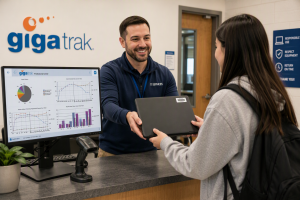
GigaTrak education asset tracking software protecting student laptops and school equipment.

IT directors in K-12 school districts and higher education operations teams face a recurring challenge every academic year: thousands of devices are deployed to students, but hundreds fail to return. Missing Chromebooks, unreturned tablets, and lost media lab cameras quickly drain academic technology budgets.

Relying on manual spreadsheets, paper checkout sheets, or generic ticketing software creates ghost inventory and leaves school systems vulnerable during state compliance audits. Implementing dedicated education asset tracking software delivers simple, barcode-based visibility that prevents equipment loss and establishes strict institutional accountability.

For over 30 years, GigaTrak has provided specialized education asset tracking software solutions built to solve these deployment bottlenecks. Organizations ranging from public school systems to government agencies and emergency services rely on our platform to secure critical gear. Available as a cloud-based or on-premise deployment, every system is fully supported by our dedicated US-based customer support team.


In This Article


The Operational Cost of Missing School Assets

When academic institutions lack purpose-built education asset tracking software, three primary operational issues develop:

  • Ghost Inventory: School districts frequently purchase unnecessary replacement hardware while missing equipment sits misplaced in storage closets, empty classrooms, or off-site locations.
  • Audit Failures: Federal Title I grants and state technology funds strictly mandate verified audit trails detailing physical locations, student assignments, and item conditions. Basic spreadsheets routinely fail formal compliance reviews.
  • Unfunded Inventory Shrinkage: Schools absorb tens of thousands of dollars in annual equipment write-offs simply because checkout logs lack clear personal accountability and return tracking.

Structured barcode asset management creates an automated audit history, ensuring administrators know who holds every device, where it is located, and exactly when it is due back.


Managing K-12 1:1 Laptop Deployments and Returns

Large-scale 1:1 Chromebook rollouts require rapid checkout procedures and organized end-of-year return workflows.

Fall Deployment Workflow

Distributing thousands of mobile devices across a student body can create massive administrative bottlenecks. By using GigaTrak software paired with handheld barcode scanners or mobile devices, IT staff can quickly streamline intake and issuance:

  1. Pre-Tag Hardware: Affix durable, tamper-evident barcode asset tags to each device and register them within the central database.
  2. Scan and Assign: Scan the student ID card, scan the device barcode tag, and confirm the transaction.
  3. Record Custody: The software automatically links the student profile, serial number, checkout timestamp, and initial hardware condition in real time.

Spring Return Workflow

When the school year concludes, intake stations need to process thousands of hardware returns without queue delays:

  • Instant Check-In: Scanning the asset barcode clears custody from the student record in one second.
  • Condition Logging: Input standard notes for cracked screens, missing power adapters, or casing damage.
  • Maintenance Routing: Fully operational units are instantly cleared for summer storage, while damaged units automatically route to the IT repair queue.

AV Equipment Checkout Systems for Universities

Higher education environments introduce complex asset management needs. University libraries, journalism departments, and media research labs manage high-value equipment kits issued for short loan durations.

Tracking Multi-Piece AV Kits

A typical media lab inventory includes complex, multi-component equipment packages:

  • 4K cinema cameras, specialized lenses, and rig mounts
  • Wireless microphone receivers and lavalier audio sets
  • Portable LED lighting panels, stands, and battery banks

GigaTrak utilizes specialized kit tracking to link individual accessories to a primary parent container tag. Scanning the master container barcode instantly verifies every lens, cable, and battery during issue and check-in.

Enforcing Loan Durations

  • Customizable Loan Terms: Define hourly, daily, or semester-based return windows based on class requirements.
  • Automated Notifications: Send automated return reminders and overdue alerts to student email accounts.
  • Prevent Asset Hoarding: Maintain accurate inventory counts so equipment remains available for all enrolled students.

Damage Tracking and Audit Compliance

Hardware wear and accidental damage are inevitable. How your institution records and tracks these maintenance events directly impacts cost recovery and budget management.

Logging Maintenance & Repairs

When hardware is returned damaged, IT staff can immediately:

  • Attach high-resolution damage photos directly to the asset history record.
  • Log repair expenses, replacement part costs, and third-party vendor receipts.
  • Assign the hardware item to specific internal maintenance queues for technician review.

Financial Accountability and Compliance Reporting

When equipment goes unreturned or requires replacement, robust modern education asset tracking software enables IT administrators to collaborate directly with department heads:

  • Pull comprehensive user audit trails to verify historical custody.
  • Calculate item age and depreciation rates to settle replacement fees accurately.
  • Generate detailed compliance reports for grant providers, school boards, and state auditors.

Core Features of GigaTrak Education Asset Tracking Software

  • Unlimited Asset Capacity: Scale your database from 500 devices to over 50,000 without incurring penalty fees per tagged item.
  • Cloud or On-Premise Deployment: Select secure cloud hosting for cross-campus access, or host on local school servers for complete offline network control.
  • Mobile Barcode Applications: Turn standard iOS and Android smartphones or tablets into dedicated barcode scanners.
  • Kit and Container Tracking: Group individual accessories under a single master barcode to ensure complete set returns.
  • Built-In Audit Engine: Conduct rapid physical inventory counts and instantly generate discrepancy reports to locate missing hardware.

Why Educational Institutions Rely on GigaTrak

GigaTrak designs practical barcode tracking systems engineered to streamline asset management without requiring weeks of complex staff training. We deliver complete, turnkey packages—including rugged barcode labels, commercial handheld scanners, and intuitive software—backed by direct access to our full-time US customer support team.

Stop relying on manual spreadsheets to manage hundreds of thousands of dollars in school technology. Reclaim complete oversight of your laptops, tablets, and media lab gear with software built specifically for modern academic operations.

Take control of your school’s technology investment. Book a Free Demo today, or Contact a GigaTrak Specialist directly at +1 (262) 657-5500.


Frequently Asked Questions (FAQs)

Q1: What is education asset tracking software?

Education asset tracking software is a specialized management database that uses barcode tags, mobile handhelds, or smartphone apps to track the location, custody, assignment history, and physical condition of school-owned technology assets.

Q2: How does GigaTrak assist with state and federal grant audits?

GigaTrak tracks device funding sources, historical assignment records, serial numbers, and physical locations. The software generates single-click compliance and audit reports that satisfy strict state and federal grant requirements (such as Title I funding).

Q3: Can GigaTrak be installed on local school district servers?

Yes. GigaTrak provides both cloud-hosted subscription options and self-hosted on-premise installations for districts requiring direct database ownership and local network security.

Q4: Can we use mobile phones to scan school equipment during deployment?

Yes. GigaTrak offers dedicated mobile applications for iOS and Android devices, allowing IT staff and volunteers to scan asset tags, verify student IDs, and assign devices anywhere on campus.

How To Set Up a Tool Tracking Software System | GigaTrak

GigaTrak tool tracking software in both Cloud-hosted or on-premise.

Quick Takeaways

  • What is Tool Tracking Software? It is a barcode-based system that monitors the location, assignment, and condition of your physical assets.
  • Why Move Away from Spreadsheets? Manual tracking leads to data entry errors, lost gear, and hours wasted searching for equipment.
  • The Five-Step Setup: Establish your system by auditing tools, choosing durable barcode tags, setting up a database, defining workflows, and training your staff.
  • The GigaTrak Advantage: GigaTrak has provided tool tracking software since 1995. We offer flexible hosting, perpetual licensing, and US-based support. Request a Consultation to secure your inventory today.

The Hidden Cost of “Where Is It?”

Every business relying on physical gear eventually faces the same costly question: “Where did that tool go?”

Missing equipment is a direct hit to your bottom line. When a $500 rotary hammer or a $2,000 diagnostic analyzer disappears, you face compounding losses:

  • Wasted Labor Hours: Technicians search job sites, dig through service vans, or drive to a supplier to buy a duplicate tool.
  • Project Delays: Crew productivity stops when critical machinery is missing. This leads to missed deadlines and damaged client relationships.
  • Frequent Replacements: Businesses repurchase items they already own because finding the lost tool takes too long.

Dedicated tool tracking software solves these issues. By replacing manual tracking with an organized, scan-based system, you protect your investment and hold employees accountable.

GigaTrak has delivered practical, barcode-based tracking solutions since 1995. Trusted by organizations like the FDNY, Lockheed Martin, the US Army, and Virginia Public Schools, we help companies eliminate tool loss.

What is Tool Tracking Software?

Tool tracking software is a specialized platform that monitors the assignment, location, usage history, and maintenance of your physical assets.

Inventory systems track consumable goods that get used up, like nuts and bolts. Tool tracking software tracks rotational assets. These are items that leave the tool crib, go to a job site, and return to your warehouse.

How Tool Tracking Software Protects Your Inventory

This software acts as the single source of truth for your physical operations. It uses barcode scanning and mobile apps to deliver clear operational benefits:

  • Establish Absolute Accountability: You know exactly who checked out a tool, which job site it is on, and when it must return.
  • Monitor Tool Health and Calibration: You can schedule preventative maintenance and track calibration cycles to keep tools safe.
  • Track Costs: You can assign tool usage costs to specific job codes, which helps you calculate precise project margins.
  • Accelerate Warehouse Operations: Tool crib managers can scan and assign dozens of tools to field workers in seconds.

Step-by-Step: How to Set Up a Tool Tracking System

Transitioning to a barcode-driven system is straightforward. Breaking the project into clear phases ensures a smooth rollout with no operational downtime.

Step 1: Audit and Classify Your Assets

You must understand exactly what you are tracking before you buy software or print labels. Conduct a physical audit of all equipment to build your database.

Categorize Your Assets

Group your inventory into three categories to keep your system organized:

  • High-Value Assets (Tier 1): Large, expensive equipment like generators and calibration rigs. These require unique serial number tracking and strict maintenance schedules.
  • Standard Fleet Tools (Tier 2): Everyday drills, saws, and ladders shared across crews. You track these individually by barcode to maintain a daily chain of custody.
  • Consumables (Tier 3): Low-cost items like drill bits and safety glasses that do not return to the warehouse. Keeping a basic record ensures you never run out of supplies.

Define Key Data Fields

Decide what information to store for each tool. Standard databases include the tool name, manufacturer, serial number, unique tool ID, purchase date, and current location.

Step 2: Choose the Right Barcode Tags and Hardware

A software system is only as reliable as the physical barcode labels you use. You must choose hardware that survives tough field conditions.

Selecting Barcode Labels

Paper stickers will not survive a construction site or a damp warehouse. You need durable, industrial-grade labels:

  • Anodized Aluminum Metal Tags: These are best for heavy equipment. They resist extreme temperatures, UV exposure, and physical abuse.
  • Polyester and Vinyl Labels: These work well for hand tools. They use strong adhesives that stick to plastic and metal tool bodies.
  • Pre-Printed vs. On-Demand Labels: Pre-printed tags offer extreme durability and verified barcode sequences. On-demand printers are useful for tagging new tools immediately as they arrive.

Choosing Scanning Hardware

Determine how your team will scan tools daily:

  • Rugged Mobile Terminals: Hand-held scanners built for dusty warehouses. They read damaged labels from several feet away.
  • Smartphones and Tablets: Ideal for field employees. Mobile apps use device cameras to scan barcodes and transfer tool possession on-site.
  • USB and Bluetooth Scanners: Simple scanners connected to a desktop computer in your main tool crib for quick check-out.

Step 3: Establish Your Centralized Database

Configure the logic of your software to match your business infrastructure.

Choose Your Hosting: Cloud vs. On-Premise

Decide where your data will live:

  • Cloud-Based Hosting: Your data is stored on secure, remote servers. This syncs information across multiple offices and mobile field crews.
  • On-Premise Deployment: Your software is installed locally on your own servers. This is ideal for government contractors and companies in remote locations who require absolute data control without recurring fees.

Import Your Data

Do not type hundreds of tools manually. Use standardized CSV or Excel templates to upload your entire tool fleet in a single click.

Step 4: Define Clear Check-In and Check-Out Workflows

A tracking system only works if your team uses it consistently. Create simple, fast workflows:

  1. Scan Out Assets: The warehouse manager scans the employee ID badge, then scans the barcodes on the tools.
  2. Assign to Job: The software pairs the assets to that employee and logs the active job code. This creates an unalterable audit trail.
  3. Perform Field Operations: The employee remains responsible for the tools. Field workers can transfer possession using a mobile app.
  4. Return and Inspect: Tools return to the warehouse. The manager inspects each item and scans it back into the system as available.

Step 5: Train Your Team and Roll Out the System

The technical setup is only half the battle. Human adoption makes the project successful.

  • Explain the Benefits: Explain that tracking software makes their jobs easier. It ensures they have working tools, prevents arguments over lost gear, and saves them from searching for equipment.
  • Start with a Pilot Program: Do not tag thousands of tools on day one. Start with a single crew or your highest-value assets. Refine your process, then scale.
  • Set Clear Expectations: Establish a firm policy that no tool leaves the warehouse without a scan. Consistent accountability makes tracking an effortless habit.

Why Specialized Tool Tracking Software Beats Spreadsheets

Many businesses start tracking tools with basic spreadsheets. Spreadsheets quickly become a bottleneck as your business grows.

Why shouldn’t we use Microsoft Excel or Google Sheets to track our tools?

Spreadsheets are built for static data, not active tracking. Excel cannot handle rapid barcode scanning, cannot alert you when a tool is overdue, and does not maintain a secure history of user ownership.

Spreadsheets are also prone to manual data errors. A single accidental keystroke can delete serial numbers or corrupt your entire list. Specialized software uses database locking and barcode validation to prevent data loss.

How does tool tracking software handle tool maintenance and calibration?

Spreadsheets require you to check dates manually to see if a tool needs servicing. Dedicated software tracks maintenance proactively. You can set automatic alerts based on calendar dates or cumulative usage hours.

The software can block a tool from being checked out if it is overdue for calibration, ensuring your team never uses unsafe gear.

Can tool tracking software integrate with our existing business systems?

Yes. Professional tracking databases sync with your accounting software to pull active job codes. They can also link with human resource databases to import employee records. This connectivity eliminates double data entry and keeps project costs accurate.

Why GigaTrak is the Practical Choice for Your Business

Many tool tracking companies tie you to recurring monthly contracts. They charge you more as your tool inventory grows, forcing your data onto their servers with no local backup options.

GigaTrak operates differently. We believe you should own your software.

GigaTrak vs. Typical SaaS Platforms

Feature GigaTrak Typical SaaS Platforms
Hosting Model On-Premise or Secure Cloud Cloud-Only
Pricing Structure One-Time Perpetual License Available Perpetual Monthly Subscription
Data Ownership Complete Local Database Control Dependent on Vendor Servers
Asset Limits Unlimited Tools, Users, and Locations Tiered Pricing per Asset or User
Data Import Simple Spreadsheet Template Complex, Manual Entry


The GigaTrak Advantage

  • Flexible Hosting Options: Whether you want secure cloud hosting or local database installation, GigaTrak supports your infrastructure. Our on-premise option is ideal for clients requiring offline reliability.
  • One-Time Licensing: GigaTrak offers perpetual software licenses. You buy your software once and own it forever, keeping your operating costs predictable.
  • Designed for Real-World Workflows: Built around barcode scanning, GigaTrak simplifies check-in and check-out processes so your field crew can adopt the system easily.
  • US-Based Support: Our support team is based in the United States, providing direct help when you need it.

Take Control of Your Tools Today

Do not let missing equipment and wasted labor hours eat your profit margins. Implementing a barcode tracking system improves operational efficiency, boosts accountability, and protects your bottom line.

Ready to see how GigaTrak can secure your inventory? Contact our team today to Request a Free Demo.

Contacting GigaTrak:

  • 262-657-5500
  • sales@gigatrak.com


Mastering the Art of Asset Management: 5 Best Practices for Efficiently Tracking School Resources

The Top 5 Tips for Efficient Asset Tracking in Schools:


Welcome back to the GigaTrak blog! Today, we’re diving into asset tracking and how educational institutions can effectively manage and monitor their valuable resources. Whether you manage a small rural school or a large urban district, efficient tracking can be challenging. But don’t worry—we’re here to help! Here are our top five tips for optimizing asset tracking in schools using innovative technology.

asset management best practices for tracking school resources


By incorporating these 5 tips into your asset tracking strategy, you’ll not only save precious time but also create a new and more effective way to stay on top of your school’s valuable equipment.


The Top 5 Tips for Efficient Asset Tracking in Schools with GigaTrak

1. Embrace Innovative Technology for Asset Tracking

Say goodbye to cumbersome spreadsheets and outdated methods! Efficient asset tracking starts with modern technology. Implement GigaTrak’s barcode scanning systems to simplify your inventory management. These advanced tools eliminate human error and ensure accurate tracking of all school assets, making your processes more reliable and efficient.


2. Establish Clear Policies and Procedures

Creating structured guidelines is essential for effective asset tracking in schools. Develop comprehensive policies that outline how assets should be monitored throughout their lifecycle—from procurement to disposal. Ensure that all staff members are trained on these protocols and adhere to them diligently. Clear policies provide a solid foundation for successful software efforts.


3. Conduct Regular Audits to Enhance Tracking

Regular audits are crucial for maintaining accountability with software. Schedule routine checks to compare your physical inventory against documented records. These audits not only help identify discrepancies quickly but also promote responsible resource usage among staff. Increased visibility into your assets ensures better management and utilization.


4. Implement Preventive Maintenance for School Assets

School assets often endure heavy usage, making preventive maintenance essential for effective asset tracking. Schedule regular servicing and inspections of your equipment to prolong its lifespan and minimize unexpected breakdowns. By proactively addressing maintenance needs with the help this technology, you’ll save time and reduce costs over time.


5. Foster Collaboration Among Departments for Effective Asset Tracking

Communication is vital for successful students and schools! Encourage collaboration between IT teams, administration, and educators. Building strong relationships across departments helps facilitate efficient tracking processes, ensuring accurate and up-to-date records of all school assets. A unified approach leads to better transparency and accountability.

Examples include:

Technology & High-Value Assets
    • Devices: Laptops, tablets, graphing calculators, and digital readers.
    • Accessories: Headphones, chargers, USB drives, and wireless mice.
    • Musical & Lab Equipment: Band instruments, digital cameras, and expensive science apparatuses.

     Tip: High-value items can be logged in specialized systems like GigaTrak to ensure they aren’t misplaced during classroom lending.

In summary…

Managing and tracking assets effectively in educational institutions requires careful planning and the right technology. By incorporating these five tips into your institution’s strategy, you’ll not only save precious time but also create a more organized and efficient environment in your school. Start leveraging GigaTrak’s asset tracking software today to optimize your inventory management and enhance resource utilization!

For more information on tracking solutions tailored for educational institutions, explore our range of products at GigaTrak!

Request a Demo with a GigaTrak specialist to build your custom tracking system.

Contacting GigaTrak:

  • 262-657-5500

  • sales@gigatrak.com