
Tag Archive for: Tool Tracking System for Contractors

Maximize Jobsite Efficiency with Asset Tracking for Contractors | GigaTrak

Maximize Jobsite Efficiency with Asset Tracking for Contractors

Process & Technology Solutions at GigaTrak • Reading Time: 10 mins
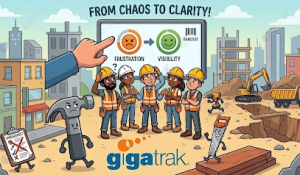
Streamline your jobsite equipment management using GigaTrak's asset tracking for contractors with barcode technology.

Friday morning at 6:00 AM, your field crew arrives at the jobsite. The supervisor opens the truck bed, but the commercial laser level is missing. The warehouse manager claims the tool went to another site two weeks ago, while that site’s supervisor insists they never received it.

Your team cannot start work. Six workers wait idle for ninety minutes while someone tracks down a replacement or rents an alternative. This delay destroys your project timeline and kills profitability.

Implementing modern asset tracking for contractors solves this exact visibility problem. GigaTrak has provided reliable inventory and equipment management systems since 1995. Our clients include the FDNY, Lockheed Martin, the US Army, and Virginia Public Schools. We understand how to eliminate operational blind spots in demanding field environments.


The Financial Impact of Missing Equipment

Many businesses focus only on the direct replacement cost of missing items. The real expense, however, is wasted labor. When a crew searches for lost equipment, project progress stops completely. A missing five-hundred-dollar asset can quickly cost thousands of dollars in lost productivity.

Industry data shows that construction teams lose an average of 90 hours every month searching for misplaced tools and equipment. If your average labor cost is forty dollars per hour, you lose thirty-six hundred dollars monthly. That totals over forty-three thousand dollars every year in pure waste.

Dedicated asset tracking for contractors eliminates this financial drain by establishing absolute accountability. With GigaTrak’s asset tracking for contractors, your valuable physical inventory stays secure and fully accounted for across every work truck. When field crews know every item is logged, equipment hoarding stops and workers take better care of assigned gear.


Why Spreadsheets and Whiteboards Fail

Growing construction firms often start by tracking equipment on whiteboards or shared digital spreadsheets. While these manual methods might work for one warehouse and two local crews, they fail completely as operations scale.

Manual tracking systems suffer from critical operational flaws:

  • Data entry errors occur whenever employees manually type serial numbers.
  • Field workers forget to update spreadsheets when transferring equipment between jobsites.
  • Whiteboards offer zero historical data for maintenance logs, safety inspections, or asset depreciation.
  • Multiple users overwrite entries simultaneously on shared digital files, destroying data integrity.

Effective jobsite logistics require a digital foundation. Barcode-driven asset tracking for contractors records equipment movements automatically, removing human error from your daily operations.


Core Features of Professional Asset Tracking Systems

An effective solution must handle daily field realities while balancing data accuracy with speed. To protect your equipment fleet, look for a platform that includes four core capabilities:

1. Check-In and Check-Out Workflows

Reliable systems require a clear, indisputable chain of custody. Hand tools, safety gear, and heavy machinery must be assigned directly to specific individuals. Barcode scanning creates an instant digital record: a worker scans their badge, then scans the barcode attached to the asset. The software logs the exact time, date, and user in under three seconds.

2. Real-Time Inventory Visibility

Warehouse managers and company executives need a single source of truth. A centralized dashboard shows where every asset is located at any given moment. You can filter inventory by jobsite, employee, or asset class, preventing unnecessary duplicate purchases when equipment is simply sitting idle on another jobsite.

3. Comprehensive Audit Trails

Government agencies, military branches, and defense contractors face strict compliance mandates. GigaTrak serves organizations with zero tolerance for data errors. Robust asset tracking for contractors maintains an unalterable history for every physical asset, tracking purchase dates, maintenance records, transfers, and retirement dates across its full lifecycle.

4. Asset Compliance and Safety Reporting

Power equipment, rigging gear, and safety harnesses require regular inspections and calibrations. The platform stores calibration records and safety certificates directly on each asset profile, allowing you to generate compliance reports instantly during jobsite inspections.


A construction team utilizing GigaTrak's asset tracking for contractors to manage equipment and eliminate payroll loss.
Managing Assets in Low-Connectivity Environments

Jobsites rarely offer ideal internet access. Crews frequently work in concrete basements, subways, or remote rural locations where standard mobile apps fail due to lost cellular signals.

GigaTrak resolves this challenge with a dedicated offline batch mode. Workers can scan barcodes, execute transfers, and log returns without an active cellular or Wi-Fi connection. The mobile application stores all tracking data securely on the device and automatically syncs with the main database once reconnected, ensuring continuous field adoption without system freezes.


Hardware Selection for Harsh Field Conditions

Software requires durable hardware to succeed on a busy jobsite. Standard paper labels tear and fade quickly under harsh conditions. Physical equipment requires rugged barcode tags that survive mud, moisture, heavy impact, and extreme weather.

Contractors can select from specialized tagging options tailored to their fleet:

  • Rigid metal foil tags attach to generators, compressors, and heavy equipment via industrial-grade adhesives.
  • Flexible polyester asset labels wrap around power tool handles and power cords.
  • Heavy-duty ceramic or metal-backed tags attach to high-value, compact gear like specialty lasers.

GigaTrak provides complete hardware packages and rugged handheld scanners designed to withstand drops onto concrete. Our US-based support team helps you select the precise tag types for your specific fleet.


Cloud Versus On-Premise Software Deployment

Different organizations require different technical architectures. GigaTrak offers flexible deployment configurations to meet your specific corporate IT and security policies.

Cloud-Based Solutions

Our cloud-based deployment offers remote accessibility from any web-connected mobile device or desktop. This model fits companies with decentralized teams working across multiple regions, reducing internal IT management since GigaTrak handles server maintenance and automated backups.

On-Premise Solutions

Alternatively, our on-premise installation hosts the database directly on your internal corporate servers. Defense contractors like Lockheed Martin often select local installations to meet strict data sovereignty regulations, giving your internal IT department total control over database firewalls and security permissions.


Step-by-Step Guide to System Adoption

System rollouts succeed when management focuses on clean processes and team adoption. To implement a seamless tracking workflow, follow this structured roadmap:

  1. Designate a central warehouse manager or inventory controller to oversee the master database.
  2. Audit and clean your existing equipment data before importing it into the system.
  3. Apply durable barcode tags to high-value assets first, then expand to smaller equipment.
  4. Run a pilot test with a single field crew to refine daily check-out routines.
  5. Establish clear corporate guidelines regarding equipment responsibility and loss reporting.

Frequently Asked Questions

How long does it take to onboard a new field crew?

Most field workers master the mobile barcode scanning app in less than fifteen minutes. The interface uses intuitive menus built for fast operation on fast-paced jobsites.

Can the system track scheduled maintenance and safety inspections?

Yes. The software tracks service intervals based on calendar dates or usage cycles. It generates automatic alerts when an asset requires calibration, safety testing, or routine maintenance, preventing unserviced equipment from entering the field.

What happens if a barcode tag gets damaged on a jobsite?

Supervisors can manually search for the item by serial number or asset ID in the mobile software. A replacement barcode tag can then be printed directly from your main warehouse terminal.

Does GigaTrak provide technical support within the United States?

Yes. All software development, implementation consulting, and technical support operations are based entirely in the United States. You speak directly with trained specialists who understand construction logistics.


Secure Your Inventory Fleet Today

Stop paying your workforce to search for lost gear. GigaTrak delivers complete visibility across your warehouse cribs and remote jobsites, protecting millions of dollars in physical assets for trade contractors, corporate fleets, emergency services, and government agencies.

Do not let missing equipment eat into your project profit margins. Take control of your inventory today.

Request a Free Demo with a GigaTrak specialist to build your custom asset tracking system.

Contacting GigaTrak:

Phone: 262-657-5500

Email: sales@gigatrak.com

Website: gigatrak.com


Cloud-Based vs. On-Premise Asset Tracking Software

Cloud-Based vs. On-Premise Asset Tracking Software : Choosing the Right Deployment Strategy

Process & Technology Solutions at GigaTrak • Reading Time: 9 mins
GigaTrak on-premise asset tracking software vs cloud-based asset tracking software comparison.

Making the switch from clunky spreadsheets to a dedicated tracking system is a critical milestone for forward-thinking enterprises. However, before scanning your first barcode, your leadership team must make a foundational architectural decision: Should you deploy on-premise asset tracking software or opt for a cloud-based asset tracking software solution?

This decision impacts far more than just your IT infrastructure team. It directly influences how your crew tracks physical equipment daily, your upfront capital allocations, and your long-term operational maintenance responsibilities. CIOs, IT managers, operations directors, and finance executives must carefully evaluate both models to strike the right balance between real-time agility and total data security.


In This Article


What is On-Premise Asset Tracking Software?

An on-premise asset tracking software deployment is a traditional, self-hosted system. In this architecture, your master database resides directly on a local server or a dedicated computer stationed within your physical facility.

After acquiring the software license, your internal team installs and embeds the application inside your private Local Area Network (LAN). Because all data logs regarding equipment history, user checkouts, and internal maintenance records remain strictly within your local environment, your internal IT department retains total ownership over firewalls, server hardware maintenance, and security protocols.


What is Cloud-Based Asset Tracking Software?

A cloud-based asset tracking software deployment is hosted and managed on secure, external infrastructure managed by a third-party vendor. Often referred to as Software-as-a-Service (SaaS), this model eliminates local installation entirely.

Instead of hosting files on an internal server, your operational database functions inside an online ecosystem. Web browsers and mobile applications provide instant access to real-time inventory metrics. Whenever a worker checks out gear, executes a transfer, or completes an audit in the field, the changes log immediately across your centralized network.


The Operational Benefits of On-Premise Asset Tracking Software

1. Total Data Governance and Strict Security Control

For defense contractors, military facilities, and highly regulated industries, total data containment is mandatory. Selecting on-premise asset tracking software ensures historical records and user access logs stay strictly within your physical network. This setup completely eliminates public cloud vulnerabilities and restricts third-party access to confidential asset registers.

2. Network Independence and Local Reliability

An on-premise system offers complete operational independence from external internet providers. If you operate within a centralized manufacturing plant, underground facility, or fabrication shop, your barcode scanning workflow continues seamlessly even during total internet outages. Your shop floor keeps scanning and auditing inventory without dropping beat.

3. Long-Term Cost Predictability (CapEx Model)

For finance teams operating under a Capital Expenditure (CapEx) budget model, purchasing on-premise asset tracking software offers long-term predictability. Instead of incurring recurring monthly subscription costs, you pay a one-time perpetual license fee upfront. Over a 5-to-10-year period, your ongoing investment drops to a minimal, predictable annual maintenance fee.


The Operational Benefits of Cloud-Based Asset Tracking Software

1. Real-Time Field Accessibility

Deploying cloud-based asset tracking software removes location barriers. If your crews operate out of utility vans across multiple job sites or regional branches, a cloud platform keeps everyone synchronized. Field workers scan items using smartphones or handheld mobile devices, instantly updating central warehouse records.

2. Reduced Internal IT Overhead

Cloud implementations eliminate the need to purchase dedicated server hardware or manage complex database configurations locally. The cloud provider assumes responsibility for network uptime, infrastructure health, and system maintenance, dramatically reducing demands on your internal tech team.

3. Automatic Updates and Rapid Scalability

Cloud software updates and security patches roll out automatically in the background without manual intervention. As your operations expand to new regional hubs or jobsites, scaling user seats or asset capacity takes moments through simple subscription adjustments.


Key Drawbacks to Consider

Drawbacks of On-Premise Asset Tracking Software

  • Higher Upfront Capital Cost: Purchasing perpetual licenses and local server hardware requires an initial financial investment prior to deployment.
  • In-House IT Maintenance: Your local IT team is responsible for managing database backups, configuring local firewalls, and manually applying system updates.
  • Complex Remote Connectivity: Providing off-site field crews access to a localized server requires configuring secure Virtual Private Networks (VPNs).

Drawbacks of Cloud-Based Systems

  • Continuous Internet Dependency: If external internet connectivity fails, real-time sync capabilities pause until web service is restored.
  • Ongoing Subscription Overhead: Subscription payments continue indefinitely as an operational expense (OpEx), accumulating as user counts grow.
  • Standardized Infrastructure: Multi-tenant cloud ecosystems offer standardized configurations, making deep legacy integrations or custom network tweaks more restricted.

The Hybrid Approach: Private Cloud Deployment

If your organization requires the mobile flexibility of a web platform combined with strict data control, a private cloud architecture offers a practical middle ground. By hosting modern asset tracking platforms on dedicated, single-tenant servers, mobile field teams gain remote accessibility while keeping your enterprise database completely isolated from public cloud infrastructure.


Comparison Matrix: On-Premise vs. Cloud

Metric On-Premise Asset Tracking Software Cloud-Based Asset Tracking Software
Financial Structure CapEx: One-time perpetual license with low ongoing maintenance costs. OpEx: Recurring monthly or annual subscription fees.
Deployment Speed Slower; requires server configuration and local installation. Fast; accessible via browser or app immediately upon setup.
IT Resource Demands Higher; internal IT manages backups, firewalls, and updates. Lower; vendor handles infrastructure health and security patches.
Network Reliance Operates fully offline on local private LAN networks. Requires active web access for live database updates.
Remote Accessibility Requires specialized remote network access (VPN). Native global access via iOS, Android, or desktop browser.

How to Decide: Aligning with Your Corporate Strategy

To determine which architecture best matches your organizational profile, evaluate these three primary criteria:

  1. Analyze Your Operational Environment: If your team works inside a centralized facility, on-premise asset tracking software provides offline resilience. If your workers operate across decentralized job sites, a cloud model provides essential field connection.
  2. Audit Your Technical Capacity: Be realistic about your internal IT bandwidth. If you lack dedicated IT personnel to manage database backups and firewall updates, a managed cloud environment eliminates technical risk.
  3. Evaluate Your Financial Preferences: Choose cloud-based options if your company prioritizes low initial startup costs and operational budgeting. Opt for on-premise licensing if you prefer purchasing software assets outright to minimize multi-year costs.

Streamlining Your Inventory with GigaTrak

Regardless of which technical path fits your business, GigaTrak delivers robust solutions for both operating environments.

If your agency demands complete data containment, fixed long-term costs, and internal server control, GigaTrak offers dedicated on-premise asset tracking software under a perpetual license model. If your organization requires multi-site visibility and mobile access for field technicians, GigaTrak’s cloud-based asset tracking software keeps your entire team connected seamlessly.

Eliminate lost equipment and enforce complete accountability across your fleet. Book a Free Demo at GigaTrak.com or speak directly with an asset management specialist at +1 (262) 657-5500.


Frequently Asked Questions (FAQs)

Q1: Is cloud-based asset tracking software secure for proprietary asset data?

Yes. Professional cloud providers utilize military-grade data encryption, automated redundancies, and continuous security monitoring. Role-based permissions ensure employees access only the asset records necessary for their daily roles.

Q2: Can our company start with on-premise asset tracking software and migrate to the cloud later?

Yes. GigaTrak’s platform allows you to export asset registers, user records, and tracking histories cleanly. Transitioning from a local server to a cloud-based framework is a common upgrade path as companies scale their mobile field teams.

Q3: How do internet outages affect field tracking?

Cloud solutions require an active network connection to update central records in real time. For environments with unreliable connectivity, GigaTrak provides mobile devices equipped with offline batch scanning mode, allowing field workers to record transfers locally and sync data automatically once reconnected.

Q4: Which deployment option is more cost-effective over a five-year period?

It depends on your overall asset volume and user seat count. Cloud software features lower initial costs but incurs continuous subscription fees. On-premise deployments require a higher upfront investment, but lower ongoing renewal costs often make them more economical for long-term operations.