
Call us: 262-657-5500
GigaTrak
  • Solutions
    • Tool Tracking System
    • Asset Tracking System
    • Package Tracking System
    • Document Tracking System
    • Hardware
      • Scanners
      • Printers
      • Barcodes
  • Industries
    • Contractors
    • Manufacturing
    • Business
    • Healthcare
    • Government
    • Aerospace
    • Education
  • Resources
    • Client Center
    • Videos
    • Blog
  • About
  • Cloud Login
  • Contact Us
    • Sales
    • Training
    • Support
  • Book  a  Demo
  • Menu Menu
Call us: 262-657-5500

Tag Archive for: contractor

How Tool Tracking Software Streamlines Construction

in Blog

Efficient Tool Tracking Software Solutions for Construction Operations

Process & Technology Solutions at GigaTrak • Reading Time: 10 mins
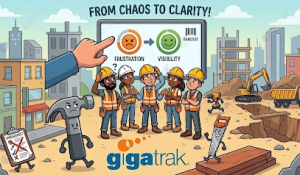
Tools keep getting lost, until they are saved by GigaTrak's tool tracking software, through barcode technology.

Friday morning at 6:00 AM, your field crew arrives at the jobsite. The supervisor opens the truck bed, but the commercial laser level is missing. The warehouse manager claims the tool went to another site two weeks ago. Meanwhile, that site supervisor says they never received it.

Your team cannot start work. Six workers wait for ninety minutes while someone tracks down a replacement tool or rents an alternative. This delay destroys your project timeline and kills profitability.

Implementing modern tool tracking software solves this exact visibility problem. GigaTrak has provided reliable asset tracking systems since 1995. Our clients include the FDNY, Lockheed Martin, the US Army, and Virginia Public Schools. We understand how to eliminate operational blind spots.


The Financial Impact of Missing Equipment

Many contractors focus only on the cost of replacing tools. The real expense is wasted labor. When a crew searches for lost equipment, project progress stops completely. A missing five-hundred-dollar asset can quickly cost thousands of dollars in lost productivity.

Industry data shows that construction teams lose an average of 90 hours every month searching for misplaced tools. If your average labor cost is forty dollars per hour, you lose thirty-six hundred dollars monthly. That totals over forty-three thousand dollars every year in pure waste.

Tool tracking software eliminates this financial drain by establishing absolute accountability. When field crews know that every item is tracked, tool hoarding stops. Workers take better care of equipment, and tools do not get left behind in personal work vans or truck beds.


Why Spreadsheets and Whiteboards Fail

Small businesses often start by tracking equipment on whiteboards or shared digital spreadsheets. These manual methods work when you have one warehouse and two local crews. They fail completely as your business grows.

Manual tracking systems suffer from specific operational flaws:

  • Data entry errors occur when employees type serial numbers manually.
  • Field workers forget to update spreadsheets when transferring tools between sites.
  • Whiteboards provide zero historical data for maintenance tracking or asset depreciation.
  • Multiple users overwrite entries simultaneously on basic digital sheets, which destroys data integrity.

A tracking system requires a digital foundation. Barcode tracking software records movements automatically. This automation removes human error from your daily logistics.


Core Features of Professional Tool Tracking Software

An effective tracking system must handle daily field realities. It must combine data accuracy with speed. To protect your equipment fleet, look for software that contains four core operational capabilities.

1. Check-In and Check-Out Workflows

A reliable system requires a clear chain of custody. Hand tools, safety gear, and testing devices must be assigned to specific individuals. Barcode scanning creates an instant digital record. A worker scans their badge, then scans the barcode attached to the tool. The software logs the exact time, date, and user. This process takes less than three seconds.

2. Real-Time Inventory Visibility

Warehouse managers and company executives need a single source of truth. A centralized dashboard shows where every asset is located at any given moment. You can filter inventory by jobsite, employee, or tool category. This visibility prevents companies from purchasing duplicate equipment when items are simply sitting idle on another jobsite.

3. Comprehensive Audit Trails

Government agencies, military branches, and defense contractors face strict compliance mandates. GigaTrak serves organizations with zero tolerance for data errors. Your software must maintain an unalterable history for every asset. An audit trail tracks the entire lifecycle of a tool. It records purchase dates, maintenance history, user transfers, and retirement dates.

4. Asset Compliance and Safety Reporting

Power tools, rigging gear, and safety harnesses require regular safety inspections. The software stores calibration records and safety certificates directly on the asset profile. You can generate compliance reports in seconds during a safety inspection. This speed protects your company from regulatory fines and project shutdowns.


A construction company and contractor using GigaTrak's tool tracking software to keep track of tools and assets to help them save money.
Managing Tools in Low-Connectivity Environments

Construction environments rarely offer perfect internet access. Crews frequently work in concrete basements, subways, or remote rural locations. Standard mobile tracking applications fail when cellular signals disappear.

GigaTrak resolves this issue with a dedicated offline batch mode. Workers can scan barcodes, execute tool transfers, and log returns without an active data connection. The mobile application stores all tracking data securely on the local device.

Once the device connects to cellular service or Wi-Fi, the system automatically syncs with the central database. This capability prevents data gaps. It ensures continuous field adoption because the software never freezes or locks up due to poor service.


Hardware Selection for Harsh Field Conditions

Software requires durable hardware to succeed in the field. Paper labels easily under real-world conditions. Construction tools require rugged barcode tags that survive mud, moisture, heavy impact, and extreme weather.

Contractors can choose from several specialized tagging options:

  • Rigid metal foil tags attach to heavy equipment and generators using industrial adhesives.
  • Flexible polyester asset labels wrap around small power tool handles and cords.
  • Heavy-duty ceramic tags attach to small, valuable items like specialty lasers.

Handheld scanners must also withstand drops onto concrete surfaces. GigaTrak provides complete hardware packages designed for industrial use. Our US-based support team helps you select the exact tag type for your specific fleet.


Cloud Versus On-Premise Software Deployment

Different organizations require different technical architectures. GigaTrak offers flexible deployment configurations to meet your strict corporate IT requirements.

Cloud-Based Solutions

Our cloud-based deployment provides instant updates and remote accessibility from any web-connected location. This model fits companies with decentralized teams across multiple states. It reduces internal IT management because GigaTrak handles server maintenance and data backups.

On-Premise Solutions

Alternatively, our on-premise deployment installs the system directly onto your internal corporate servers. Defense contractors like Lockheed Martin often require local installation to meet strict data sovereignty regulations. This model gives your IT department total control over database security and access permissions. Both deployment options deliver identical tracking capabilities.


Step-by-Step Guide to Tool Tracking Adoption

Most software rollouts fail due to poor human adoption, not technology failures. To build a successful tracking system, you must follow a structured implementation process.

  1. Designate a central warehouse manager to oversee the master inventory database.
  2. Clean your existing data before importing it into the new software.
  3. Apply durable barcode tags to high-value assets first, then move to smaller inventory items.
  4. Run a pilot test with a single, trusted field crew to catch operational friction.
  5. Address field feedback before rolling the system out to the wider organization.
  6. Establish a clear company policy regarding tool responsibility and loss reporting.

Consistency drives system adoption. When management emphasizes accountability, field teams follow the process.


Frequently Asked Questions

How long does it take to onboard a new construction crew?

Most field workers learn the mobile barcode scanning application in less than fifteen minutes. The interface uses simple menus designed for workers operating in high-stress field conditions.

Can the system track scheduled maintenance for power tools?

Yes. The software tracks service intervals based on specific dates or usage cycles. It sends automatic alerts when a tool requires calibration, safety inspections, or routine maintenance. This prevents unexpected equipment failures on the jobsite.

What happens if a barcode tag gets damaged in the field?

The mobile software allows supervisors to manually type the tool identification number if a tag becomes unreadable. You can then print a replacement barcode tag directly from your main warehouse terminal.

Does GigaTrak provide technical support within the United States?

Yes. All software engineering, implementation consulting, and technical support operations happen in the United States. Clients speak directly with trained professionals who understand construction and industrial field operations.


Secure Your Inventory Fleet

Stop paying your workforce to look for missing gear. GigaTrak brings complete visibility to your warehouse operations and remote jobsites. Our systems protect millions of dollars in physical assets for construction companies, corporate fleets, emergency services, and government agencies.

Do not let missing items reduce your corporate profit margins. Take control of your inventory today.

Request a Demo with a GigaTrak specialist to build your custom tool tracking system.


Contacting GigaTrak:

  • 262-657-5500

  • sales@gigatrak.com

  • gigatrak.com

_
_

Pages

  • About TTS
  • About Us
  • About Us Old
  • Account Administration
  • Accounts adding or editing
  • Add New Tool Basic & Advanced
  • Add New Tool No Master
  • Add Photo & Doc
  • Aerospace
  • Asset and Inventory Tracking Software
  • Asset Button
  • Asset Control Systems
  • Asset Database Solutions
  • Asset Inventory Management
  • Asset Inventory System
  • Asset Management
  • Asset Management Barcode Software
  • Asset Management Companies
  • Asset Management Inventory Software
  • Asset Management Programs
  • Asset Management Software
  • Asset Management Software and Barcode
  • Asset Management Software with Barcode Scanner
  • Asset Management Systems
  • Asset Management Tracking
  • Asset Scanner Software
  • Asset Software for Schools
  • Asset Software Management
  • Asset Software Management for Schools
  • Asset Tagging Software
  • Asset Tagging System
  • Asset Tracker Software
  • Asset Tracking
  • Asset Tracking and Management Solution
  • Asset Tracking Barcode Solutions
  • Asset Tracking Contact Us LP 2026
  • Asset Tracking for Hospitals
  • Asset Tracking for Laptops
  • Asset Tracking for Universities
  • Asset Tracking Free Demo Of Software LP 2026
  • Asset Tracking Paid Ad LP 2026
  • Asset Tracking Software
  • Asset Tracking Software
  • Asset Tracking Software for Schools
  • Asset Tracking Software for Schools
  • Asset Tracking Software With Barcode
  • Asset Tracking System
  • Asset Tracking System
  • Asset Tracking System
  • Asset Tracking System
  • Asset Tracking System
  • Asset Tracking System Capterra LP
  • Asset Tracking System Contact Us LP
  • Asset Tracking System Contact Us LP 2024
  • Asset Tracking System Free Demo Of Software LP
  • Asset Tracking System Free Demo Of Software LP 2024
  • Asset Tracking System LP
  • Asset Tracking System LP 2023 Old
  • Asset Tracking System LP 2024
  • Asset Tracking System paid ad LP 2024
  • Asset Tracking System Test Drive It Now LP
  • Asset Tracking System Test Drive It Now LP 2024
  • Asset Tracking System Watch Our Product Video LP
  • Asset Tracking System Watch Our Product Video LP 2024
  • Asset Tracking Test Drive It Now LP 2026
  • Asset Tracking Watch Our Product Video LP 2026
  • ATS Access DB Back Up
  • ATS App Features and Batch Syncing
  • ATS Device Application Video
  • ATS Full Instructional Video
  • ATS HH Configurations
  • ATS Install and Batch Setup
  • ATS Live Quick Review
  • ATS Mobile Handheld Application Tutorial
  • ATS Mobile Handheld Batch Download
  • ATS Mobile Terminal Application Videos
  • ATS Promo
  • ATS Promo Labels
  • ATS Quick Help
  • ATS Recorded Training Video
  • ATS Setup Options
  • ATS Training Library
  • ATS Training Videos
  • Audit Bin Count
  • Automated Physical Asset Management
  • Available Packages
  • Back-Up Compact Database
  • BagCheck Software System
  • Barcode Check In Check Out
  • Barcode Inventory Tracking
  • Barcode Inventory Tracking
  • Barcode labels design
  • Barcode Management
  • Barcode Scanner For Tools
  • Barcode Software for Schools
  • Barcode Solutions for Document Tracking
  • Barcode Solutions for Tool Tracking
  • Barcode Solutions for Tool Tracking
  • Barcode Tools
  • Barcode Tools
  • Barcode Tracking Software
  • Barcodes
  • Barcoding Equipment Software
  • Basic Tool Management Software
  • Best Asset Management Software
  • Blog
  • Book Demo
  • Business
  • Business Asset Control Software
  • Business Asset Management Software
  • Cart
  • Change Password
  • Check in a tool employee location or container
  • Check In By
  • Check in tools using a computer
  • Check In/Check Out
  • Check In/Check Out Inventory Software
  • Check Out By
  • Check out tools on a computer
  • Checkout
  • Checkout to Checkout
  • CIO Review Construction Tool Tracking Provider
  • Class type setup user defined fields used to categorize tools
  • Client Center
  • Client Center
  • Cloud Based Software
  • Company Asset Management Software
  • Condition Administration
  • Construction Inventory Tool Control Program
  • Construction Tool Tracking
  • Contact Training
  • Contact Us Sales Request
  • Container
  • Container with Audit
  • Contractors
  • Customer Testimonials
  • Customers By Industry
  • Dap MT1010
  • Database compact
  • Datalogic Memor Cold Boot
  • Datalogic Memor Warm Boot
  • Datalogic QD2590
  • Datalogic Skorpio Cold Boot
  • Datalogic Skorpio Warm Boot
  • Document Tracking Software
  • Document Tracking System
  • Document Tracking System
  • Document Tracking System Free Demo Of Software LP
  • Document Tracking System LP
  • Document Tracking System Manage Files By Location LP
  • Document Tracking System Record When Folders Move LP
  • Document Tracking System Test Drive It Now LP
  • Draft Request Information
  • DTS App
  • DTS Custom Fields
  • DTS Demo Video
  • DTS Employee Import
  • DTS Filter Search
  • DTS Initial System Setup
  • DTS Items Icon
  • DTS Items Import
  • DTS Label Designer
  • DTS Location Import
  • DTS Overview and Setup
  • DTS Training Library
  • DTS Training Videos
  • DTS Transfer
  • Education
  • Education Asset Tracking System
  • Email Promo
  • Employee Access Levels
  • Employee Administration
  • Employee Administration – Add New Employee
  • Employee Delete
  • Employee list export or print
  • Employee view setting up buttons they see
  • Employees, Locations and Tools – importing
  • Equipment and Tools Management for Construction
  • Equipment Check In Check Out Software
  • Equipment Check Out Software
  • Equipment Check Out Systems
  • Equipment Inventory Asset Manager
  • Equipment Inventory Barcode Scanner
  • Equipment Inventory Management Software
  • Equipment Inventory Software
  • Equipment Rental Inventory Management
  • Equipment Rental Tracking Software
  • Equipment Rental Tracking System
  • Equipment Tracking Software
  • Export Tools
  • Facilities tools are stored in – Create or edit
  • Facility Administration
  • FAQ
  • File Tab
  • File Tab Menu
  • File Tab Overview
  • Find Tool (F1)
  • Find Tools
  • Fixed Asset Barcode Scanner
  • Fixed Asset Inventory
  • Fixed Asset Management
  • Fixed Asset Software
  • Fixed Asset System
  • Fixed Asset Tagging System
  • Frequently Asked Questions
  • Funding Source Administration
  • Furniture Asset Management Software
  • GigaTrak 1.5
  • GigaTrak Tool Tracking Mobile Application video
  • GigaTrak Virtual Brochure
  • Global User Admin – Change Password
  • Godex 4 Thermal Transfer Printer
  • Government
  • GTS Training Library
  • Guard Tour System
  • Handheld Configuration
  • Handheld Docking & Syncing
  • Handheld options
  • Handheld terminal – downloading transactions
  • Handheld terminal – synchronize data
  • Handheld Terminal Functions
  • Hardware
  • Hardware Comparison
  • Hardware Training Library
  • Healthcare
  • Help Tab
  • Help Tab Menu
  • Home
  • Home screen navigation
  • Home Screen Navigation
  • Home-2
  • Honeywell 60s
  • Honeywell 6100
  • Honeywell 6100 Cold Boot
  • Honeywell 6100 Warm Boot
  • Honeywell CT45
  • Honeywell Dolphin 70e
  • Honeywell Dolphin CT60 Handheld Computer
  • Honeywell Voyager 1452g Wireless Upgradeable Area-Imaging Scanner
  • Hospital Equipment Tracking Systems
  • Hotel Asset Management Tracker
  • How To Barcode Inventory
  • Identify
  • IMS Training Library
  • In and Out Software
  • Industrial Tool Barcoding
  • Industries
  • Information fields – Create or edit the by using the support tab
  • Institutional Asset Tracking
  • Intermec CK3
  • Intermec CN51
  • Intermec CN70
  • Intermec CS40
  • Intermec PB22
  • Intermec PF8
  • Intermec SG20
  • Introduction
  • Inventory Assets
  • Inventory Barcode Scanner System
  • Inventory Control
  • Inventory Control
  • Inventory Control Software
  • Inventory Control Tools
  • Inventory Management
  • Inventory Management Software
  • Inventory Management Software for Equipment
  • Inventory Management System
  • Inventory Management System
  • Inventory Management With Scanner
  • Inventory Software
  • Inventory Software Solutions
  • Inventory Solutions
  • Inventory System Software
  • Inventory Tools
  • Inventory Tracking
  • Inventory Tracking System
  • Join Us
  • Join Us
  • Keep Track of Assets
  • Keep Track of Building Equipment with Barcode
  • Keep Track of Inventory with Barcode
  • Keep Track of School Equipment with Barcode
  • Keep Track of Your Company’s Assets
  • Keeping your handheld mobile devices disinfected and ready for safe use
  • Label Printer and Designer
  • Label Tab Menu
  • Latest Technology
  • License and version information
  • Location Administration
  • Locations – Create and edit storage, transfer and check out
  • Log In
  • Log in over an existing user
  • Log in Temporarily
  • Login
  • Logon
  • Logon and Maintenance Alert
  • LXE MX8
  • Machine Shop Tool Crib Software
  • Main setup screen: Rename categories, set maintenance reminders, add your own company logo to reports, and setup the auto email function
  • Maintenance
  • Maintenance Due Alert
  • Maintenance Repair Provider Administration
  • Manage Assets
  • Manage Building Equipment with Barcode
  • Manage Business Assets with Asset Management Software
  • Manage Inventory
  • Manage Physical Assets
  • Manage Sales Orders
  • Managing Your Tools Through Barcoding
  • Manufacturer Administration
  • Manufacturing
  • Master Catalog
  • Master Catalog
  • Medical Equipment Tracking Software
  • Member Login
  • Member Tab Overview
  • Members
  • Members Import
  • Members Import
  • Members Setup In Gigatrak Contractor Edition
  • Memor 10
  • Memor 11
  • Memor X3
  • Mobile App Transition Guide
  • Mobile Device Application Data Safety
  • Mobile Terminals – Batch Download
  • Nautiz X2
  • Nautiz X4
  • Nautiz X9
  • New User
  • Newsletter 2019
  • Newsletter Own or rent On-Premise vs. Cloud solutions
  • Occupancy Monitoring Control System
  • Package Management System
  • Package Tracking System
  • Package Tracking System for School’s and Universities
  • Panasonic Toughpad FZ
  • Password – change the “global” password
  • Password Reset
  • Password Reset
  • Physical Asset Management
  • Physical Count
  • Physical Inventory Management
  • Physical Inventory Software
  • Preprinted Barcode Labels
  • Printer Assignment
  • Printer Setup
  • Printers
  • Privacy Policy
  • Privacy Statement
  • Process Tracking Software
  • Profile
  • Profile
  • Promo Contact Form
  • PTS Container
  • PTS Delivery
  • PTS Label Designer
  • PTS Mobile App
  • PTS Receive
  • PTS Training Library
  • PTS Training Videos
  • PTS Transfer
  • Purchase Process
  • Purge History
  • Quick Check In
  • Record Maintenance
  • Record Maintenance in Miles Hours
  • Register My Software
  • Register My Software
  • Registration
  • Registration
  • Registration
  • Remote Support Tool
  • Remote Warehouse Inventory Software
  • Rental Tracking Software
  • Reports
  • Reports Accessing
  • Request Information
  • Request Information
  • Request Information
  • Request Information
  • Request Information ATS Trial
  • Request Information Capterra
  • Request Information Labels
  • Request Information LP
  • Request Information LP Cloud
  • Request Information LP Premise
  • Request Information Mobile App
  • Request Information TTS Cloud
  • Request Information TTS Cloud Capterra
  • Request Information TTS Premise Capterra
  • Request Information TTS Trial
  • Request Quote
  • Reseller
  • Reservations
  • Reservations
  • Reservations
  • Reservations Overview
  • Returning Consumables
  • RFID
  • RFID Asset Management
  • RFID Tool Tracking System
  • Sales Request Quote
  • Scanners
  • Schedule Training
  • Search Solutions
  • Search Solutions 2
  • Search Solutions LP
  • Security Access User Setup
  • Self Hosted Mobile App Transition Guide
  • SEO golden page
  • Service Request Customer Login
  • Setup Options
  • Simple Inventory Software
  • Sitemap
  • Skorpio X3
  • Skorpio X4
  • Small Business Inventory Control Software
  • Small Tool Tracking
  • Software
  • Software for Asset Management
  • Software for Inventory Control
  • Software Inventory Tool
  • Software to Track Assets
  • Software to Track Tools
  • Software Updates
  • Specialty Software
  • Stores Tracking System
  • STS Checkout Button
  • STS Download Button
  • STS File Tab Menu
  • STS Full Instructional Video
  • STS Handheld App
  • STS Help Tab Menu
  • STS Initial Screen
  • STS Introduction and Startup
  • STS Inventory Tab Menu
  • STS Label Example
  • STS Label Tab Menu
  • STS Logon
  • STS Mobile Terminal Application
  • STS Parts Button
  • STS PO Button
  • STS Receipts Button
  • STS Requisition Button
  • STS Support Tab Menu
  • STS Training Library
  • STS Training Videos
  • STS Transfer Button
  • Supplier Administration
  • Support Request
  • Support Tab Menu
  • Symbol LS2208
  • Tax Information
  • Technical Support
  • Term and Conditions
  • Thank You
  • Thank You Booking
  • Thank You Search Solutions
  • Thank You Technical Support
  • Thank You Training Request
  • Tool – add, maintain, view
  • Tool – Tracking Maintenance
  • Tool – Transfer to another storage location
  • Tool – Transfer, Detailed Instructions
  • Tool – view history
  • Tool – view maintenance history
  • Tool and Equipment Management
  • Tool Check In Check Out Software
  • Tool Check Out System
  • Tool condition – define
  • Tool Control Software
  • Tool Crib Management
  • Tool Crib Management Software
  • Tool Crib Software
  • Tool Crib Software
  • Tool Crib Tracking
  • Tool Crib Tracking Software
  • Tool History (F3)
  • Tool Information (F2) – Add New Tool
  • Tool Inventory
  • Tool Inventory Control
  • Tool Inventory RFID
  • Tool Inventory Software
  • Tool Inventory System
  • Tool Maintenance Repair Providers – Adding
  • Tool Management System
  • Tool Manufacturer Administration
  • Tool Rental Software
  • Tool Reporting Systems
  • Tool reservation – create
  • Tool reservation – find a
  • Tool Room Inventory Software
  • Tool Room Management System
  • Tool Screen Color Selector
  • Tool Support Admin – Class – Type Setup
  • Tool Tracker Software for Contractors
  • Tool Tracking
  • Tool Tracking Contact Us LP 2026
  • Tool Tracking Free Demo Of Software LP 2026
  • Tool Tracking Inventory
  • Tool Tracking LP New
  • Tool Tracking Paid Ad LP 2026
  • Tool Tracking Software
  • Tool Tracking Software
  • Tool Tracking System
  • Tool Tracking System
  • Tool Tracking System
  • Tool Tracking System App
  • Tool Tracking System App
  • Tool Tracking System App Email
  • Tool Tracking System Capterra
  • Tool Tracking System Contact Us LP
  • Tool Tracking System Contact Us LP 2024
  • Tool Tracking System Free Demo Of Software LP
  • Tool Tracking System Free Demo Of Software LP 2024
  • Tool Tracking System LP
  • Tool Tracking System LP 2
  • Tool Tracking System LP 2023
  • Tool Tracking System LP 2024
  • Tool Tracking System new copy template
  • Tool Tracking System Test Drive It Now LP
  • Tool Tracking System Test Drive It Now LP 2024
  • Tool Tracking System Watch Our Product Video LP
  • Tool Tracking System Watch Our Product Video LP 2024
  • Tool Tracking Systems
  • Tool Tracking Test Drive It Now LP 2026
  • Tool Tracking Watch Our Product Video LP 2026
  • Toolroom Inventory Control
  • Toolroom Inventory Management System
  • Tools, – find, view history and maintenance
  • Toolwatch – importing information from
  • Track Anything with Barcode
  • Track Assets with Barcode
  • Track Cleaning Supplies
  • Track Construction Tools with Barcode
  • Track Contractor Tools with Barcode
  • Track Educational Assets
  • Track Fixed Assets with Barcode
  • Track Institutional Assets
  • Track Inventory
  • Track Inventory with Barcode
  • Track Janitorial Supplies
  • Track Office Furniture
  • Track Physical Assets
  • Track Physical Assets with Software
  • Track Physical Inventory with Barcode
  • Track Production Orders
  • Track Rental Tools with Barcode
  • Track Repair Parts with Barcode
  • Track School Assets with Barcode
  • Track Tools
  • Track Tools with Bar Code
  • Track Tools with Barcode
  • Track Work Orders
  • Tracking Software
  • Training Request
  • Transfer
  • TTS Batch Sync and Function
  • TTS Binned Consumables
  • TTS Binned Non Consumables
  • TTS Cloud Mobile App Setup
  • TTS Device Application Videos
  • TTS Full Application Training
  • TTS Full Instructional Video
  • TTS Handheld Application
  • TTS Handheld SD Synch Option
  • TTS Handheld Standard Synch
  • TTS Handheld Terminal Mobile Application Videos
  • TTS Handheld USB Synch Option
  • TTS Handheld Virtual Synch Option
  • TTS Kiosk
  • TTS Limited Batch
  • TTS Manual Batch
  • TTS Pro Icon Buttons
  • TTS Pro Menu Tabs
  • TTS Promo
  • TTS QR Code Generator
  • TTS Quick Start Video
  • TTS Recorded Training Videos
  • TTS Training Library
  • TTS Training Video
  • TTS Web Portal Overview
  • TTS Web Portal Training Video
  • TTS Web Portal Videos
  • TTS Wireless Batch
  • Unitech MS912
  • Update Tool Data Export Import
  • Use Barcode to Keep Track of Assets and Inventory
  • User Defined Fields
  • User manual – find
  • User Rights – Accessing
  • Videos
  • View Tab
  • Warehouse Barcode Scanning System for Tools
  • Warehouse Inventory Control
  • Warehouse Inventory Management System
  • Warehouse Management
  • Warehouse Management
  • Warehouse Management Software
  • What is Specialty Software
  • WIN-RPD
  • Zebra DS2278
  • Zebra ET40 10 tablet
  • Zebra GC420
  • Zebra LP 2844
  • Zebra TLP 2824 Plus
  • Zebra ZD220

Categories

  • Blog
  • Client Center
  • Export
  • Hardware
  • LP
  • Software

Archive

  • July 2026
  • June 2026
  • December 2023
blank

Products

  • Tool Tracking System
  • Asset Tracking System
  • Package Tracking System
  • Document Tracking System

Hardware

  • Scanners
  • Printers
  • Labels

About Us

  • Blog
  • Videos
  • Testimonials
  • FAQ
  • Term and Conditions
  • Privacy Statement

Contact Us

  • Request Quote
  • Client Center
  • Technical Support
© Copyright 2026. GigaTrak. All Rights Reserved.
Scroll to top Scroll to top Scroll to top