
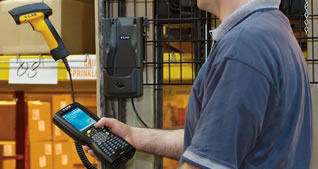
How to Barcode Inventory
“There’s a right way, a wrong way and my way” … to do something, or so my parents always said. So it goes with barcode…barcode inventory or barcode assets…in either case the proper barcode tools are required. The right way is to start with a barcode project plan. The wrong way is to simply start slapping barcode labels on product. “My way”, well, that can be a good way to set up barcoded inventory or barcode assets, once you’ve established the ground rules. At GigaTrak, Barcode 101 teaches that any barcode inventory, or barcode asset project has a minimum of 10 components:
1) Barcoded product
2) Barcode inventory environment
3) Barcode label
4) Location of barcode labeling
5) Type of barcode labels on inventory items and inventory location
6) Barcode scanner to scan barcode and end user scanning barcode
7) Administrator or supervisor responsible for maintaining barcode inventory systems
8) Barcode project manager (aka, the person who got stuck with the barcode project)
9) Barcode software application
10) IT staff responsible for administering the barcode software application
We’ll KISS here, addressing only 1 – 5. 1: Consider the barcoded product– is it normal, hot, cold, indoor/outdoor stored? Make sure the barcode label is up to attaching to the barcoded product. 2: Barcode inventory environment – like we said, match the barcode label to environment – don’t use direct thermal barcode labels where thermal transfer barcode labels are called for. 3: Barcode labels– polypropylene, paper, ceramic, metallic barcode tags? 4: Location barcode labeling– Okay, so you have barcoded inventory, what about barcoding the location, so it can be located once it’s put away? 5: Like barcode printers have a variety of fonts, there are also many types of barcodes – Code 39, UPC, EAN, Interleaved 2of5. Consider the barcode information to be printed on the barcode label. Consider the software application’s requirements for the barcode. Consider the business you’re in (Healthcare inventory management, Construction Contractor inventory management, and Food Service or Food products under FDA regulations). GigaTrak Barcode Inventory Solutions: we know how to barcode inventory!
How to Barcode Inventory Software
GigaTrak Barcode Solutions offers a wide variety of custom and off-the-shelf inventory control and asset management barcode software. Our products include, at no additional cost, an embedded barcode designer and barcode label designer module – allowing our barcode software users to design and create their own barcode inventory labels. Barcode Inventory Software lets you create barcode location labels, barcode inventory labels, barcode receipt labels and barcode shipping labels. Barcode inventory software is often an afterthought when barcode label projects are in the planning stage. However, unless all labels, from inventory receipt labels, to inventory location labels, to barcode labels on the manufactured or shipped inventory item, are available as pre-printed barcode labels, at some point a company is going to have a requirement to print their own barcode. Barcode Inventory Software that includes barcode label designer means you don’t have to spend unnecessary money on an additional inventory software product, also reducing the number of barcode software products you need to support and maintain. GigaTrak’s Barcode Inventory Software is flexible by design, simple to use, cost effective to support your bottom line.
How to Barcode Inventory Systems
GigaTrak Barcode Inventory Systems are designed to be simple to use and easy to implement. A Barcode Inventory System has 4 basic components: the end user, the barcode label, the inventory software, and the barcode hardware. GigaTrak’s Barcode Inventory Systems can provide a business with all the basics required to implement barcoding for inventory control and management. All you have to provide is the user.
How to Barcode Inventory Solutions
When it comes to barcoding inventory, barcode labeling is a very small component of the process. It takes a Barcode Inventory Solution to raise a barcode project. Whether it’s inventory control, asset management, consumable goods control, or any myriad of barcode projects, a total barcode inventory solution is necessary. Give GigaTrak’s Barcode Inventory Solutions a look. We think you’ll find that in the realm of barcode inventory solutions on the market, our inventory solution stands out among the rest. From encompassing the overall requirements of a barcode project to ease of implementation, we have the experience to make these inventory management projects seamless.
Give us a call at 262-657-5500 to discuss your barcode inventory options.
